Description
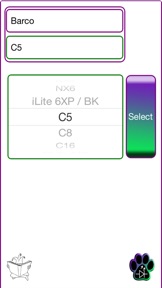
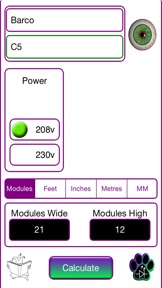
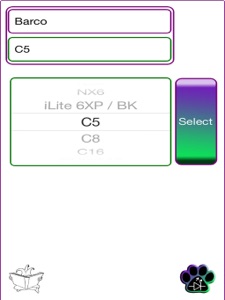
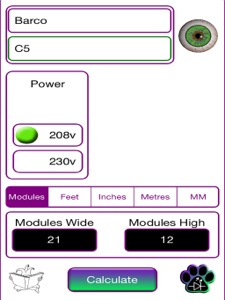
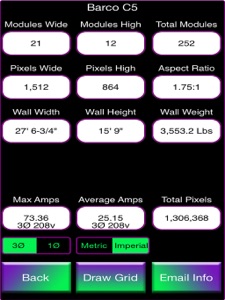
FidoLED is a LED Screen calculator. Dial up the manufacturer, the model and then enter the size you want in Modules, Metres, MM, Inches or feet and it will return to you the number of pixels for the given screen, the width, height and weight of the screen plus the power draw for the screen.
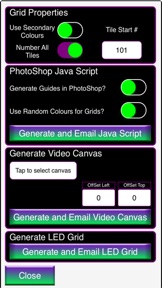
It will also generate a print out of the information as well as generate grids of the led screen in pixels for helping to make pixel mapped content, you can spit out just the actual screen in pixels, or set on a standard video canvas with or without a pixel shift offset, or as a photoshop script file so that you can modify it in photoshop for the more creative screens.
FidoLED was originally written for the PM's and Techs of Creative Technology (CT) the Database is very heavy on CT owned tiles. There is a small CT Logo in a red circle to the right of the make and model selection - to see every tile in the database just tap the CT Logo so that its crossed out and you will see all the tiles in the database, to see only the CT Owned tiles tap the CT logo again and it will filter the database to tiles owned by them
I can add ANY make and model of tile VERY QUICKLY to the database, the majority of the time I am on PST so depending on when a request email is received, turn around time can be very quick and i will email you back when the database has been updated.
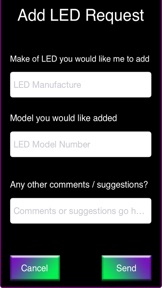
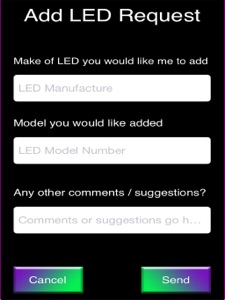
Tap on the FidoLED logo on the main page and you will be presented with a form where you can fill in the information asking me to add the LED make and model you want.
As more makes and models are added to the Database I will send a notification message (Push Notification) to let you know the is a database update for the app. If FidoLED is in use at the time it will grab the database automatically, if its not then just select the notification message and it will open FidoLED and update the Database.
You can also manually update to the most current Database by taping on the logo on the bottom left of the main screen.
If you have any questions or comments about this application please feel free to email me Darren@fidoLED.com
What's New in Version 1.1.10
Bug fix, the app didn't display decimal's for tiles in MM that were a fraction of a mm - the infiled S1.8 for example. Thank's to Jason for pointing it out.
Also Fixed the issue with Users in China not being able to get database update notifications or being able to get the latest databases manually. - Luckily I was in China to solve this one!