Updating


iPhone Screenshots
Description
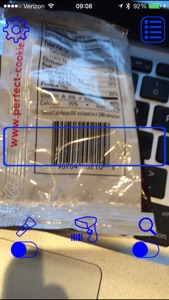
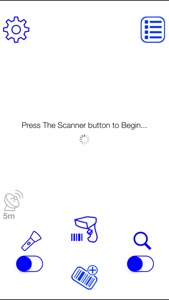
TagScanner X allows you to quickly save asset tags using your iPhone's camera, works with most barcodes like both 2D and 1D barcodes such as PDF417, QR, Aztec, EAN, UPC, Code 128, etc. With four different input modes you can find the one for the task that you are trying to complete.
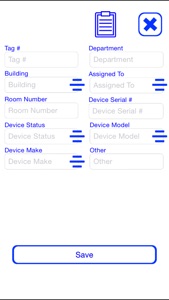
Normal mode saves the asset tag, date/time, and the tag's location when you scan the tag without any user interaction. Inventory mode saves the asset tag, date/time, the tag's location, default building, default department, default make and default model when you scan the tag without any user interaction. Detail mode pre-populates a fillable form with the asset tag, date/time, the tag's location, default building, default department, default make and default model when you scan the tag allowing you to change any information before saving the tag to the database. Email mode saves the asset tag, date/time, and the tag's location when you scan the tag without any user interaction, but also pulls up an email with pre-defined email addresses allowing you to send emails quickly regarding the asset tag you just scanned.
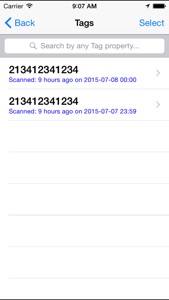
Using the database view you can copy multiple tags to the clipboard or send a CSV file with all the tag's information to any email address.
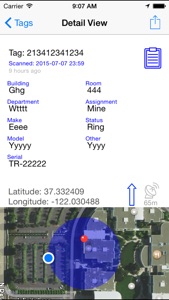
When viewing an individual tag's information in the database, the app will automatically place a marker on a map of where the tag was scanned.
What's New in Version 1.8.0
- ability to scan codes directly into the notes
- MAC button searches out 12 character MAC addresses and places colons in the string of characters
Information
Developer
Categories
Version
1.8.0
Size
2.5 MB
Game Center
No
VPP Device Licensing
Yes
Rating
Rated: 4+
Compatibility
iOS 8.4 or later
Devices
iPad Air, iPad mini 4 (Cellular), iPad mini 3, iPad mini (5th Generation), iPad Pro (11-inch) Wi-Fi + Cellular, iPad (5th Generation) Wi-Fi + Cellular, iPad (6th generation) Wi-Fi + Cellular, iPad Pro, iPad mini (5th Generation) Wi-Fi + Cellular, iPad Pro 12.9-inch (3rd generation), iPod touch (6th Generation), iPad mini Retina (Cellular), iPad Air (Cellular), iPad Air 2 (Cellular), iPad mini 4, iPad Pro 12.9-inch (3rd generation) Wi-Fi + Cellular, iPad Pro 12.9-inch (2nd generation), iPad (5th Generation) Wi-Fi, iPad Air (3rd generation) Wi-Fi + Cellular, iPad Pro (Cellular), iPad Pro 12.9-inch (2nd generation) Wi-Fi + Cellular, iPhone 8 Plus, iPad Pro (9.7-inch), iPhone XR, iPad Air 2, iPad (6th generation) Wi-Fi, iPad Air (3rd generation), iPhone 8, iPad Pro (10.5-inch) Wi-Fi + Cellular, iPhone 6s, iPad Pro (9.7-inch) (Cellular), iPhone 7, iPhone 7 Plus, iPhone XS Max, iPhone 6, iPhone X, iPhone 6 Plus, iPhone XS, iPad Pro (10.5-inch), iPhone SE, iPhone 5s, iPhone 6s Plus, iPad mini 3 (Cellular), iPad Pro (11-inch)
Languages
English
App Store: Customer Ratings
Ratings & Reviews
0.0 of 5 (No rating)
App Store: Customer Reviews
No Entry