AboutTermsPrivacyContact
 
Updating
Work Folders

Work Folders

Released: 2015-01-15
Work Folders - QR Code
Version 2.2.0
4+
Download on the App Store
Version 2.2.0
4+
Download on the App Store
Released: 2015-01-15

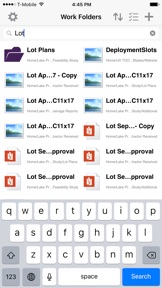
iPhone Screenshots

Screenshot
Screenshot
Screenshot
Screenshot

iPad Screenshots

Screenshot
Screenshot
Screenshot
Screenshot

Description

Work Folders is a location where you can store work files and access them from all of your PCs and devices, even when you’re offline.
To use Work Folders, your workplace has to enable your account first. After your account is enabled, you can set up the Work Folders app.
Features
• Access your work files and folders on your iPad and other devices.
• Pin files so that you can view them while you're offline.
• Files are encrypted and protected by an app passcode, keeping others out.

What's New in Version 2.2.0

• Bug Fixes

Seller

Name

Microsoft Corporation

URL

Information

Categories

Version

2.2.0

Size

20.6 MB

Game Center

No

VPP Device Licensing

Yes

Rating

Rated: 4+

Compatibility

iOS 12.1 or later

Devices

iPhone 5s, iPhone 6, iPhone 6 Plus, iPhone 6s, iPhone 6s Plus, iPhone SE, iPhone 7, iPhone 7 Plus, iPhone 8, iPhone 8 Plus, iPhone X, iPhone XR, iPhone XS, iPhone XS Max, iPhone 11, iPhone 11 Pro, iPhone 11 Pro Max, iPhone SE (2nd generation), iPhone 12, iPhone 12 Pro, iPhone 12 Pro Max, iPhone 12 mini, iPhone 13, iPhone 13 Pro, iPhone 13 Pro Max, iPhone 13 mini, iPhone SE (3rd generation), iPhone 14, iPhone 14 Plus, iPhone 14 Pro, iPhone 14 Pro Max, iPhone 15, iPhone 15 Plus, iPhone 15 Pro, iPhone 15 Pro Max, iPhone 16, iPhone 16 Plus, iPhone 16 Pro, iPhone 16 Pro Max, iPhone 16e, iPad (5th Generation) Wi-Fi, iPad (5th Generation) Wi-Fi + Cellular, iPad (6th generation) Wi-Fi, iPad (6th generation) Wi-Fi + Cellular, iPad Pro, iPad Pro (Cellular), iPad Pro (9.7-inch), iPad Pro (9.7-inch) (Cellular), iPad Pro 12.9-inch (2nd generation), iPad Pro 12.9-inch (2nd generation) Wi-Fi + Cellular, iPad Pro (10.5-inch), iPad Pro (10.5-inch) Wi-Fi + Cellular, iPad Pro (11-inch), iPad Pro (11-inch) Wi-Fi + Cellular, iPad Pro 12.9-inch (3rd generation), iPad Pro 12.9-inch (3rd generation) Wi-Fi + Cellular, iPad Air, iPad Air (Cellular), iPad Air 2, iPad Air 2 (Cellular), iPad Air (3rd generation), iPad Air (3rd generation) Wi-Fi + Cellular, iPad mini Retina, iPad mini Retina (Cellular), iPad mini 3, iPad mini 3 (Cellular), iPad mini 4, iPad mini 4 (Cellular), iPad mini (5th Generation), iPad mini (5th Generation) Wi-Fi + Cellular, iPad (7th generation) Wi-Fi + Cellular, iPad Pro 11-inch (2nd generation), iPad Pro 11-inch (2nd generation) Wi-Fi + Cellular, iPad Pro 12.9-inch (4th generation), iPad Pro 12.9-inch (4th generation) Wi-Fi + Cellular, iPad Air (4th Generation) (Wi-Fi), iPad Air (4th Generation) (Wi-Fi + Cellular), iPad (8th generation) Wi-Fi, iPad (8th generation) Wi-Fi + Cellular, iPad Pro 11-inch (3rd generation), iPad Pro 11-inch (3rd generation) Wi-Fi + Cellular, iPad Pro 12.9-inch (5th Generation), iPad Pro 12.9-inch (5th Generation) Wi-Fi + Cellular, iPad (9th Generation), iPad (9th Generation) Wi-Fi + Cellular, iPad mini (6th Generation), iPad mini (6th Generation) Wi-Fi + Cellular, iPad Air (5th generation), iPad Air (5th generation) Wi-Fi + Cellular, iPad Pro 11-inch (4th generation), iPad Pro 11-inch (4th generation) Wi-Fi + Cellular, iPad Pro 12.9-inch (6th generation), iPad Pro 12.9-inch (6th generation) Wi-Fi + Cellular, iPad (10th generation), iPad (10th generation) Wi-Fi + Cellular, iPad Air 11-inch (M2) Wi-Fi, iPad Air 13-inch (M2) Wi-Fi, iPad Air 13-inch (M2) Wi-Fi + Cellular, iPad Pro 11-inch (M4) Wi-Fi, iPad Pro 11-inch (M4) Wi-Fi + Cellular, iPad Pro 13-inch (M4) Wi-Fi, iPad Pro 13-inch (M4) Wi-Fi + Cellular, iPad mini (A17 Pro) Wi-Fi, iPad mini (A17 Pro) Wi-Fi + Cellular, iPad (A16) Wi-Fi, iPad (A16) Wi-Fi + Cellular, iPad Air 11-inch (M3) Wi-Fi, iPad Air 11-inch (M3) Wi-Fi + Cellular, iPad Air 13-inch (M3) Wi-Fi, iPad Air 13-inch (M3) Wi-Fi + Cellular, iPod touch (6th Generation), iPod touch (7th generation)

Languages

English, Chinese, Czech, Dutch, French, German, Hungarian, Italian, Japanese, Korean, Polish, Portuguese, Russian, Spanish, Swedish

App Store: Customer Ratings

Ratings & Reviews

2.8 of 5 (22 Ratings)

App Store: Customer Reviews

2020-06-08

good but

it doesn't support personal accounts.
liuouou
Version 2.2.0
2020-05-11

If I Don’t Work, Microsoft Needs To Assist Me.

Hello,
What a great-looking app! So, the only problem is I’m retired. Microsoft does NOT make it clear, until I enter an email address, that an EMPLOYER needs to authorize access. So I assume, since you’ve made it free and available to anyone, that Microsoft can provide a URL or Microsoft email address so I can use the app. Otherwise, this is a reportable offense. I will be so grateful for your cooperation and then no further complaints or other discussion needs to occur. I will email the developer also, but hopefully this will save others from any trouble over the next 24 hours. I’m sure he/she will have this fix in several minutes.
Extremely careless marketing and product placement, if I may be completely clear.
Kind Regards.
MRH3311
Version 2.2.0
2019-12-12

Nice idea, however ...

Wants me to have a certificate for my site. Great! Will you pay for it? Certificates should be free! I find the Microsoft idiotic frown smiley, which isn't smiling, to be very insulting. it's nice to turn the tables on an arrogant Microsoft. Have some frown emojis Microsoft 😦🙁😦😞😢😣😓
Jack Lightning
Version 2.2.0
2019-01-18

No support for Macs

Potentially awesome product, crippled by the fact it doesn’t support Mac clients — a death blow in just about any environment big enough to consider implementing Workfolders. Do they not have product marketing people at Microsoft that can figure this stuff out?
TechoTom
Version 2.2.0
2018-11-28

Touch ID

Please eliminate the PIN prompt when Touch ID is enabled.
Jordan928477
Version 2.1.1
2018-11-15

Next version to support iPhone XS Max?

Great app, when does the next version come out for full screen support of iPhone XS Max?
JRizzzle11
Version 2.1.1
2018-05-02

Does now work!

This app asked for my email address, I type it in. I click go, it says network connection lost. I have tried this a dozen times this app is worthless.
Dave the video guy
Version 2.1.1
2016-03-07

Great for remote access!

Files should be able to be opened full screen. There is also an issue with displaying correct colors (CMYK/RGB) when opening pdf files.
LaCorey
Version 1.2.0
2015-08-12

Thank you Microsoft!

This is a great app! Finally I have all my work documents on my phone/iPad easily. This reminds me of the "file manager " feature in blackberrys...
Right now you can view and send files right from your phone.
I would love to see a feature added so you can edit files as well.
Great work Microsoft.
blakhaddad
Version 1.1.1