AboutTermsPrivacyContact
 
Updating
MidiFire

MidiFire

Released: 2017-09-22
© Audeonic Apps
MidiFire - QR Code
Version 2.1
4+
Download on the App Store
Version 2.1
4+
Download on the App Store
Released: 2017-09-22
© Audeonic Apps

iPhone Screenshots

Screenshot
Screenshot
Screenshot
Screenshot

iPad Screenshots

Screenshot
Screenshot
Screenshot
Screenshot
Screenshot

Description

MidiFire is a free-form, modular AUv3 MIDI effect host, CoreMIDI router, processor, monitor and clock source from the makers of MidiBridge.
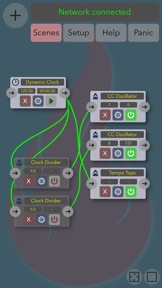
Drop and arrange MIDI ports and modules onto the canvas however you like and connect them up to start routing and processing your MIDI events. Pan, zoom and scroll the canvas. Add as many ports and modules as you wish. Connect them in series or parallel. Cascade them together. Merge and split. You can create highly complex MIDI processing setups. Or keep it simple - the choice is yours.
▶ FEATURES
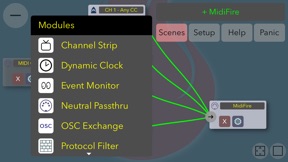
Essential processing modules for channelising, filtering, transposing, 'monofying', remapping and monitoring - or create your own. All included with the standard app.
A highly accurate remotely controllable MIDI clock source.
Save your work into recallable/re-usable scenes. Share your scenes with other devices, computers and people. Switch between your scenes via configurable MIDI program change messages.
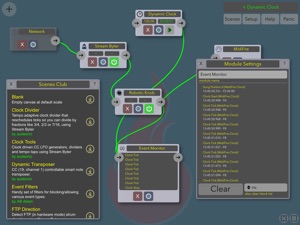
Download even more functionality within the app for free using the 'Scenes Club' for useful and special-purpose scenes that you can incorporate into your workflow.
Initiate and connect Bluetooth MIDI sessions within the application.
Define multiple virtual CoreMIDI ports to segregate your MIDI streams.
▶ COMPATIBILITY
MidiFire supports all CoreMIDI hardware interfaces, the network interface, virtual ports (self owned or other apps') and Bluetooth MIDI.
Also available for mac on the Mac App Store. Scene files are interchangeable between iOS and macOS.
▶ STREAM BYTER (II)
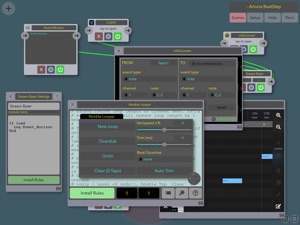
What sets MidiFire apart is the newly extended Stream Byter module first pioneered in MidiBridge. With this you can write your own processing modules using textual rules.
Newly added constructs to the Stream Byter include: IF/THEN, local/global variables, mathematical functions, timing variables, 'onload' rules, setting of block labels and sending arbitrary MIDI data. The Stream Byter is backwards compatible with rulesets you already have from MidiBridge; just copy/paste them in.
▶ NICHE MODULES
Also included are some specialised modules:
• Tracking Clamp - reduce tracking miss-hits from MIDI guitars.
• Robotic Knob - generate complementary CC messages to control synths and FX based on your playing.
• OSC Exchange - send and receive OSC data across a MIDI channel (DIN, USB, wifi or Bluetooth) between MidiFire instances.
▶ FURTHER INFORMATION
For tutorial videos, full manual and more, please visit the MidiFire website - http://midifi.re
For assistance in writing Stream Byter rules please email us or join the 'Audeonic Soapbox' forum - http://soapbox.audeonic.com and post your requirements there.
* Powered by the MidiBus library.

What's New in Version 2.1

- better handling of code pasted from websites/emails
- fix for some plugins not being shown in list
- stability fixes

Seller

Name

Soft Audio

URL

Information

Developer

Categories

Version

2.1

Size

8.3 MB

Game Center

No

VPP Device Licensing

Yes

Rating

Rated: 4+

Compatibility

iOS 8.0 or later

Devices

iPhone 4S, iPhone 5, iPhone 5c, iPhone 5s, iPhone 6, iPhone 6 Plus, iPhone 6s, iPhone 6s Plus, iPhone SE, iPhone 7, iPhone 7 Plus, iPhone 8, iPhone 8 Plus, iPhone X, iPhone XR, iPhone XS, iPhone XS Max, iPhone 11, iPhone 11 Pro, iPhone 11 Pro Max, iPhone SE (2nd generation), iPhone 12, iPhone 12 Pro, iPhone 12 Pro Max, iPhone 12 mini, iPhone 13, iPhone 13 Pro, iPhone 13 Pro Max, iPhone 13 mini, iPhone SE (3rd generation), iPhone 14, iPhone 14 Plus, iPhone 14 Pro, iPhone 14 Pro Max, iPhone 15, iPhone 15 Plus, iPhone 15 Pro, iPhone 15 Pro Max, iPhone 16, iPhone 16Plus, iPhone 16Pro, iPhone 16ProMax, iPad 2 (Wi-Fi), iPad 2 (3G), iPad (3rd Generation) (Wi-Fi), iPad (3rd Generation) (4G), iPad (4th Generation) (Wi-Fi), iPad (4th Generation) (4G), iPad (5th Generation) Wi-Fi, iPad (5th Generation) Wi-Fi + Cellular, iPad (6th generation) Wi-Fi, iPad (6th generation) Wi-Fi + Cellular, iPad Pro, iPad Pro (Cellular), iPad Pro (9.7-inch), iPad Pro (9.7-inch) (Cellular), iPad Pro 12.9-inch (2nd generation), iPad Pro 12.9-inch (2nd generation) Wi-Fi + Cellular, iPad Pro (10.5-inch), iPad Pro (10.5-inch) Wi-Fi + Cellular, iPad Pro (11-inch), iPad Pro (11-inch) Wi-Fi + Cellular, iPad Pro 12.9-inch (3rd generation), iPad Pro 12.9-inch (3rd generation) Wi-Fi + Cellular, iPad Air, iPad Air (Cellular), iPad Air 2, iPad Air 2 (Cellular), iPad Air (3rd generation), iPad Air (3rd generation) Wi-Fi + Cellular, iPad mini (Wi-Fi), iPad mini (4G), iPad mini Retina, iPad mini Retina (Cellular), iPad mini 3, iPad mini 3 (Cellular), iPad mini 4, iPad mini 4 (Cellular), iPad mini (5th Generation), iPad mini (5th Generation) Wi-Fi + Cellular, iPad (7th generation) Wi-Fi + Cellular, iPad Pro 11-inch (2nd generation), iPad Pro 11-inch (2nd generation) Wi-Fi + Cellular, iPad Pro 12.9-inch (4th generation), iPad Pro 12.9-inch (4th generation) Wi-Fi + Cellular, iPad Air (4th Generation) (Wi-Fi), iPad Air (4th Generation) (Wi-Fi + Cellular), iPad (8th generation) Wi-Fi, iPad (8th generation) Wi-Fi + Cellular, iPad Pro 11-inch (3rd generation), iPad Pro 11-inch (3rd generation) Wi-Fi + Cellular, iPad Pro 12.9-inch (5th Generation), iPad Pro 12.9-inch (5th Generation) Wi-Fi + Cellular, iPad (9th Generation), iPad (9th Generation) Wi-Fi + Cellular, iPad mini (6th Generation), iPad mini (6th Generation) Wi-Fi + Cellular, iPad Air (5th generation), iPad Air (5th generation) Wi-Fi + Cellular, iPad Pro 11-inch (4th generation), iPad Pro 11-inch (4th generation) Wi-Fi + Cellular, iPad Pro 12.9-inch (6th generation), iPad Pro 12.9-inch (6th generation) Wi-Fi + Cellular, iPad (10th generation), iPad (10th generation) Wi-Fi + Cellular, iPad Air 11-inch (M2) Wi-Fi, iPad Air 13-inch (M2) Wi-Fi, iPad Air 13-inch (M2) Wi-Fi + Cellular, iPad Pro 11-inch (M4) Wi-Fi, iPad Pro 11-inch (M4) Wi-Fi + Cellular, iPad Pro 13-inch (M4) Wi-Fi, iPad Pro 13-inch (M4) Wi-Fi + Cellular, iPad MiniA17Pro, iPad MiniA17ProCellular, iPod touch (5th generation), iPod touch (6th Generation), iPod touch (7th generation)

Languages

English

App Store: Customer Ratings

Ratings & Reviews

4.0 of 5 (15 Ratings)

App Store: Customer Reviews

2024-03-18

Essential

This is just what I needed to coordinate the BandHelper app with a CME WIDI Jack and an AIRSTEP Lite. The monitor and filter functions are super helpful!
RedStateSongs
Version 2.1
2023-09-20

Amazing!!

Now my midi controller can do ANYTHING! plus a bunch of more stuff! Thank you audeonic apps!!
It might take you a bit to figure it out but once you do 🤯
Bongojak
Version 2.1
2018-08-03

No ios 11 support- I was robbed

I purchased the app just to use an old Synthstayion 25, only to find out that it doesn’t work on ios11. I want a refund!
Piano P 1978
Version 1.15
2018-07-08

Super handy

I’m using this to merge hardware MIDI messages with TouchOSC messages and send them out to other hardware via an iConnectivity MIDI interface. I’m only using a simple use case but it works like a charm!
Richard WH
Version 1.12
2018-01-12

All I can say is AWESOME!

I’m solo guitarist/singer using Midibridge on my iPad mini 2 to interface Stage Traxx to TC Helicon Voicelive 3 through Quicco mi.1. I’ve been working on changing my setup to use Mainstage 3 to reduce the connections I have to make during setup. MidiFire is a godsend. I can still use Stage Traxx on my iPad mini 4 and connect through core midi to my MacBook Pro. The best thing I like about the Stage Traxx - MidiFire setup is that I can send a tempo value midi message from Stage Traxx to the Dynamic Clock in MidiFire, and Mainstage concert can be set up to accept the midi clock directly from MidiFire. I reverted back to my Harmony G XT and will use Stage Traxx and MidiFire to mute harmony during performance. I will also setup my FCB 1010 with the mi.1 for manual control of Stage Traxx and Mainstage. I’m always looking for ways to get more efficient in setup and breakdown. I’ll be able to reduce the time from 15 minutes to 10 minutes. Thank for a Great app at a reasonable price!
Ed
Kona musician
Version 1.10
2017-10-10

Fantastic app and service

I've been looking for a solution to my live iOS setup for a while but could not find a MIDI utility that accomplished what I wanted to do. I found the MidiFire scene setup to be easy and intuitive. And not only does the Stream Byter solution inside MidiFire solve the problem nicely, Nic at Audeonic offered amazingly swift and helpful support. Highly recommended!
Slaphappygrandpappy
Version 1.9
2017-10-03

Modular MIDI magic

Deep, open ended, brilliant
littlewoodg
Version 1.9
2017-09-27

Excellent!

MIDIFire is an excellent app. It offers all the power of MIDIBridge and MUCH more in 64-bit (iOS 11 compatible). It has been working flawlessly for me. The Graphic user interface is beautiful, powerful, and intuitive. The ability to save my setups and easily transfer them to other iOS devices is a very welcome addition. MIDIFire should be a part of any serious MIDI user's setup. Thank you, Audeonic!
Nonjohn
Version 1.9
2017-09-24

nearly unusable user interface

Clunky interface almost made me give up within minutes of first use. I dragged a module somewhat to right edge of canvas (certainly not at the edge): I found I couldn't select, delete or access this module. In fact I couldn't find any way to clear the scene I'd created (with the inaccessible module). I had to uninstall and reinstall MidiFire to escape the broken state of my first canvas. Did I not notice an initialization option?
How did the developers not experience the difficulty of use? Even in the promotional video (on discchord) the difficulty of selecting modules is obvious. Many common and expected affordances are unavailable. MidiFire clearly has serious usability issues, and the developers will need to deal with this sooner than later. The following are needed desperately:
• undo
• "initialize" or clear canvas option
• improved touch draggability for modules
• simple UI assistance for Range Filter and other modules (e.g. 'From' should update to follow 'To' if users has not edited 'From' yet)
• much UI testing, bug fixes, refinements...
MidiFire has useful features that help many audio configurations, however much time will be wasted with a terrible user interface... a real shame.
PS. I have updated to 2 stars since uninstalling and reinstalling, as its features are useful to me despite being a nearly unusable iPad app. Please note that if I were a normal user, and not a developer, I would likely have given up after running into the aforementioned UI bugs and weaknesses.
matthew szs
Version 1.9