AboutTermsPrivacyContact
 
Updating
Partometer - camera measure

Partometer - camera measure

Released: 2013-08-28
© VisTech.Projects LLC
Partometer - camera measure - QR Code
Version 1.5.5
4+
Download on the App Store
Version 1.5.5
4+
Download on the App Store
Released: 2013-08-28
© VisTech.Projects LLC

iPhone Screenshots

Screenshot
Screenshot
Screenshot
Screenshot

iPad Screenshots

Screenshot
Screenshot
Screenshot

Description

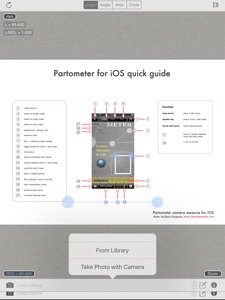
Partometer is a useful and handy camera tool for object dimensions measurements that can be used as a ruler or tape measure on your iPhone.
The App performs remote, non-contact in plane measurements. It uses the phone camera and any available object with known size as a reference. Most common objects like credit card, sheet of paper, DVD/CD, etc. are included in the application. Moreover you can use your own custom objects with known size.
The user has an option to make a snapshot of the camera view and work with the image instead of live camera view. Picture upload from the picture gallery is also available.
The following mode are available in the app:
Length Mode: measure objects in any direction and compare parts to each other.
Angle Mode: two rulers are available connected in one point to measure angle and lengths.
Area Mode: area of irregular shaped objects can be calculated using this mode.
Circle Mode: measurements on circle - radius, length, area
The App shows measurement results in different units such as meters, millimeters, centimeters, feet, inches based on user settings. It also calculate dimensions of the object in relative units with respect to the reference object.
Two editing modes Edit and Zoom help the user to align the rulers or to mark an object accurately.
The App can be very useful if you need to measure bigger distances on a plane, where a simple ruler or measure tape is difficult to apply. All you need to do in this case is to place the reference object (credit card or sheet of paper) on the measurement plane, to make sure that an object of interest and reference object fit into the camera view, to take picture and do measurements.
Demo videos:
http://youtu.be/HPSBnIcLz8A
http://youtu.be/NwZnB6sLfqI
Circle Mode:
http://youtu.be/vmX5kBLptg0
Partometer use cases:
- measure size of your room quickly
- estimate furniture size
- measure baggage size
- measure out some distances on objects (handcraft, woodcraft, etc.)
- measure size of a big object that practically impossible to measure with a ruler or tape measure outdoor. For example, you can measure height of a house using sheet of paper as a reference object.
- measure small objects with high accuracy just by placing them on A4 or Letter sheet.
- measure or compare height of a person
- compare objects to each other
- estimate Pupilary Distance by holding credit card next to your face
- measure fish size very quickly or measure all previous catch from the pictures using your own height
- measure fabric or cloth area and size
- measure trees
- measure angles, pitch gauge
- measure spark plug gap
- measure area of irregular shaped objects
- measure bearings, roller bearings, nuts, rings.
- measure any internal feature or irregular shaped area on X-ray if you have a reference( useful for dentists)
- make measurements in different units
- measurements of small objects that fit within your device screen: jewelry, rings, stones, screws, bolts, buttons, nuts, knitting needles, knitting pattern, washers, insects, mosaic tile, hooks, etc.
... and many others, depending on your imagination.
Depending on measurement conditions, reference object and distance to an object you can achieve sub-mm resolution.

What's New in Version 1.5.5

fix and update screenshots

Seller

Name

VisTech.Projects LLC

Information

Categories

Version

1.5.5

Size

26.1 MB

Game Center

No

VPP Device Licensing

Yes

Rating

Rated: 4+

Compatibility

iOS 10 or later

Devices

iPhone 5s, iPhone 6, iPhone 6 Plus, iPhone 6s, iPhone 6s Plus, iPhone SE, iPhone 7, iPhone 7 Plus, iPhone 8, iPhone 8 Plus, iPhone X, iPhone XR, iPhone XS, iPhone XS Max, iPhone 11, iPhone 11 Pro, iPhone 11 Pro Max, iPhone SE (2nd generation), iPhone 12, iPhone 12 Pro, iPhone 12 Pro Max, iPhone 12 mini, iPhone 13, iPhone 13 Pro, iPhone 13 Pro Max, iPhone 13 mini, iPhone SE (3rd generation), iPhone 14, iPhone 14 Plus, iPhone 14 Pro, iPhone 14 Pro Max, iPhone 15, iPhone 15 Plus, iPhone 15 Pro, iPhone 15 Pro Max, iPhone 16, iPhone 16 Plus, iPhone 16 Pro, iPhone 16 Pro Max, iPhone 16e, iPhone 17, iPhone 17 Pro, iPhone 17 Pro Max, iPhone Air, iPad (5th Generation) Wi-Fi, iPad (5th Generation) Wi-Fi + Cellular, iPad (6th generation) Wi-Fi, iPad (6th generation) Wi-Fi + Cellular, iPad Pro, iPad Pro (Cellular), iPad Pro (9.7-inch), iPad Pro (9.7-inch) (Cellular), iPad Pro 12.9-inch (2nd generation), iPad Pro 12.9-inch (2nd generation) Wi-Fi + Cellular, iPad Pro (10.5-inch), iPad Pro (10.5-inch) Wi-Fi + Cellular, iPad Pro (11-inch), iPad Pro (11-inch) Wi-Fi + Cellular, iPad Pro 12.9-inch (3rd generation), iPad Pro 12.9-inch (3rd generation) Wi-Fi + Cellular, iPad Air, iPad Air (Cellular), iPad Air 2, iPad Air 2 (Cellular), iPad Air (3rd generation), iPad Air (3rd generation) Wi-Fi + Cellular, iPad mini Retina, iPad mini Retina (Cellular), iPad mini 3, iPad mini 3 (Cellular), iPad mini 4, iPad mini 4 (Cellular), iPad mini (5th Generation), iPad mini (5th Generation) Wi-Fi + Cellular, iPad (7th generation) Wi-Fi + Cellular, iPad Pro 11-inch (2nd generation), iPad Pro 11-inch (2nd generation) Wi-Fi + Cellular, iPad Pro 12.9-inch (4th generation), iPad Pro 12.9-inch (4th generation) Wi-Fi + Cellular, iPad Air (4th Generation) (Wi-Fi), iPad Air (4th Generation) (Wi-Fi + Cellular), iPad (8th generation) Wi-Fi, iPad (8th generation) Wi-Fi + Cellular, iPad Pro 11-inch (3rd generation), iPad Pro 11-inch (3rd generation) Wi-Fi + Cellular, iPad Pro 12.9-inch (5th Generation), iPad Pro 12.9-inch (5th Generation) Wi-Fi + Cellular, iPad (9th Generation), iPad (9th Generation) Wi-Fi + Cellular, iPad mini (6th Generation), iPad mini (6th Generation) Wi-Fi + Cellular, iPad Air (5th generation), iPad Air (5th generation) Wi-Fi + Cellular, iPad Pro 11-inch (4th generation), iPad Pro 11-inch (4th generation) Wi-Fi + Cellular, iPad Pro 12.9-inch (6th generation), iPad Pro 12.9-inch (6th generation) Wi-Fi + Cellular, iPad (10th generation), iPad (10th generation) Wi-Fi + Cellular, iPad Air 11-inch (M2) Wi-Fi, iPad Air 13-inch (M2) Wi-Fi, iPad Air 13-inch (M2) Wi-Fi + Cellular, iPad Pro 11-inch (M4) Wi-Fi, iPad Pro 11-inch (M4) Wi-Fi + Cellular, iPad Pro 13-inch (M4) Wi-Fi, iPad Pro 13-inch (M4) Wi-Fi + Cellular, iPad mini (A17 Pro) Wi-Fi, iPad mini (A17 Pro) Wi-Fi + Cellular, iPad (A16) Wi-Fi, iPad (A16) Wi-Fi + Cellular, iPad Air 11-inch (M3) Wi-Fi, iPad Air 11-inch (M3) Wi-Fi + Cellular, iPad Air 13-inch (M3) Wi-Fi, iPad Air 13-inch (M3) Wi-Fi + Cellular, iPad Pro 11-inch (M5) Wi-Fi, iPad Pro 11-inch (M5) Wi-Fi + Cellular, iPad Pro 13-inch (M5) Wi-Fi, iPad Pro 13-inch (M5) Wi-Fi + Cellular, iPod touch (6th Generation), iPod touch (7th generation)

Languages

English

App Store: Customer Ratings

Ratings & Reviews

3.5 of 5 (64 Ratings)

App Store: Customer Reviews

2020-03-03

iPad Air, iOS 12.4.5

Need to close all background apps to get main screen.
CaptSquid92861
Version 1.5.1
2020-01-15

Imported photo at lower resolution

I bought this to some work. Needed to measure map scale and then use that number to find distances on a map but the loaded photo was at a lower resolution than the actual photo so i can’t clearly see the scale - its too blury. It makes this a waste of money for me. It would be great if it could be loaded at same resolution.
randolphin212
Version 1.5.1
2019-04-16

Difficult to use

This app is very difficult to use. It is hard to place the measure points in the correct place with your finger blocking the view. A magnifying glass above the point would be helpful. The interfaces and functions are limited and not user friendly
Tddot
Version 1.5.0
2019-02-09

Not what I wanted

I guess this is usable but not at all what I wanted or could even use. Total waste of my money.
tamtwo
Version 1.5.0
2019-01-23

Difficult to obtain accurate measure

Due to the angle of the camera to the object it is almost impossible to measure items with any accuracy.
My recommendation would be to add a bubble level to the camera mode as a quick fix but rather have a recorded plane whereby the phone is placed on the same plane as the object, a level taken and recorded and then another bubble during camera mode to ensure phone is held to recorded plane. This would make the app far more accurate.
Nick_on_Mac
Version 1.5.0
2018-08-15

Doesn’t work on Black Pipe

I tried using it in the crawl space to calculate the dimension of a coupler on black pipe. Didn’t work out. Deleting App.
thus is ridiculous
Version 1.4.7
2016-09-26

useful — if the user uses it right

a few "caveats" are in order:
1) the known reference *must* be in the same plane as the measured item
2) the iPhone camera is wide-angle (about 28mm), which will distort the plane of reference if the measuring and the measured are not sufficiently distant.
3) the lens-to-object distance must be consistent to realize accurate results
4) frankly, this is a *comparing* tool more than a *measuring* tool, which is fine if you have both objects together in the image. the provided references make little sense since the likelyhood they will be in the same plane is nil.
5) where this app will shine is if the user, say parks a vehicle of known length next to a building or tree, the tree's or building's height may be determined
flitetym
Version 1.4.2
2016-05-12

Hard to use

I'm just looking for an app I can take a picture and add the measurement to to send off. Too complicated.
Community Director
Version 1.4.1
2014-07-18

You are wonderful

Thank you so so much for circle mode, it is awesome.
Scribben
Version 1.2.0
2013-09-24

Very useful app

This app is handy for quick and accurate measurements. It is very useful to estimate measurements on photos.
CengoBJK
Version 1.0.1
2013-08-28

Great app for measuring

The reference comparison is a great idea to measure anything with accuracy. A credit card is very handy. Used it for long distance measurements also.
Deeohgee81
Version 1.0.0