AboutTermsPrivacyContact
 
Updating
AntiCrop

AntiCrop

Released: 2012-01-17
© ADVA Soft
AntiCrop - QR Code
Version 1.2.1
4+
Download on the App Store
Version 1.2.1
4+
Download on the App Store
Released: 2012-01-17
© ADVA Soft

iPhone Screenshots

Screenshot
Screenshot
Screenshot
Screenshot
Screenshot

iPad Screenshots

Screenshot
Screenshot
Screenshot
Screenshot
Screenshot

Description

AntiCrop is the application that you’ve always dreamed about but never thought possible. For the first time ever, you can uncrop photos on your iPhone or iPad. AntiCrop – Expand your limits. Click “…More” to learn why you should download this unique App today!
You’ve got some great vacation shots but a few regrets. Upon returning home from your trip, you saw that you've missed out all the extra scenery in order to highlight you and your friends on the beach. The beautiful white sand, lush tropical plants and incredible clear sky are all gone, a paradise lost. If only there was a way to expand those tiny pieces of nature at the borders!
Well, there is. Those rumours you’ve heard about a new anti-cropping algorithm are true, and AntiCrop is the result. You’ve never seen anything like this because AntiCrop is the only application in existence to offer you the capability of uncropping your photos. Oh yes, you can also crop them, if you’d like.
Are you an amateur photographer? Great, you’ll find this app super easy to use to crop unwanted elements, or to uncrop your pictures. Maybe you’re a pro who needs to be able to work on the go, or an artist looking to create pictures using a photography medium. AntiCrop is perfect for everyone!
Inside this app lies a highly intellectual content filling tool that adds pixels to the expanded area of your photo. It’s highly recommended for all kinds of backgrounds and homogeneous textures. Great results are achievable when working with nature landscapes, backgrounds and much more. If you want to make some unique creations, AntiCrop can help there, too. All you need is imagination and a willingness to experiment.
However please do not use AntiCrop to complete unpredictable picture areas – human face, buildings or other objects since the application was not designed for these kinds of tasks.
To use AntiCrop, just take a snapshot or select a photo from gallery then slide the photo frame in the direction you want to expand it, and voila! You’re done! The magical AntiCrop algorithms generate and add a new strip to the borders of your photo that match the surrounding photo elements. Honestly, what could be simpler or more exciting?
Have a look at some of the incredible features you get in AntiCrop:
* World's first app with anti-cropping algorithm
* Uncrop photos in any direction
* Lossless straighten technique
* Attractive, easy to use interface
* Optimized for multi-core processors
* Brought to you by the developers of TouchRetouch
Until now, it was impossible to uncrop a photo on mobile device. AntiCrop has changed that. Welcome to the future.
Download AntiCrop right now and put this unique and powerful tool to work for you.
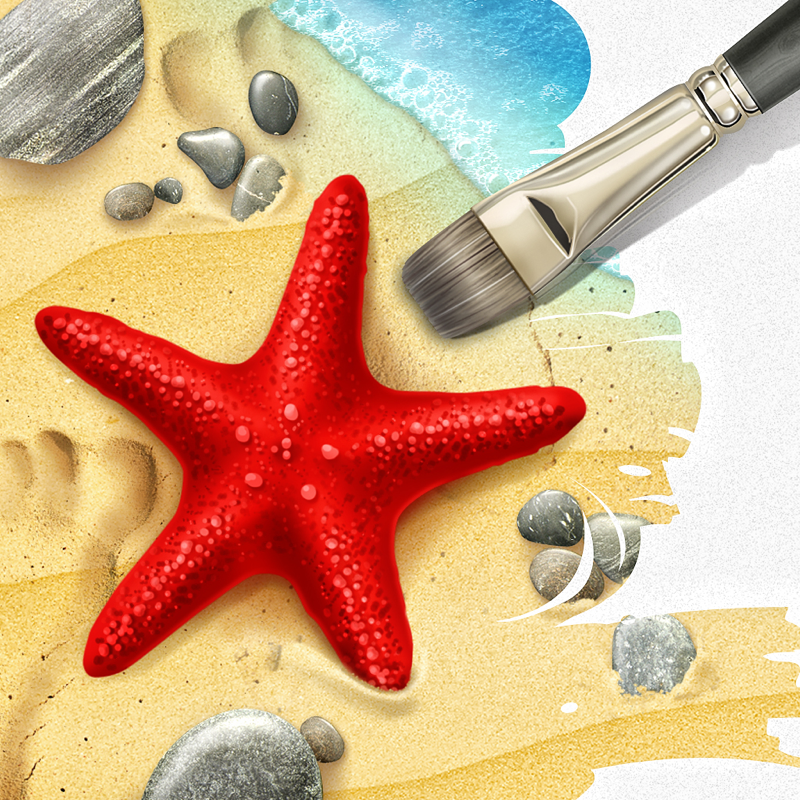
What's New in Version 1.2.1

iOS 8 & iphone 6 plus compatibility fixes

Seller

Information

Developer

Categories

Version

1.2.1

Size

46.9 MB

Game Center

No

VPP Device Licensing

Yes

Rating

Rated: 4+

Compatibility

iOS 4.3 or later

Devices

iPad mini 3 (Cellular), iPad Air (Cellular), iPad mini Retina (Cellular), iPad mini 4 (Cellular), iPad mini 3, iPad Pro (11-inch), iPad Air 2, iPad (6th generation) Wi-Fi, iPad (5th Generation) Wi-Fi, iPad Pro 12.9-inch (2nd generation), iPad Pro (11-inch) Wi-Fi + Cellular, iPad (5th Generation) Wi-Fi + Cellular, iPad Pro 12.9-inch (3rd generation) Wi-Fi + Cellular, iPod touch (7th generation), iPad mini Retina, iPad mini (5th Generation) Wi-Fi + Cellular, iPad Pro 12.9-inch (3rd generation), iPad Air (3rd generation), iPad Pro 12.9-inch (2nd generation) Wi-Fi + Cellular, iPad Air (3rd generation) Wi-Fi + Cellular, iPad Pro (10.5-inch) Wi-Fi + Cellular, iPhone 6 Plus, iPhone 6s, iPhone 8 Plus, iPhone 8, iPad Pro (Cellular), iPad Pro (9.7-inch) (Cellular), iPad Pro (9.7-inch), iPhone 6s Plus, iPhone 5s, iPhone 7, iPhone 7 Plus, iPhone X, iPhone XR, iPhone SE, iPhone 6, iPhone XS Max, iPad Pro (10.5-inch), iPhone XS, iPad mini (5th Generation), iPad (6th generation) Wi-Fi + Cellular, iPad Pro, iPod touch (6th Generation), iPhone 11, iPad Air, iPad Air 2 (Cellular), iPad mini 4

Languages

English, Chinese, Dutch, French, German, Italian, Japanese, Portuguese, Russian, Spanish, Ukrainian

App Store: Customer Ratings

Ratings & Reviews

3.5 of 5 (317 Ratings)

App Store: Customer Reviews

2017-06-01

Buyer be warned...

This app currently seem to work well enough, for what it is, under iOS 10 on an iPhone 6, but there are limits with combining rotation and expansion. Under normal circumstances this would be worth 4 stars.
HOWEVER, this app hasn't been updated in 2½ years and if it doesn't undergo the necessary 64-bit-only compatibility upgrade soon, it will be quashed by the impending iOS (11) update. So understand that you may not be using it for long.
Continued support is a big part of an app's worth.
EarInTheCrowd
Version 1.2.1
2017-04-22

Good Concept

There's a great app developed by this team called Retouch. It's been revamped and works like a dream.
Let's hope this app is going through the same process as the UI of anti crop is absolutely horrible to the point of frustration and deletion.
Bassist16
Version 1.2.1
2017-04-15

Needs updated

This app needs updated to work well with the latest IOS update.
Dippy Doozy
Version 1.2.1
2017-03-02

Works for me!

I don't use this a lot, but when I do it works great and saves me a lot of time.
Emacie
Version 1.2.1
2017-02-02

Doesn't work!!!!

Doesn't save to library, I'd like my money back!
SLong213
Version 1.2.1
2016-10-14

App broken on iPhone 7

This appears to be the only app of its kind in the entire App Store! It is badly hobbled in the latest iOS and on the latest phones. I sure hope it can be repaired, and would gladly pay for a new version of it.
s.l.cook
Version 1.2.1
2016-10-10

Works!

I was happy to see that it works fine on iOS 10.
mysoulishome
Version 1.2.1
2016-06-28

What the heck happened!?

App no longer works right!
Vintar
Version 1.2.1
2015-12-28

No longer works

This was one of my most loved photo apps. I downloaded it again for a new phone and now it no longer works. The tool only rotates the photo.
ECHass
Version 1.2.1
2015-11-08

Suddenly the gesture recognition is garbage

I used to use this fairly often and it worked just fine. Now grabbing the borders causes the photo to rotate. I'm not miss-tapping the app simply refuses to recognize the gesture I'm trying to do. Makes this slightly unusable, please fix.
toe knoee
Version 1.2.1
2015-08-14

full resolution

great app but needs full resolution support.
Carlos Bêla
Version 1.2.1
2015-07-06

Great concept but horrible quality

This app is AMAZING and powerful. They just need to update the app to keep the resolution of the photo. Why use it when it adds artifacts and decreases the resolution? If this were fixed it would be a 5 star app!
C-ware
Version 1.2.1
2015-04-14

Small resolution

Great concept but poor delivery. Saves in way smaller resolution. Would be a 5 star app if it saved in the full resolution of the source image.
Jaclyn Le
Version 1.2.1
2015-03-14

Once-great app plummets to 100% uselessness

Last time I reviewed this app I gave it five stars, and it deserved it. Now all it does is crashing every time I try to save or export the changes I make with it, making it not only totally useless, but completely frustrating. Then I went to click the "app support" link on this page before leaving a negative review... and their website's support form *doesn't work on mobile Safari*. MAJOR FAIL. Don't waste your time unless an update comes out indicating that the app can save again.
Original review follows:
It's not perfect, but it does a reliably alright job, especially for smaller touchups... especially considering there's nothing else out there that does anything remotely like this. I use it often enough to recommend it, i'm glad I got it.
ShoobyTaylor
Version 1.2.1
2015-03-13

Review

It completely distorts the image and has no alternative to fix it
Coolea02
Version 1.2.1
2015-03-02

needs full resolution

I like this app very much and would love to give it 5 stars but any app worth using in a serious way (which I think this app is worthy) should be able to save at the original size as long as your aren't cropping. how about an update?
rlaws2
Version 1.2.1
2015-03-02

Love the App!

This app is very useful! Brings some serious beauty to my photos! All I want is the app icon to change... It just doesn't fit the design of iOS 8 at all... I have the app hidden in a folder because it just doesn't fit on my home screen.
LittleWacko
Version 1.2.1
2015-03-01

Magic

This app is a perfect complement to the Retouch cloning tool from the same developer. This one lets you rotate and straighten an image, magically filling otherwise empty corners with appropriate background. This app is better than any image rotation tool I've used on a desktop computer.
Bluffwalker
Version 1.2.1
2014-11-05

Excelent app!

Must have!
DarkjoshusaGava
Version 1.2.1
2014-11-04

Not compatible with OS8

The app is really awesome but after i update my phone with OS8 the anticorp feature is not functioning... Please check and fix issue
Aisha.S.AlMusharrakh
Version 1.2.1
2014-11-04

Critics are just WRONG!

If you have an ounce of brains, you can get very good results, and in VERY little time. If you are expecting magically perfect results without any discernment on your part, you will probably be disappointed.
I am a pro photographer and a successful painter/illustrator. I have very high standards, and I've gotten some excellent, seamless results using anticrop. As often as not, I haven't needed to finish in more advanced (and expensive) software. It saves a TON of time and effort when compared to something like Photoshop, and for the price there is nothing else that even comes close to what this app does effortlessly. OF COURSE there are some photos that do not anticrop well, but come on – it costs 99¢!
Maybe the critics should shell out $700 for Photoshop and use it instead, and take their useless vitriol with them.
ZenLizard
Version 1.2.1
2014-08-21

I use it every day

It is so surprising to me how many people don't know about this app. I was on EyeEm the other day and a girl had posted landscape pics that would have been good except the mountains weren't pointing up- they were sideways. So I left her a message- you can straighten these pics and NOT chop off the tops of the mountains with the app Anti Crop. ...........But I would love the ability to work really Hi- Res!
Zen_n_Texas
Version 1.2
2014-07-25

Terrible

Ugh terrible app, don't download it's a waste of money!!
Tanyak101
Version 1.2
2014-07-18

It's crashing constantly

It always crashes when saving a photo. Agh.
Fix this ASAP!
I did not pay you for this not to work.
Disappointed.
Yuri Neira Sampaio
Version 1.2
2014-06-21

App crashes :-(

The app hasn't been functioning well for a while now. It crashes when trying to save the image!!
I used to like the app, but now I'm just frustrated.
Please fix it so I can change my rating to 5 stars!
Several months later... Still not working properly! Every time I want to use the app I have to delete and then reinstall.
Art2d2tx
Version 1.2
2014-05-15

I'm so sad

The app Before the is awesome but now there's too many bugs when I try to save the pictures directly the app close
Note** i have 5s can you help me pls i love this app :'(
s_almane3
Version 1.2
2014-05-07

Was a favorite

Now saves nothing making it essentially worthless unless you screen shot your creation instead of saving it at full useable resolution. IPHONE 5s ios 7.0.4
UPDATE PLEASE
MisterSprinkles
Version 1.2
2014-05-05

Love this app but...

It's been crashing on me all the time
vcam
Version 1.2
2014-04-27

bad problome

this great app has a series problome since the last update that after editing a picture it is saved once and in the second the app turns off this problome is really abusing if you did not fix it soon i will saw you and ask for my money
إشكال
Version 1.2
2014-03-12

LOVE IT!!! Needs a little bit fixing tho!

I love this app so much! (Totally recommend it!!) I've been looking all over the App Store for a similar app I couldn't find any! And I'm happy that u noticed my comment and fixed the crashing right away it's just that it stared to crash again and I can't save the picture to my camera roll! plz fix plzzz! Thanks<3 I'll rate it 5!!
JenniferJerrold
Version 1.2
2014-02-20

Crash on i5 7.0.4

Alert! Don't buy yet for iPhone 5 on iOS 7.0.4. It crashes when saving. It uses to be a good app, now it is worthless. They should pay you to download instead.
Joseulise
Version 1.2
2014-02-06

Crashes

Cannot save an image, it immediately crashes.
x999x
Version 1.2
2014-01-25

Crashes!

Every time I try to save the photo, the app crashes. The app did exactly what I wanted it to do for my photo, but it won't save! Judging by the fact there's a review that says the same thing from last May and there hasn't been an update since April, I'm feeling like I just wasted a dollar.
Update this app!
vastman44
Version 1.2
2013-12-26

Dont buy

I want my money back. False advertisement
The Hoaxx
Version 1.2
2013-11-14

WOW!

This app is all around amazing. I was hesitant before buying it because I thought it was too good to be true, but let me reassure you that it's anything but that! If you're an avid photographer or even just someone who likes fiddling with pictures, this is a groundbreaking must have. I can tell this technology is going to be a huge success. Props to the developers!
iPhonez4S
Version 1.2
2013-11-09

Resolution/Size issue

Since upgrading to iOS 7 the app chooses a lower resolution than the original as the default choice. I have however figured a way around the issue but it does take some unnecessary patience.
If you choose the highest resolution and then load the image again & again it will eventually give you the choice to choose the ORIGINAL SIZE as an option.
Is anyone else experiencing this issue?
EATatMAXS
Version 1.2
2013-09-04

Crashes on save

Please fix!
elado7
Version 1.2
2013-08-12

Great

Very cool and fun app. Recommend!
JonnyK
Version 1.2
2013-08-07

Great app...

...but... It crashes consistently on saving. This app used to work great, but has since lacked saving since the introduced bug. Please fix.
AyeJay8326
Version 1.2
2013-07-31

A clever little app

Though it may not work for all of your photos, sometimes this little app can help get the most out of a photo. Perfect for "squaring" portraits or landscapes that don't quite fit on Instagram.
Doc Pop
Version 1.2
2013-07-29

CRAP

This is the worst app I've ever downloaded. Completely worthless. I have it 1 star only because I had to pick something. If zero stars was an option that's what I would have picked.
jcjohns79
Version 1.2
2013-07-07

More like "alotta of CRAP"...

It appears to simply replicate the area which made my dog look like he had 3 ears. Not bueno!!
Jess in TX
Version 1.2
2013-06-19

Not what I was expecting, but ok

.
Nug Nug!
Version 1.2
2013-05-23

Great Idea, but

I wish the highest resolution was closer to the actual resolution of the imported photo, the highest available seems to have gone down since the last update, NOT COOL. Yes, it takes time to process, I consider it worth it, please put it back.
DaveHarty
Version 1.2
2013-05-05

Refining edge replication missing

Still lacking replication area selection options.
BeGarcia15
Version 1.2
2013-05-02

Worthy of my iPad

Easy to use and love the options.
Ladytech60
Version 1.2
2013-05-01

Fix it

Plz fix it !
When I save the photo, the app closes itself!!!!
Bad app
_iMeMa_
Version 1.2
2013-04-30

Thanks for fixing this - Awesome app

Very happy this is working again.
jimm00re
Version 1.2
2013-04-24

Crashes

It crashes a lot
Rockn'rollaintnoisepollution
Version 1.1
2013-04-14

Don't waste you $

App crashes when I try to save my project. Save your $.99 because I just wasted mine.
iLLESTBOSS
Version 1.1
2013-01-26

Awesome Breakthrough

Indeed, this does not work for all photos, but it does work. Indoor shots? It won't work very well. Scenery Shots? Works like a miracle. Close up shot? Eh. Wide, big shot, great. Just the fact that we have a mediocre anti-cropping tool is worth 5 stars for me! Buy it!!
Adam.R.T.
Version 1.1
2013-01-05

Outstanding!

This is the closest thing to a miracle you'll find. The app does in less than two seconds what would take an experienced Photoshop user at least 20 minutes. I'm really impressed.
Don't know what other reviewers were expecting as to say this app doesn't work. This is a remarkable app.
leaparicio
Version 1.1
2012-08-18

Works quite well

There are lots of pictures it can't do much with, but the ones with regular sides or top it does an amazing job and it creates some interesting abstracts even when it fails.
bluejaic
Version 1.1
2012-07-21

Excellent

I don't understand what people are complaining about. This app does exactly what is expected of it. Of course it cannot invent new scenery but it does copy the adjacent area, identifies vectors and directions and creates an almost seamless extrapolation. Well done! Now, for those of you who are bothered by the repetition of details I recommend TouchRetouch HD. The two apps combined can create a sensational effect.
Guy5989
Version 1.1
2012-07-09

Really good but...

This is about as close to a miracle as you're going to get. If you are trying to extrapolate the rest of a face then good luck to you, but for general backgrounds it does a great job.
But there are a few problems still. I don't think there's an excuse for the fact that (particularly) in dark areas you can see a thin line representing the original border. It may not be visible on the iPhone, but it definitely is there if you look at the photos on a larger screen. There is no excuse for that!
Secondly, dragging the borders around is very fiddly and as soon as you lift fingers from the screen, it shifts a little. This is very frustrating, and there needs to be a more precise way of making these adjustments.
Third, in many situations, the app ought to be smarter about the continuity of lines and curves. Oftentimes I get an offset on what should be the continuation of a simple line or curve, making the result in most of the photo great, but still unusable because of the obvious shift in continuity on a simple line.
Developer: Fix these things and you will have a real winner!
Naviculus
Version 1.1
2012-06-22

Reall Coool...

I like this it does a great job, I get to have more real estate on my photos and for what I do ..... It could be smoother the cloned area could be smoother,it's a bit annoying sometimes trying to grab the corners to move the clone box...Other than that fantastic.... To those giving one star saying it does not work give it a try for awhile till you know how to use it.. Or if it won't open just delete it and reinstall.....
Pigion Moon
Version 1.1
2012-06-21

Grade: A

Just works. Results are better than I expected. Surprisingly outstanding. Value is far better than the very pricey plug-ins I have used in Photoshop. Handled large images w/ no problem. Stable. What more can I say?
DremWkr
Version 1.1
2012-06-14

Amazing technology!

As an automatic program, you can't beat the results. While it has some minor limitations with complex edges, it still will make you have too look very hard to notice where it was un-cropped. Great with touchretouch!
HankHill72
Version 1.0
2012-05-14

Quick & easy...

...but not quite perfect. The app does a reasonable job, and I think it's worth 0.99 just to let me get my photos square for Instagram without having to reach for photoshop. There is a glitch with the controls on the new iPad with retina display, so I'm hoping they push an update soon.
I don't regret buying it.
Preyen
Version 1.0
2012-05-02

Works well... When it does.

The app does do what it claims, there is a but coming. This app has saved me a ton of time in not having to import photos to Photoshop and use the "magic tool". The anti cropping works very well with landscape and horizon photos. I use it on my wife's iPad 2, my iPhone 4s, and my iPad 3.
The issue I've began to run across on all three is, the app doesn't seem to recognize where I'm attempting to expand the border on larger images. On small images with fair resolution, the app functions great. At large resolutions the controls lose well, control. Instead of expanding a border it will often rotate the image. So, I try to move the cropping are itself and that's a total nightmare too. There needs to be a better way to accomplish the border grabbing and/or expanding as well as better handling of larger files.
If you are a casual photographer and understand BASIC photo editing (which many reviewers are seeming to lack) then this app is a very good tool. If you expect to double the background size of a shot of you and your friends with no border to begin with... this app is not for you.
Cerealbox
Version 1.0
2012-03-12

I think it's great!

No, this application doesn't expand every picture correctly. However, that being said, the images it does expand, it does a great job. It's also the first app to do this; I suspect as updates get released that the algorithm will improve. I would say that Anticrop expands most images correctly. This utility mainly excels on images with scenery. Overall I would definitely recommend this application.
Gabba1234
Version 1.0
2012-02-28

Useful and Fun app

This is a great app to frame pictures. I have used it about 85% to crop and 15% to enlarge (anti-crop in their vocab) or center a subject. If the background is random and/or predictable enough, this works great.
The only changes I would suggest are:
1. a larger Thumbnail view when selecting photos from your Library,
2. remembering last photo in Library, so you can come back to grab the next one,
3. getting rid of the OK you have to tap each time you save a photo back to the Library.
All of these are suggestions to make it easier to edit/crop a bunch of photos in a large Library.
LandyA
Version 1.0
2012-02-23

Works wonders!

This app works wonders, if you're realistic about the results. As a professional photographer, it does about as good a job as I can in Photoshop, but only takes a few seconds.
Very impressed!
Superman137363
Version 1.0
2012-02-18

Good little app

Well worth the buck. It's a simple app that works well when backgrounds are not overly complicated. It does exactly what the description says it does. I was able to easily take some photos and reformat the image size to use as the lock screen on my iPhone - they looked great.
Aberdeen BroKen
Version 1.0
2012-02-12

Sometimes works

Does some nice intelligent image cloning which continues some landscapes with obvious vanishing points pretty well. Cool how it took a Christmas tree pic where the top had been cropped out and this software re-created the triangle top of the tree (of course it didn't add a star. Perfect for expanding images in large landscapes like deserts / beaches / forests but you will see some obvious cloning / repeating patterns. Would be nice to have a clean up feature which could be used to fix areas of the auto re-crop that don't look good. Still pretty useful for $1
SirSandles
Version 1.0
2012-02-08

An excellent addition to any iPhonography / Appsperiment toolbox!

Not flawless all of the time, but works surprisingly well more than you'd expect. For 99¢ this is an excellent mobile substitution for Photoshop's Content-Aware Fill feature. Also excellent when you need to rotate photos (and have the missing areas automatically re-filled-in). Doesn't harm ocelots. Better space aquifer lummox diatribes in my undulating bodegas. I concur. This fnord es muy bueno, haberdasher!
SFSlim
Version 1.0
2012-02-08

Great program, useful thing and only a dollar!

I've found this to be a useful app, as long as the limitations described by the developer are respected. There is a learning curve, as in most things.
A couple of things made the experience
easy: 1. Read the instructions. I tried puzzling it out. It was better with the developers notes.
2. While learning, keep the resolution low, as the results will be evident much faster.
3. I've found on crashing programs that a reboot closes all that open memory from the other 9 apps that are memory hogs.
4. When I had a problem, writing the developer was better than complaining.
5. I bought this to test all those negative reviews. It's worth all those 99 cents.
Mac guy since 1990. MacBook Pro 2.7 dual core, IPad, IPhone 4.
Duncaniowa
Version 1.0
2012-02-07

Sorta works

This is very similar to the "clone" capability in various 'shop' programs. The software does what it says in that it samples the area near the edges and then clones it, automatically, as you expand the borders.
In theory, that's great. In practice, if there are things in that area like tree tops or other objects you may not want duplicated, then that gets replicated, too. Sometimes, it gets repeated multiple times.
So, while it is extremely easy to use, I'd have to agree with the other reviews and say save your money, for now. If they can set it up so you could select the area to be duplicated, then maybe it's worthwhile.
Pictaker963
Version 1.0
2012-02-04

Best Fix for widening pics ! !

This ap works extremely well for outdoors pics, when you want to extend the edges all the way around ! Even on pics with people, you can make the area around their face much wider. Just have fun with it !!!
Shi Shi Gaga
Version 1.0
2012-02-04

Better than I thought

I was a little skeptical about this app. But it worked a lot better than I would have thought. Can't wait for the next update!
KenefickSeth
Version 1.0
2012-02-03

Anticrop

I love it for a quick, down and dirty ratio format change and fill from surrounding pixels. It interprets and renders so fast it is amazing and ridiculously simple. I look forward to any enhancement features they come up with..or just as it is. Simple, yet effective
Victoria Adams
Version 1.0
2012-02-03

Great . . . Start.

Anti crop is admittedly a lot of fun to play with. With the right picture, you'll be elbowing your nearest nerdy friend to show them.
The problem: the right picture is a rare thing. When the main subject is in sharp focus, in the center of the frame, with plenty of generic background margin (a la the starfish on the beach per their example), it's great. But any picture's subject that's too dominant or merging in the frame--just the ideal kind of picture to anti-crop--the apps patterns grab anachronistic pieces from the main subject.
So, expand the picture of yourself in the Grand Canyon, you might get an elbow mingling with the expanded sandstone.
The value of the app lies both in its potential, and more importantly, it's ability to rotate horizons relatively seamlessly, and keep traditional quality and dimension. Decent app. Could be great. Looking forward to those updates!
JJ Fox
Version 1.0
2012-01-24

Unprecedented

It is amazing. Although it is ideal for changes, when big changes are made, it can be quite hideous, but it is worth the dollar. I would have bought it for $50+ for two reasons. Its a small amount of money and to fulfill my curiosity.
KimLS
Version 1.0
2012-01-24

Does what it promises to do.

Not too sure what all the 1 star reviews are about, it can't magically create things that were out of shot, but if you want to adjust the composition of a photo by adding a bit more sky, or beach or grass then it is fine. Never going to match photoshop, but for 99c it shouldn't be expected to. It does work better on wide outdoor shots rather than close ups or where the object of interest is at the edge of the shot...but the same is true for all tools of this sort.
The ability to spot heal to remove the odd lamppost or other intruding object would make it a 5 star app in my opinion.
Maslink
Version 1.0
2012-01-23

It works, but don't turn in your copy of Photoshop

It seems to work best on simple background photos, otherwise it leaves obvious patterns that anyone will notice. I do like that it helps change the angle in a photo if needed. It is helpful and I think still worth the price to do some quick easy edits.
Clueclub Kitty
Version 1.0
2012-01-22

💗💗💗💗💗💗💗💗💗💗💗💗💗

I LOVE this app! I mean, it's not magical, but it's pretty close! It's not going to like do a face because that's not predictable. Seriously they say that in the description so don't get mad they're honest. I can see where the people are coming from it doesn't do everything but what do u expect? 20 stars!
Nfhctdghfd
Version 1.0
2012-01-22

Kind a works if you are not too picky

The app "works" as long as you do not confuse the word "works" with "magic".
It stamps pieces of the image into the background to be filled, however this magical process works far better in the forest where there is no straight lines. The app does a horrible job at straightening a office shot with lots of straight lines and cubicles and square pictures on the wall, but what did you expect, the software can not guess what was really there, just fill in a pattern of texture from the general image. I'm still wondering how my friends smile ended up on the wall, clearly his smile looked like texture to the software.
Expect the app to do a fair job straightening nature images with 5-10 deg angle, chances are some of your friends may not notice. Photo geeks are likely to notice the pattern fill at first glance.
So all in all, I'm not deleting the app, and have used it on two images successfully, so it does work, but the sales pitch is far exaggerated. for 99 cents what did you really expect? So maybe it deserves 2 stars... I'm not sure.
I have no idea how this app got so many 5 star review all in one day. Guess a bunch of very naive folks all was very excited all the same day.
Dansker for Beer
Version 1.0
2012-01-21

Amazing on landscapes and wildlife

Does an amazing Job on landscapes and wildlife. On a pic with my friend lying on a grassy nowel. It did great extending the grass and the hill perfectly. Not so much on my friends legs. They got very long. The rest of the picture looked perfect. On landscapes, it's phenomenal. On people or man made objects, not so much. But it's what touches the edge of the picture that makes the difference. Overall I've never seen anything like it. I would have paid $2 for it. It's that good.
Alex5621
Version 1.0
2012-01-20

For what it does it's pretty good

I'm surprised this app is even in existence. Although you can't add what was missing when the photo was taken, cant add extra limbs or important structural details this app is amazing for what it accomplishes.
Use it to add extra sky, clouds, trees and other natural elements and straighten out the horizon.
This app can save an otherwise discarded photo.
Pooky108
Version 1.0
2012-01-20

An Outstanding App!

A truly useful editing app that I'll undoubtedly be getting infinitely more than my 99 cents worth out of. Provides you with tools unavailable in any other photo app in the iTunes store. I couldn't recommend it more highly.
mr.jes
Version 1.0
2012-01-20

This is the coolest app I've seen in a while!

The first photo I tried was a sunrise oceanscape and it was AMAZING! Some shots don't work, especially if the edges have partial images because the app will duplicate those. The PHOTO can be complicated-- it's just the edges to think about. I'm thinking that you could crop out unwanted things on the edges down to a tight but clean edge and then use this app to bring out the clean background to the area you desire. It's like MAGIC!
Peppercoco
Version 1.0
2012-01-19

Fantastic

There are few apps that do exactly what they claim to do. This one is the poster child for getting what you are promised.
Indeed, it doesn't work for all pictures, the background needs to be rather simple. But it works extremely well for plain backgrounds and as it is a free app... Hard to complain about anything. Besides the functionality, it's super stable... Played quite a bit with it, including high Rez pictures, never had an issue.
Francobel
Version 1.0
2012-01-19

Works as intended

If anyone is familiar with Content Aware in Photoshop CS5, you'll know it works well in some things and doesn't with others. Well it works identical to that, plus with the ability to import and export at full res makes this future proof and useful for images imported to your iphone/ipad from a dslr
Vahnilah
Version 1.0
2012-01-18

Great

Among the uses I've put it to is resizing photos to use as iPad wallpaper. You can extend the edges so that the focal part of the image doesn't end up behind the slider on the lockscreen and so that the image rotates well. Very good fun!
doorgirl
Version 1.0
2012-01-18

Unique

It's usefulness is debatable and it's sometimes very good and sometimes misses the mark. However my hat off to the developer for putting this amazing technology at my fingertips!! To think this was a mayor selling point of photoshop... Nice work! Pretty amazing
Sdfgcdrgvjkigfcd
Version 1.0
2012-01-18

No other app like it

Works best when extending portions of the picture with simple patterns (sky, beach, grass, etc.). Not as effective with complex objects like trees. Extends objects in the direction they are going for a realistic fill effect. For example, linear objects at the edge the picture like roads, sidewalks, railings, buildings, etc. are extended to match what exists in the image.
It's not perfect, but that is neither a flaw nor a shortcoming in this case since perfection would require knowledge of every type of object in our world combined with human imagination to create a perfect fill-in for something that is not in the picture!
Overall, I'm very impressed and pleased. Well worth the price.
Markd0618
Version 1.0
2012-01-17

Very cool!

I, too, was very eager for this app to arrive in the appstore, and I am not disappointed. It does pretty much what it claims to do. Of course, it's not right for every image. For example, it can't add a head that wasn't in the original picture; I don't expect that. It's amazing, though, for adding some extra background area. This is a must-have app, for sure. There is nothing else like it.
kaphinga
Version 1.0
2012-01-17

Almost Magic

This app does what it says. I've used it on several photos to push the limits. While its not quite magic, it's pretty darn close. You aren't going to reconstruct a city scape, room or person, but with a simple background you can "fill in space". I plan to use this app to fix composition of my photos. The straighten to expand functionality is great. It is definitely worth 99¢.
ClevelandRob
Version 1.0
2012-01-17

Incredible!

I take a ton of pictures every day but i don't usually get to review them until days later and I very frequently find myself wishing I had the subject a little more to one side or wishing I had more sky or more ground. I use to crop to achieve that, but with this app now I can add to the photo instead of taking away from it. Awesome!
Raznalab
Version 1.0