AboutTermsPrivacyContact
 
Updating
Morster

Morster

Released: 2011-12-21
© Sunshine Valley Systems 2011
Morster - QR Code
Version 1.5
4+
Download on the App Store
Version 1.5
4+
Download on the App Store
Released: 2011-12-21
© Sunshine Valley Systems 2011

iPhone Screenshots

Screenshot
Screenshot
Screenshot
Screenshot
Screenshot

iPad Screenshots

Screenshot
Screenshot
Screenshot
Screenshot
Screenshot

Description

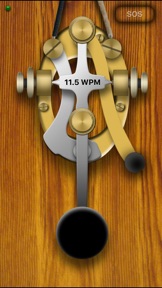
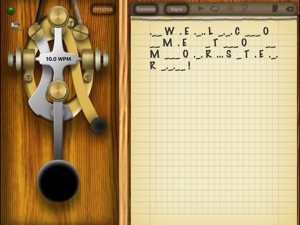
Morster is the ultimate morse code tool for iOS devices. Morster can interpret morse code that is created using the key, light from the camera or sounds from the microphone. Playback morse code with configurable sound or lighting effects. Morster is rich with features for learning morse code.
Feature List:
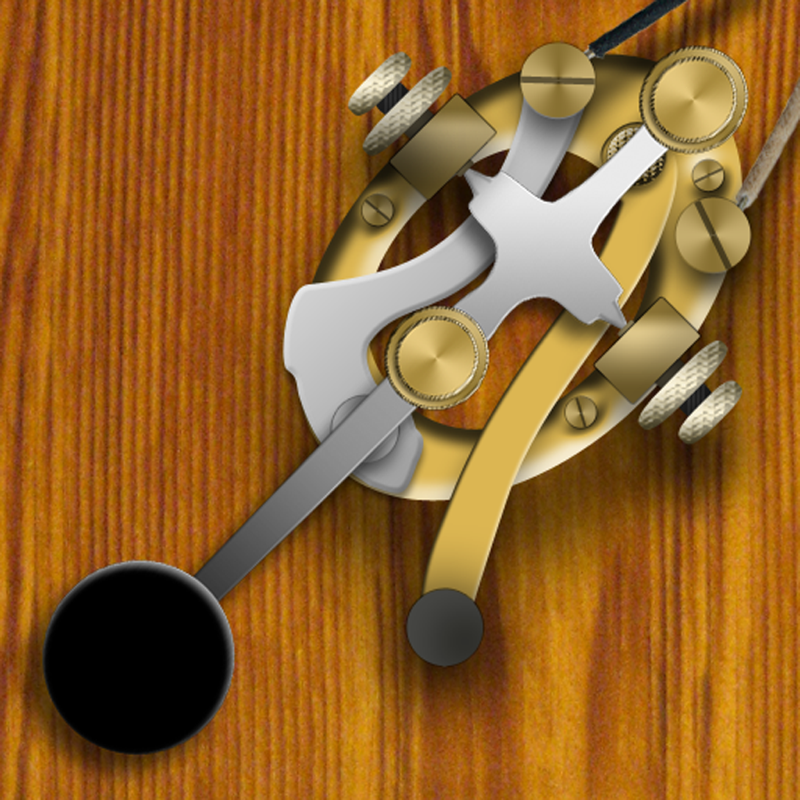
Graphical Interactive Morse Key
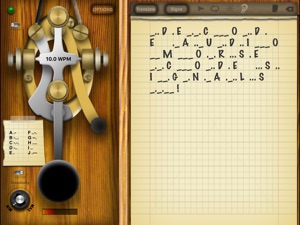
Includes short circuit lever
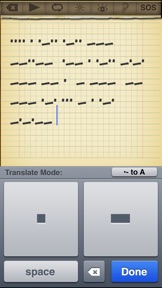
Translate Mode - Translate text to and from morse code
Morse Code reference, several forms of morse code reference
Prosign Ready - Recognize or reference prosign codes
QCode Ready - Recognize or reference QCodes
Dichotomic View - Morse code relationship chart, great for learning
Sticky Note - Display a list of morse code sequences for reference
Playback morse code once or in a loop
Visual Morse Decoder - Use the camera(s) to analyze morse code signals
Audio Morse Decoder - Use the microphone to analyze morse code signals
Visual Morse Communication
Using screen effect or camera flash
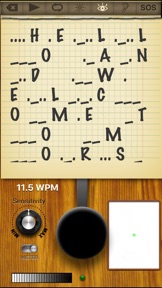
Notepad to display morse code
Invert morse key function
Game Center Ready - Morse with friends!
Wifi / Blue Tooth - Morse with friends over Blue Tooth or local wifi network
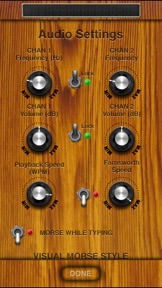
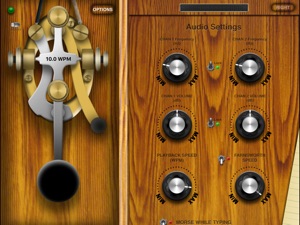
Configurable audio tone
In depth help file included
Visual Morse Decoder
Morster can use the live camera feed to decipher morse code that is being signaled with light. The light source could be coming from a light, mirror or another version of Morster. Use the view finder to focus on the light source, adjust the sensitivity and the morse code will be translated and displayed in the notepad.
This feature is only available on devices that have a camera and running iOS 4 or later.
Speed tests using an iPhone 4 to signal an iPad 2, both running iOS 5, demonstrate decoding speeds upwards of 30 WPM.
Audio Morse Decoder
Morster can use the live audio feed to decipher morse code that is being generated using sound. The amplitude of the sound is used to trigger the morse key. When the sound is below the threshold, the key is released. The sound can be any sound, but must have a distinct beginning and end. Currently, Morster does not decipher morse code taps, where there is only the beginning of the signal and not the end.
Speed tests using iPhone 4 to signal iPad 2, both running iOS 5, demonstrate decoding speeds upwards of 13 WPM.
For faster decoding of morse code, we suggest professional hardware.
This feature is processor intensive and performance will vary between devices.
Morse Decoding
Morster will analyze the speed that morse code is keyed and automatically adjust to interpret the code. This allows for slight variances in speed that will still be properly analyzed.
Visual Morse Feature
Devices that have a camera flash can use it to signal with morse code. When enabled pressing the morse key will also turn on the flash. When morse code is played back, the camera flash will be used in conjunction with the tone.
A Visual Morse screen can be configured to use the screen to signal with morse code. The visual feature can use an image of a light bulb or a color. The shape can be circular or rectangular. Shutters can be used, with a modifiable shutter count and speed. This feature is only activated for morse playback.
On supported devices, it is possible to use either feature or both at the same time.
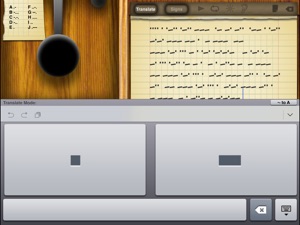
Translate Mode
It is possible to enter text into the notepad and then convert it to morse code. It is also possible to use the morse code keyboard and enter morse code that can be translated to characters.
Morse Code / Prosign / QCode / Dichotomomic View
A list of morse code characters is provided in list form or as a sticky near the morse key. A list of Prosigns and QCodes are included. These are sequences of letters that have special meaning in different morse code applications. For example SOS = ...---... = Distress Message.
A dichotomic view of morse code shows the relationship between characters of the alphabet.
What's New in Version 1.5

Fixed a problem that would display the video preview and the zoom slider in the wrong location for iPhone devices.

Seller

Name

Sunshine Valley Systems

URL

Information

Categories

Version

1.5

Size

24.5 MB

Game Center

No

VPP Device Licensing

Yes

Rating

Rated: 4+

Compatibility

iOS 8.0 or later

Devices

iPad Air, iPad mini 4 (Cellular), iPad mini 3, iPad mini (5th Generation), iPad Pro (11-inch) Wi-Fi + Cellular, iPad (5th Generation) Wi-Fi + Cellular, iPad (6th generation) Wi-Fi + Cellular, iPad Pro, iPad mini (5th Generation) Wi-Fi + Cellular, iPad Pro 12.9-inch (3rd generation), iPod touch (6th Generation), iPad mini Retina (Cellular), iPad Air (Cellular), iPad Air 2 (Cellular), iPad mini 4, iPad Pro 12.9-inch (3rd generation) Wi-Fi + Cellular, iPad Pro 12.9-inch (2nd generation), iPad (5th Generation) Wi-Fi, iPad Air (3rd generation) Wi-Fi + Cellular, iPad Pro (Cellular), iPad Pro 12.9-inch (2nd generation) Wi-Fi + Cellular, iPhone 8 Plus, iPad Pro (9.7-inch), iPhone XR, iPad Air 2, iPad (6th generation) Wi-Fi, iPad Air (3rd generation), iPhone 8, iPad Pro (10.5-inch) Wi-Fi + Cellular, iPhone 6s, iPad Pro (9.7-inch) (Cellular), iPhone 7, iPhone 7 Plus, iPhone XS Max, iPhone 6, iPhone X, iPhone 6 Plus, iPhone XS, iPad Pro (10.5-inch), iPhone SE, iPhone 5s, iPhone 6s Plus, iPad mini 3 (Cellular), iPad Pro (11-inch)

Languages

English

App Store: Customer Ratings

Ratings & Reviews

3.0 of 5 (22 Ratings)

App Store: Customer Reviews

2016-01-11

Beautifully Designed, Highly Recommended

This app is gorgeous and the morse input is very responsive. My 9 year old and I have been learning morse code. We've tried a couple of other apps that look ugly and have limited functionality. I decided to give this one a go and am not disappointed. It trains you to time your morse input which is very helpful. I have been using the notepad and trying different phrases using a printed morse alphabet for reference. I am really starting to get a rhythm at around 7-8 words per minute. This app blows the other morse apps away. You have to select a font and dial the font size up in the settings before any type shows up on the notepad or in the settings. I set the font to American Typewriter at first but ignored the size and nothing showed up until I dialed the size up. The default font size is zeroed out. It would be hepful if the font and size were preset but those are my only complaints after an hour of use. My little boy is going to love being able to hear the morse tones as he practices and see the letters next to his morse code to make sure he gets his entries correct. I highly recommend this app. Ignore the negative reviews. This app has a comprehensive instruction booklet. I really feel like I got my moneys worth with this purchase. I read the instructions and am excited to try some of the functions for advanced users as I gain experience. I hope the developer adds a "Rate this App" button somewhere in the settings so users can more easily rate and review this gem.
Garrzan
Version 1.2
2015-07-11

Modiste r

I've had the app for over a year... Just now wanting to practice some code, and it bombs-out... iPad and apps up to date - help, please.
Leonardo D'Vinci-2
Version 1.2
2014-06-20

Works well

The people having problems with this app probably didn't take the time to read the very in depth set of instructions that come with it. For the notepad to function you need to set the font features. As far as the spaces between each letter you need to send a few a's and b's and the like as the program will adjust to your sending speed and as you improve it will speed up to match your speed.
RugRat5288
Version 1.2
2014-06-17

It is great app, but here the the solution to the other mentioned issues

I understand what may be frustrating in some of the other reviews. The note pad appears not to be working when the app first starts. This problem is easily solved. The app allows you to configure the font and point size for the notepad feature. When first installed this defaults to zero, so it looks as if nothing I sapping on the note pads. Just press options then, swipe up on the screen to scroll to the font options and enlarge the font. Hit options again to exit and save the setting. Problem solved.
I have found this app to be just what I was looking for.. It is a nice interface and is helpfully in helping me learn and practice morse code.
Usetobegreat
Version 1.2
2014-05-23

Used to work

Notepad, most important part to me, doesn't work. Makes this a useless app for me.
Anon1138
Version 1.2
2014-05-10

Decoder

Audio decoder will not activate. Really liked this app at first.
RalphA Rma
Version 1.2
2014-01-06

Does not work

I have had this app for a very long time but never used it to learn morse code. Wanted to give it a try now but it does not work on iOS 7. When you key in the alphabets nothing shows up on the notepad.
Dinesh Cyanam
Version 1.2
2013-09-19

very bad program

program can't differentiate between the spacing a letters every character is either an E . or at T -
no tech support!! worthless for code encoding and decoding.
Wb2nxi
Version 1.2
2013-02-27

Not impressed at all

Worked OK for about a day, then started to hang up. Tone adjusting refuses to work. It's also very hard to send good code with key not reading key stroke correctly.
I'm fairly proficient in CW and would not recommend this app to anyone wanting to really learn code.
A nice toy perhaps but not very useful. Wish I had my money back on this one.
CW Sender
Version 1.2
2012-12-13

Clunk

This app did not decode CW accurately at a range of speeds. It was a waste of money
Jazz24/7
Version 1.1
2012-08-06

Amazing!

I've been an amateur radio operator since 1990. I downloaded this app just because I was curious to see how helpful a morse code app could be for training using the iPhone or iPad. But the moment I downloaded it, my two kids, aged 12 and 10, saw it and were immediately very impressed. Now, two hours later, I'm still waiting for "my turn" to try it! 73, de IK2TYL
Arcix
Version 1.1
2012-04-22

Beautiful and it works

Well done app that works as advertised
F2959
Version 1.1
2012-04-03

Awesome!!!

This app has so many useful features and has a really nice interface! Finally a morse code app that I can morse to my dad who lives far away thanks to game center. :)
Jonguy.r
Version 1.1
2012-03-13

Love the look and feel

I've always wanted to learn morse code, but just staring at a piece of paper with morse code on it was not exactly fun. I enjoy the participation of actually tapping out the different letters on the morse key. It adds a certain realness to the process. I love the look of the application. Lots of personalizing available for sound and text. Lots of Qcodes to be learned as well. The interaction of light and sound sources to use for signaling is interesting too. The only thing I wish it would do is quiz you on messages or letters and numbers.
_ .... ._ _. _._ ...
fireengineman99
Version 1.1