AboutTermsPrivacyContact
 
Updating
Doc Scan - PDF Scanner Fax

Doc Scan - PDF Scanner Fax

Released: 2011-08-11
© 2021 IFUNPLAY CO,. LTD.
Doc Scan - PDF Scanner Fax - QR Code
Version 17.5.1
4+
Download on the App Store
Version 17.5.1
4+
Download on the App Store
Released: 2011-08-11
© 2021 IFUNPLAY CO,. LTD.

iPhone Screenshots

Screenshot
Screenshot
Screenshot
Screenshot
Screenshot
Screenshot
Screenshot
Screenshot
Screenshot
Screenshot

iPad Screenshots

Screenshot
Screenshot
Screenshot
Screenshot
Screenshot
Screenshot
Screenshot
Screenshot
Screenshot
Screenshot

Description

Scan and OCR documents to produce high-quality images. Enter texts, fill forms, sign, draw, collage, and send.
Share as PDF / JPEG / TXT / Docx by email, FAX, SMB, Cloud Services, WebDAV, and iTunes / WiFi file sharing.
Transform your iPhone / iPad into a pocket scanner and photo collage maker.
Instantly scan multi-page documents and send them out on the go.
What DocScan can help you:
- Sign and email business contracts and fill forms on the road.
- Archive receipts and coupons.
- Convert notes, sketches, and business cards to digital copies.
- OCR / Recognize text from scanned images and export result as txt or docx files.
- Save books and articles for later reading.
- Create meeting minutes or memo from whiteboard discussion.
- Photo Collage: Combine multiple pages into one sheet. It's very useful when you need to print multiple pages (e.g. two sides of ID cards) on one A4/Letter paper.
- Scan QR codes from camera or photo albums to open URL, phone call, emails, and add contacts ...etc.
- Transfer all your documents from one device to another.
KEY FEATURES
Experience Fast Scanning with High-quality Images:
- Fast Auto Detection: Detect document borders from a picture.
- Auto Capture document when it's detected.
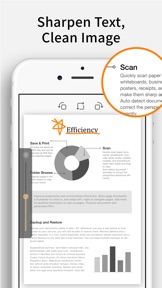
- Correct perspective distortion: Advanced algorithms help you correct perspective distortion, while you can manually adjust the crop area. Makes even curled pages readable.
- Image Edit: Remove shadows and adjust the brightness to produce a high-quality image document, especially useful in a Low-Light environment.
- Text Edit: Enter texts to fill forms, highlight, annotate, or sign on the scanned image.
- File Naming Rules: Save your time to name new files in advnace. Create your own naming rules.
Protect Your Privacy:
- Password Protection: Set a password to protect your documents in a folder from unauthorized view.
Keep Track Of Your Documents:
- Search documents by name.
- Organize documents with folders: Use a Folder List to switch between folders quickly with a single tap.
- Create, merge, delete, duplicate, rename, move, import, and export documents.
Share and Export Your Scans:
- In-App Fax: Send and receive faxes when you are out of office or have no fax machine at all. Fax documents to over 100 countries instantly (price calculated by the number of pages and recipient country and paid via in-app purchase). ​Perfect for business or personal use. You will receive a push notification to remind you of a fax status: Whether it is sent or received successfully​ or failed to deliver.
- Support upload to iCloud Drive, Dropbox, Evernote, Box, OneDrive, Google Drive with OCR (Optical Character Recognition) option, SMB (Win / Mac), and WebDAV.
- Print documents via AirPrint.
- Export documents to Photo Albums.
- "Open In" Other Apps, i.e. iBooks, Kindle ...etc.
- Accessed directly from iTunes file sharing or WiFi file sharing.
- Email documents as PDF or JPEG files.
Import Files:
- Import JPEG from other apps as image source to crop, correct perspective, and enhance.
- Import PDF from other apps as scanned pages.
- Import PDF/JPEG from cloud storages.
Backup and Restore Documents: (paid function via in-app purchase)
- Backup your documents safely to Mac / PC. Whenever you buy a new phone or lose access to your old one, you will still be able to restore your files.
- Restore deleted documents manually in case you accidentally delete important documents.
- Restore to any date like a time machine. You can keep multiple backups on different dates.
Receive Faxes: (non-auto-renew subscription)
- Support dozens of countries (we kept adding more) for users to subscribe for a number to receive faxes.
- Deny all faxes when no need to receive any fax.
Tip: For best border detection, please place your documents against a high contrast background, i.e. put your white paper on a dark table.

What's New in Version 17.5.1

This update includes stability improvements and bug fixes.

Seller

Name

IFUNPLAY CO., LTD.

Information

Categories

Version

17.5.1

Size

209.3 MB

Game Center

No

VPP Device Licensing

Yes

Rating

Rated: 4+

Compatibility

iOS 11.0 or later

Devices

iPhone 5s, iPhone 6, iPhone 6 Plus, iPhone 6s, iPhone 6s Plus, iPhone SE, iPhone 7, iPhone 7 Plus, iPhone 8, iPhone 8 Plus, iPhone X, iPhone XR, iPhone XS, iPhone XS Max, iPhone 11, iPhone 11 Pro, iPhone 11 Pro Max, iPhone SE (2nd generation), iPhone 12, iPhone 12 Pro, iPhone 12 Pro Max, iPhone 12 mini, iPad (5th Generation) Wi-Fi, iPad (5th Generation) Wi-Fi + Cellular, iPad (6th generation) Wi-Fi, iPad (6th generation) Wi-Fi + Cellular, iPad Pro, iPad Pro (Cellular), iPad Pro (9.7-inch), iPad Pro (9.7-inch) (Cellular), iPad Pro 12.9-inch (2nd generation), iPad Pro 12.9-inch (2nd generation) Wi-Fi + Cellular, iPad Pro (10.5-inch), iPad Pro (10.5-inch) Wi-Fi + Cellular, iPad Pro (11-inch), iPad Pro (11-inch) Wi-Fi + Cellular, iPad Pro 12.9-inch (3rd generation), iPad Pro 12.9-inch (3rd generation) Wi-Fi + Cellular, iPad Air, iPad Air (Cellular), iPad Air 2, iPad Air 2 (Cellular), iPad Air (3rd generation), iPad Air (3rd generation) Wi-Fi + Cellular, iPad mini Retina, iPad mini Retina (Cellular), iPad mini 3, iPad mini 3 (Cellular), iPad mini 4, iPad mini 4 (Cellular), iPad mini (5th Generation), iPad mini (5th Generation) Wi-Fi + Cellular, iPad (7th generation) Wi-Fi + Cellular, iPad Pro 11-inch (2nd generation), iPad Pro 11-inch (2nd generation) Wi-Fi + Cellular, iPad Pro 12.9-inch (4th generation), iPad Pro 12.9-inch (4th generation) Wi-Fi + Cellular, iPad Air (4th Generation) (Wi-Fi), iPad Air (4th Generation) (Wi-Fi + Cellular), iPad (8th generation) Wi-Fi, iPad (8th generation) Wi-Fi + Cellular, iPad Pro 11-inch (3rd generation), iPad Pro 11-inch (3rd generation) Wi-Fi + Cellular, iPad Pro 12.9-inch (5th Generation), iPad Pro 12.9-inch (5th Generation) Wi-Fi + Cellular, iPod touch (6th Generation), iPod touch (7th generation)

Languages

English, Chinese

App Store: Customer Ratings

Ratings & Reviews

4.8 of 5 (10,482 Ratings)

App Store: Customer Reviews

2021-05-14

Great app

I’ve been using this app for a few years and love it!
eljefe288
Version 17.5.1
2021-05-04

HELP!

You need to update your App! All of my documents are in your app and I can’t access them! Some of them are in the cloud and some of them are not! How am I supposed to get my documents from the app??
Beatstix
Version 17.5.1
2021-04-09

Great App Saves Me Tons of Time!

This little app is an all time best! Highly recommend it.
2019-nickname
Version 17.5
2021-04-08

Handy and easy to use

Love this app. It’s there when I need it, easy to use, and gives good scans.
swisssue
Version 17.5
2021-03-26

DocScan

Very user friendly. I was skeptical at first, but so glad that I downloaded the app.
Dbelllimu
Version 17.5
2021-03-10

Mikeo

Best Scanning app ever. I’ve been using this app for years and it just gets better.
michealony
Version 17.4
2021-03-10

Great!

Great app works perfect for my needs
Crb-md
Version 17.3.5
2021-02-23

Security?

I’ll start by saying I’ve never had an issue using this app.. always concerned about security. Curious to know what current industry standard is being used to safeguard the confidentiality of my data/ information I’m scanning and emailing? Who has access? Thanks!
cisspsecurity
Version 17.3.5
2021-02-22

AWESOME APP - SUPER FUNCTIONAL

I cannot tell you how many times I have recommended this app to people who also love it as much as I do. And allows you to easily scan and email documents as pictures or as black-and-white or as color photos. It allows you to turn them into PDF or JPEG files. It is free except when you want to fax pages which is just a minimal cost. Absolutely worth it and absolutely one of my top five apps on my phone.
ramona0101
Version 17.3.5
2021-02-17

Crashes

I can take one picture and upload it and then the app crashes and I have to delete the app and download it again.
martinezsc
Version 17.3.5
2021-01-24

Very practical

Love using this app it’s a life saver
Hanan hkh
Version 17.3.2
2021-01-11

Excellent App!

For editing pics like receipts or important documents. I will use this app to make all initial adjustments now on.
AJ Cote
Version 17.3
2020-12-04

corrects wrinkles & folds in paper

Love this app! I've been using it for a few years now. I've tried other apps that claim to be the best or fanciest or prettiest, etc. but I kept coming back to this app because it is the ONLY scanner app I've found that allows you to adjust not just the corners, but EDGES too! Very precise!
Suggestion for developers:
On your listing in the Apple Store, maybe you could feature a screenshot of what it looks like when you have the setting on lining up the edges and being able to move, add, or remove the editing dots on the edges to compensate for any curl/etc. I think this might help distinguish your app from all the others. They claim to fix docs, but they only let you tweak the corners. Yours can adjust the corners AND EDGES precisely.
CanaryCream8
Version 17.0.1
2020-11-17

Translate?

The change log mentions an added ability to translate documents, but I think that may be a typo... did you guys perhaps mean to say transfer instead?
Dimitri Katsaros
Version 17.0
2020-11-13

Great, but *FAMILY SHARE USERS*

I LOVE this app. Five years ago, I got this app as a caregiver for my grandmother, needing to send medical papers to my mom & uncles. I needed a little more than emails, so I upgraded. Well worth the $4.99...it is THE BEST! I have given this app a couple of 5 star reviews, over the years, and have told everyone about this app!
My 9yo uses it constantly (by himsef), to send schoolwork to his OneDrive account. It’s driving me a little batty with my phone disappearing all the time, so I tried to upload on his device. It wouldn’t work; like I never upgraded. My daughter was in desperate need of it fast (they were needing it at the same time), to I went ahead and paid to upgrade hers. I emailed support and they said that Family Share is not supported if you upgrade in the app. Family Share is only usable if you purchase DocScan Pro, which is the same as upgrading within the app.
They did say that app store is the issue; that THEY don’t support family share through in the app upgrade purchase, but claime they will support in the future. IF that is true, I understand they don’t have control over it. But they should have it somewhere in the upgrade info, so that people have the option to back out and purchase the Pro version. I now have purchased the app twice and need a third. Safe to say I probably won’t be doing any more recommending and 5 star reviews :(
-me.
Version 16.9.1
2020-11-09

good app

works great for scanning and emailing. Simple and fast.
TJ 102
Version 16.9.1
2020-09-03

My go-to doc reader

Best I have used so far!
Slouch Hooligan
Version 16.6.2
2020-08-21

Such a helpful app

DocScan just added a new feature called Collage, so you can take several documents and combine them with photos... so impressive! Love this new feature. Keep up the good work.
Mmmollusk
Version 16.6.1
2020-08-17

Sorting files,combining files

Love the app. Had trouble sorting but upon understanding it’s working I love it
Restaurant 2305
Version 16.5.1
2020-08-14

Best scanner

Best tool you could have in your phone !
rtg sales
Version 16.5.1
2020-07-02

LOVE THIS APP!

I use this app all the time. It helps me keep my documents straight and available, and I like that I can send the documents to myself or others. If you’re looking for a scan app this is a good one.
Tazbak
Version 16.4.2
2020-07-01

Review

Great app!
paulbismut
Version 16.4.2
2020-06-15

Easy!!

Easy
hfuhhivg
Version 16.4.2
2020-06-11

Unreliable

Tedious
SRRHR
Version 16.4.2
2020-06-07

Great App

Great App
Miami Jew
Version 16.4.1
2020-05-28

Nighthawk

It’s very helpful and easy to use. Its come in very handy
trlq
Version 16.4.1
2020-05-13

Very good

Very good
very goog program
Version 16.4.1
2020-05-01

It’s like having a scanner in your pocket!

I’ve used this app for 7-8 years and it has come in handy so many times. It is very easy to figure out and use as soon as it is downloaded. I used the free version for years and decided to pay for the upgrade since I find it so useful. I take a picture, edit the margins and turn it into a pdf as I email it to where the document needs to go. Highly recommend. (If sharing the app with friends, be sure to tell them the company name too as there are similarly-named knock-offs that are not as good.
Quest4Fun
Version 16.4
2020-04-26

Goodbye

Easy and accurate
JesusIsLove1
Version 16.4
2020-04-20

Life savor

Been using for years ,great
Q non
Version 16.4
2020-03-23

It was alright

I was using it a few times and it wouldn’t upload the document that I needed, but otherwise it was actually really nice! It got its job done!
soul_moon 12
Version 16.4
2020-02-18

Missing files

Several years ago prior to a move overseas I scanned a series for proof of ownership of goods and chattels. I no longer have them, I thought they would remain on my iPad but they have disappeared, without warning.
Kybuzzbee
Version 16.3.3
2020-01-31

Very nice app

App is very easy to use and fast
innov8Services4u
Version 16.3.1
2020-01-17

I love this App

I love this app, it’s easy to use. My best tool to save and send important messages or letters. What’s not to like? It’s Free!
Friend555
Version 16.3
2020-01-07

DocScan

This is the best app on my phone. I share it with lots of our employees to be able to send information back-and-forth to the office.
Thank you for this app.
Ramboxx45
Version 16.2
2020-01-06

iPad 3

Can an iPad 3 be used with this program?
deweyD5395
Version 16.1
2019-12-13

Harder to use now

I use to like this product. You guys messed it up
captaingregger
Version 15.7
2019-12-11

I paid for faxes to be sent and nothing sent

I paid for documents to be sent to my insurance company and they stated they have not received- I am requesting a refund.
so gjkklll
Version 15.7
2019-12-02

Used to be easy, great tool

Latest version not intuitive
Kurt Bermond
Version 15.7
2019-11-25

SOMETHING’S GONE VERY WRONG

What happened?
Do I Need To Pay For A Subscription Now?... Is my 8 Plus too old?
I did update to Pro.
There’s too many positive posts saying everything is okay. But it isn’t okay here.
I have been using this app for a very long time. Years! But it doesn’t work anymore.... not like it used to. It really is impossible to navigate.
The documents are no longer usable/readable. I cannot edit or get back to my folders.
And it does look like it’s only happening to users that have been using it for a long time.
No I have to go look for a new app.
WontShutUp
Version 15.6
2019-11-14

Paper work has become an easier task

Being able to scan documents on the go has made my job easier. DocScan helps me send, organize and file all my documents. I am extremely please with this App.
L2L2019
Version 15.5
2019-11-14

It changed

I was used to the old way. I can’t get used to the new way I find it harder to navigate around
Daddy -O
Version 15.5
2019-11-04

Recent Changes

Some recent changes have made this app much less useful.
Suther27
Version 15.5
2019-11-03

Decides on its own how to parse the page

Garbage app. Scanned 40 pages and then to find out it broke up individual pages into multiple unreadable sections. Don’t waste your money.
Jimmy Jo64
Version 15.5
2019-10-29

Was 5 stars not now

Apple decided my phone might be defective or a file on it so they choose not to do a restore for my phone settings. Now all my history is gone from this app. More than 4 years. Lost. I don’t understand the concept of not having your name or email add associated with your account so you can pull the file it. It sits on my iPhone cloud backup but can’t be used. I still have face credits that don’t show up either. Moving to another app.
rksue
Version 15.5
2019-10-23

很好用,

只彩色不是很好
一兼二顧
Version 15.5
2019-10-16

LIFE :)

This app is a life saver. I’m able to get my moms meds stuff done from Texas and she is in Kentucky. Thank You
whoanonymous35
Version 15.4
2019-10-16

Convenient

Very convenient to have not as easy as the former version. The continual pop up adds get in the way.
Hotnoni
Version 15.4
2019-09-21

Works Great

This is a really great app.. I am really amazed by how well the quality of the documents that I scan to be sent off. Please continue the great service.
Redduce79
Version 15.3
2019-09-19

Faxing still cost???

I didn’t realize that you still had to pay for fax with the DocScan Pro. That was why I upgraded to have the ability to fax. So why did I upgrade to Pro if I still have to pay for the Pro features?
Anitas1
Version 15.3
2019-09-17

Amazing Scanner

With the ability to insert a signature done with finger/stylus into any document this made mailing signed documents a thing of the past. You can also export at least 12 documents (as many as I’ve tried) and email them in one email. No emailing one at a time. Very well thought out and bug free app. Doesn’t annoy with ads. Very unobtrusive tucked away at the bottom. Such a time saver! Thank you!
ForesterDude
Version 15.3
2019-08-06

Page capture

I like everything about this little lamp except one thing. I wish it captured the page easier. I always have to adjust the corners to tell him where the outline is. I don’t know why it can’t distinguish between a white page foreground against a darker edge.
jnetsing
Version 15.3
2019-07-29

Does what it is supposed to do

This is the first free scanning app I was able to use successfully and frustration-free; self-explanatory, easy to use, no limits (so far) on number of pages or documents scanned, the few adverts do not get in the way of the scanning process, and the quality is good (not excellent, but pretty good).
BlondyB
Version 15.3
2019-07-28

Frustrating but useful

I love this app, but when trying to email a document, the app pops up a request for feedback. There is NO way to get rid of the pop up, you can't send the email, you're only choice is to quit the app and try again. If you're really REALLY quick, you can address your email and touch send before the feedback pop-up comes back.
Please put a close button at the top of the feedback request.
UpsetMick
Version 15.3
2019-06-27

Works well

I like almost everything about the update but I really dislike that I can’t sort into folders until after I’m done with the picture. I have to go back out of the folder and fine it and move it. Things are getting lost. I use this app for my small business and it’s very concerning if I loose documents.
Ris5
Version 15.0
2019-04-14

New update difficult

I previously gave the update a 1 star because I couldn’t figure out how to do anything. But after a couple hours of frustration, I’ve figured out how to use the old features. A tutorial would have been nice. The old version was way more intuitive.
julieaswanson
Version 14.4
2019-04-12

New changes aren’t great

I’ve been using doc scan pro for years now but I’m not a fan of the latest upgrades. It is now harder to create the PDF because there are more steps when taking pictures from the camera. It is no longer an auto pop up to rename your document, which again adds another click step. I’m interested to see what other updates there are for effective usage and storing of files but so far I’m not impressed. I may consider switching to a different PDF making app.
RaeAnneSing
Version 14.4
2019-04-04

Version 14.0

I’ve used DocScan for 3 years and loved it. It has been great for keeping my saved files in order and super easy to share through email.
The recent update to v14.0 has made it much less usable as I can’t save a new document now without attaching it to another previously saved file. This will make finding that document in the future nearly impossible. I’m giving 3 stars to v14.0, v13.9 was 5 stars...
hgyrcjjudxb
Version 14.1
2019-04-04

Long Time User - Latest Update Thumbs Down

I’ve been using this application happily for the last 6+ years. It’s been great. But this latest UI redesign seems clunky, and a diversion from the fluid design of the application over the last several versions. You should at least include a tutorial video for the new UI if you’re going to release an update that almost entirely changes the application flow and design. This latest redesign does not seem intuitive.
Dave8473
Version 14.0
2019-03-17

Highly recommend for business and personal use

I am on the road a lot for work. This allows me to scan and send via email or fax customer documents right from my vehicle. The picture quality of great, the ease of editing is super and it's very user friendly.
@Huskymom@
Version 13.9
2019-01-23

Very handy app to have around

This is great app for copying all kinds of documents be they a recipe card, magazine article, newspaper clipping, or just the usual 8-1/2 X 11 document. The filing system is great too with as many folders as you need. I use this app quite often and would very much miss it.
jhp635
Version 13.9
2018-12-16

Excellent app

This app can actually help you go paperless!
I have files inside Scandoc for taxes, recipes, legal, various utility bills, insurances, medical, etc. Then I just use my phone or IPad to scan, name the doc, choose the file and voila! stored. There is a small charge to fax something if necessary, however one can email to self or others with no charge. All docs are easily searchable, too.
This is a great app to get and stay organized!
KatyaFox
Version 13.7
2018-11-08

Pretty good tool

My boss recommended I download this scanner app because I tend to need to scan numerous documents outside of an office setting. In general I find it easy to use & quite effective. My complaints or suggestions for improvements are as follows:
1) if one doesn’t correctly label the folder, all of the next scanned documents are listed under the same, incorrect file name even if you try to change it. and
2) the scanning “frame” jumps around too wildly & in bizarre triangular shapes, which seem absurd & waste time when one’s trying to scan a straight forward page
Thanks, Ann
neugerig
Version 13.4
2018-11-06

5 stars so far

All My Faxes have been received so far and that’s all that matters to me. Notifications that the Faxes were sent SUCCESSFULLY, that’s all that matters to me, so far.
Recommendation: make all cover pages available to be saved within the App or on the device. Verses only being able to see it only when creating the FAX.
Cyon Flare
Version 13.4
2018-09-27

Best scanner and integrative file sharing I have by far seen

I use this app for all pdf scans and imaging of documents to pictures and etc. I have had it for a few years and decided to give it a review. I am able to scan and fax and use third party apps with this one which in turn makes my filing system futuristic. I run my business on the go and have to keep files on hand as we use to do with a thumb drive but better. Better get this app and use it- made my life and business less complicated.
the diplomat32
Version 13.1
2018-09-14

Fabulous app

I use this app constantly. It saves me space in filing hard copies and lets me instantly scan and email a doc with ease. The labeling and filing system makes it simple to find all your scanned docs in the app. I would highly recommend this app if you scan anything at all.
C. Lim
Version 12.9
2018-09-06

So convenient!

I LOVE this app. The inconvenience of having to find a fax machine when I’m trying to send documents to someone is enough to make me the worst procrastinator in the world. So having an app I can rely on is worth EVERYTHING to me. It’s easy and fast and I don’t even mind having to pay for it because it’s such a relief to be able to fax from wherever I happen to be at the moment.
Swore Bedford Ed
Version 12.9
2018-08-21

Highly recommend DocScan

I have used DocScan for over 5 years. I love how easy it is to use, how fast it is to use and the fact that I can use it anywhere even if I want to send the data later I can scan when I don’t have internet or data access. This app is the best of all the scan apps compared on the market. Everyone in my family uses DocScan now. Thank you developers for providing such a great product.
RayMartenson
Version 12.8
2018-08-20

False Advertisement (misleading)

I have been using DocScan and needed to fax a document (I never use a fax for anything but this seemed faster than snail mail which were the two options I was given to submit some paperwork) so I scanned all my papers and then went to fax and put in all the info and then was told it would be $9.90 to fax?!?! Well it kept asking me to upgrade and it read that you could fax in this new “Pro” version. Okay so $5 seemed better to me than $10 so I upgraded it and went through the process again typing everything into the one screen where I was sending and then it again told me $9.90?!? So obviously where I read inside the app where it asked me to upgrade it did not say you still had to “pay per page” and I emailed the company and they basically said “we never said it was free fax...” ?!?! Personally I think just giving me my $5 back would have been better customer service given the misleading description that I’m sure will be promptly changed but bad business guys....
Boundary-less
Version 12.8
2018-04-24

Functional

This app has saved me on multiple occasions. I can fax easily with it and I have used it multiple times for school forms that require a signature. Easy to use and reliable if you need to fax or quickly send a email attachment with a document!
Cool Beanio
Version 12.1
2018-04-10

Most useful 3rd party app I have

This app is by far the most used app on my phone aside from the texting app and safari. I use it extensively to create PDF's from images, import docs/images from emails, export to emails, export to photo library and most importantly to create flat images/PDFs out of distorted or skewed source images. I also commonly use it to edit or write on PDFs/images prior to converting to PDF. Seriously thanks for this app!
sgcE36
Version 11.2
2018-03-30

Excellent travel tool

This little app has saved the day for me several times over the last couple of years when I needed to scan a document while traveling. Takes a little thought to understand the features but still fairly simple to use.
Alaska nomad
Version 11.2
2018-03-29

L♥️VE

This App is Amazing! Very accurate & friendly to use. It’s saved me time & money from going to print & scan stores. Most importantly it’s made it super convenient for me to get documents quickly & meet deadlines without leaving whether I am. Thank you!!! ☺️👌🏽
iPor!
Version 11.2
2018-03-22

Great app!

I’ve been using DocScan for about 5 years now, and it’s been a great tool. I can scan and email documents from anywhere, plus it will square up documents that were scanned at a bit of an angle. It compensates for uneven light, such as if the light is coming through a window and making one side of the paper brighter than the other. The app automatically adjusts for the difference so you get a clean copy. It also allows me to save them into separate folders, so they’re organized if I need to refer back to them later. I recommend DocScan to people whenever I get a chance, as a college student it has saved me a lot of headaches.
Dudenumberone
Version 11.1
2018-03-10

This app comes in so handy!

I use this app to grab recipes from library cookbooks, scan docs at home and work when necessary, and more. It’s amazing how handy it is! It’s then super easy to shoot yourself or someone a pdf of the doc, or AirPrint it if you have that setup. I almost never rate apps; this one deserved it.
plushpup68
Version 11.1
2018-03-07

Have to downgrade to 4 Star

Unfortunately, it does not synch across IOS devices even though I changed settings to do so. Therefore, if I upload on a mobile device, I’m unable to access same info on iPad. Fix that and it’s a five star! Frustrating to have to re-take pics and create new folders. Otherwise, good app.
Kimeith
Version 11.1
2018-02-19

Super convenient

I love this app because allows you to scan a form or document save it as a PDF file and email it right away. Because I work on the road going from place to place information and it’s ability to reach desired recipients is crucial for efficiency and receiving payments.
O-Dubz
Version 10.8
2018-02-15

Great app

This app is great for taking pictures of receipts so I have a permanent record to attach to each transaction in Quicken. I like the fact you can email as photo or PDF. I have also used this app for coping pictures from many of the photo albums we’ve collected over the years. This app takes great pictures and is easy to use. You can rename the folders which makes it very useful. The app also gives you the option as to what size you want to send thru the email system and tells you how many megabits each size is. It also lets you crop and turn each photo. I’ve used this app for many years and have never been disappointed.
iam4ralph
Version 10.8
2018-02-04

Helpful and loaded

This app does everything. It's very useful. But it can be a bit complicated because so much is stuffed into it. It’s great for scanning and sending. I use it to keep track of many files from newspaper articles to my work schedules, receipts and recipes I take pics of from magazines. Highly recommended!!
Tmi 5
Version 10.8
2018-01-26

Docuscan review

I love this app. I’m a teacher and being able to post my hand written classroom notes in a math class is very helpful. My only complaint is that the pdf copy doesn’t isn’t received in my email box until late that evening or the next day. This delay is problematic for me.
Marugirl
Version 10.8
2018-01-15

Help!

I actually love(d) this app until just a few days ago when I opened it to get one of my many saved scanned documents, only to find they had DISAPPEARED! I have been looking for a phone mumber to call for support to see if it was a simple problem, cannot find a phone number or support email address!!! PLEASE HELP!!! I have/had very important info regarding my sister’s care/chemo treatment and numerous other documents. Hoping there is a simple solution. If so, this app would have my full 5 stars PLUS.
DocscanFan
Version 10.8
2018-01-02

A superb program !

I've been an iphone user for many years. I don't use this app often, just when I need to print some letters and/or convert them to PDF. It works superbly, perfectly every time. I have recommended it to all my family and friends and recommend it without reservation to you too !!
WebbLinz
Version 10.8
2017-12-28

Easy to Use

Very practical for business and personal documentation use. I have used this program for my business travel purposes as well and medical documentation for communication and costs. I live that I can block out items and write on receipts I’ve taken pictures of.
D_73
Version 10.7
2017-12-22

Great scanner

I really like this app and there other apps out there as well. It’s simple ad you can save the files in folders you designate. I like that I have an option to save as a PDF or JPG. Many options and I can scan at any time and any place!
Sharky206
Version 10.7
2017-11-22

So Easy To Use!

This app allows me to do business wherever I am. Simply snap a picture and decide the resolution, color, and brightness. Then, I am able to easily print, fax, or email the document anywhere it’s needed. Easy to put into different folders so that I can locate the document later. I love this app and recommend it to every business person.
skurdakul
Version 10.7
2017-11-18

Used for Years

I've used this utility for years. It's helpful to digitize all sorts of documents and pictures.
Someone sends you a photo of a photo that's not taken straight on, you can fix it with this app. Take pictures of important documents when you get them and turn them into PDF file right on the spot or later.
Need to get a signed document to someone, ask if you can email it. Then just take a picture, convert it to PDF and email it. Easy peazy
SStarling67
Version 10.7
2017-11-14

Great support!

I was very frustrated when the app’s new features were giving me problems:
“This app was great for years. I used it daily for work. A couple of months ago it was “improved.” Now it is useless. When you go to snap a shot the auto picture jumps all over the place, making it impossible to picture your entire document. There’s a lot to be said for, “If it’s not broke, don’t fix it!”
However, the developer contacted me within 24 hours & explained how I could shut off the “auto picture” feature by tapping the yellow icon in the top left corner of the camera screen. Now it works great again! Couldn’t function without it. Best pdf scanning app I’ve ever used.
Arizetta
Version 10.7
2017-11-04

Good, better if you could adjust after creating

Overall this is one more feature rich scanners; It lacks the fancy interfaces of Scanbot or others; but on features it is more complete. Including the very important saturation and contrast controls; I will other fully saturate an image or give full contrast the make images readable. Except for turbo scan I don’t recall any other have these controls (docscan does it better). Docscan also allows signing docs and annotate, a big plus. The great miss is that you can’t recrop pages or readjust contrast. For instance, I wanted to be able to change photos to b/w and change contrast; I don’t mind if can’t go back to poor quality.
ReviewMauler
Version 10.7
2017-10-30

Unbelievably fantastic!!! Everyone should have it

It’s my phone sized filing cabinet extraordinaire!! Take A pic, crop, file — add text, drawing (all colors to choose and pen tip size too) highlighting. Can fax and/or share anywhere.. HIGHLY RECOMMEND TO EVERYONE And free!! I will certainly pay to benefit them back ASAP and use their services even more.
Thedudezuxo
Version 10.7
2017-10-30

Office scanners are obsolete

Glad I never bought a scanner. Found this app and it took care of all my scanning needs. I use it for basic scanning of papers but I know this app does more than that. I would’ve paid for this app but when I found out it’s free especially for what it does, 5 stars hands down.
Ryanthemaniac
Version 10.7
2017-10-21

Hugely Helpful!

This app is one of the most useful I’ve found! I upgraded in order to save files to my iCloud, but it was so worth it! So far I’ve used it email PDF scans of several documents to my university, doctor, & lawyer. And even faxed a document to the DMV where they did not accept mailed forms. I’ve also taken scans of educational info during lectures. I wouldn’t be without this app! Someone recommended it & I seriously wondered how in the world it would ever come in handy, but boy am I happy that I heeded their recommendation!
KatNewby
Version 10.7
2017-09-27

Great app. No issues.

I've been using this app for at least a couple of years, and it has always done what I've needed, and doesn't crash. It's functional and dependable, which are very important for someone who travels for work and needs to capture and email receipts.
Speedrussr
Version 10.4
2017-09-27

I rarely write a review

I've been stuck on this scanner app since 2012 with no complaints. App always updates with no problems, never crashes, and always produces a great scan. When I tell anyone the PDF they're looking at was generated with an app they call BS.
JDog482
Version 10.4