AboutTermsPrivacyContact
 
Updating
Comic Life

Comic Life

Released: 2011-04-28
© 2011-2017 plasq LLC
Comic Life - QR Code
Version 2.2
4+
Download on the App Store
Version 2.2
4+
Download on the App Store
Released: 2011-04-28
© 2011-2017 plasq LLC

iPhone Screenshots

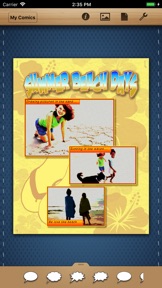
Screenshot
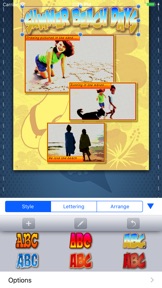
Screenshot

iPad Screenshots

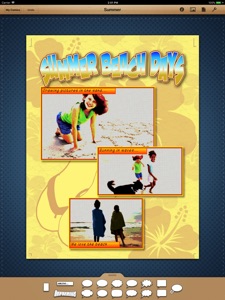
Screenshot
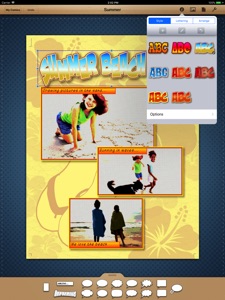
Screenshot

Description

*** Note: Comic Life 3 is now available. Purchase Comic Life 3, not this version. ***
*** If you've already purchased Comic Life you can now upgrade at a discount ***
*** by purchasing the Comic Life 3 Upgrade Bundle. You will receive credit for ***
*** your Comic Life purchase. ***
* Please note: Due to an App Store limitation, App Store Bundles
do not work with the Volume Purchase Program for Education. *
This version is being provided for volume purchase program customers in order to fulfill their outstanding orders. No further feature enhancements are planned for this version.

What's New in Version 2.2

64-bit compatible.

Information

Developer

Categories

Version

2.2

Size

202 MB

Game Center

No

VPP Device Licensing

Yes

Rating

Rated: 4+

Compatibility

iOS 8.0 or later

Devices

iPad Air, iPad mini 4 (Cellular), iPad mini 3, iPad mini (5th Generation), iPad Pro (11-inch) Wi-Fi + Cellular, iPad (5th Generation) Wi-Fi + Cellular, iPad (6th generation) Wi-Fi + Cellular, iPad Pro, iPad mini (5th Generation) Wi-Fi + Cellular, iPad Pro 12.9-inch (3rd generation), iPod touch (6th Generation), iPad mini Retina (Cellular), iPad Air (Cellular), iPad Air 2 (Cellular), iPad mini 4, iPad Pro 12.9-inch (3rd generation) Wi-Fi + Cellular, iPad Pro 12.9-inch (2nd generation), iPad (5th Generation) Wi-Fi, iPad Air (3rd generation) Wi-Fi + Cellular, iPad Pro (Cellular), iPad Pro 12.9-inch (2nd generation) Wi-Fi + Cellular, iPhone 8 Plus, iPad Pro (9.7-inch), iPhone XR, iPad Air 2, iPad (6th generation) Wi-Fi, iPad Air (3rd generation), iPhone 8, iPad Pro (10.5-inch) Wi-Fi + Cellular, iPhone 6s, iPad Pro (9.7-inch) (Cellular), iPhone 7, iPhone 7 Plus, iPhone XS Max, iPhone 6, iPhone X, iPhone 6 Plus, iPhone XS, iPad Pro (10.5-inch), iPhone SE, iPhone 5s, iPhone 6s Plus, iPad mini 3 (Cellular), iPad Pro (11-inch)

Languages

English, Chinese, Dutch, French, German, Italian, Japanese, Spanish

App Store: Customer Ratings

Ratings & Reviews

4.0 of 5 (228 Ratings)

App Store: Customer Reviews

2016-02-19

Makes me REALLY mad!!

I have to use this app for school. I went to look at one of the comics I had just finished making and I accidentally clicked the trash button, but it didn't delete yet because you have to click another button that says "delete." So I clicked on the empty space around the button thinking that the button that says "delete" would go away and I could edit my comic, but NO! MY COMIC GOT DELETED!!! I tried everything to get it back, but nothing worked. I worked so hard on that comic and now I can't get it back. I am very frustrated and that is why I will only give this app at least one and a half stars. I know u can't do that, but that is what I think it deserves. The people who made this app should really read this review so they can fix this problem. Also they should make a thing so you can see all the comics you deleted in case you accidentally delete one or you need one that you deleted. Please help me!👍
KNB5456
Version 2.1.11
2015-11-28

A COMIC LIFE USER

I believe that this app is the first version of the Comic Life apps that plasq developed for the series. Since then, they have developed Comic Life 3. I bought Comic Life 3 and now I have both apps. I have to say that I prefer Comic Life 3. Although I love Comic Life in general, I feel that some improvements would be needed and appreciated. Basically, I just find the apps to be very touch and go, meaning that the slightest touch and things can run amok (amuck). I don't know why that is, but it is - at least for me. While writing this, I cannot think of anything else I could add, other than the fact that the Comic Life apps are among my most used apps for creating comics on my iPad. And I have several comics apps on my iPad.
sorry4ever
Version 2.1.11
2015-07-25

Absolutely love😍😍😍

This is a great app and it never gets old!
RegaHick
Version 2.1.11
2015-05-14

Wow... It's the worst app I have ever used...

I know that the developers will probably not be reading this review, but I just wanted to let any one looking to pay for this app that it's not worth the $5! This app is overpriced anyways, and I just want to let you know that it isn't worth it. It's extremely hard to use, and deletes pictures randomly that I have spent HOURS on because the app is so hard to use! I spent 2hrs on a project that should have taken 30 minutes! Do NOT get this app unless it has improved!
Zcvw
Version 2.1.11
2015-05-07

Let's just say, less than intuitive.

Features are there, but not at all easy or quick to access. Of course over time a workflow can be established, however the process is currently like something out of the 90's. And a suggestion, or request, please let us import work from the previous version. I was not able to do it, and if there is a way, please explain. I could find the file and start the process, but after 20 minutes I bailed out.
operator99
Version 2.1.11
2015-05-02

DX

This is SOOO hard to work! It flips the page when you don't want it to and it won't turn when you do want it to. It won't do anything I'm telling it to do. One of the most annoying things is the speech bubbles. When I click on it, I want the blue outline to show up. It doesn't always show up, and that it really annoying. Please fix This! If that was fixed, then I'd give it 3 stars ⭐️⭐️⭐️ Instead of 1 ⭐️.
BEST APP EVAH
Version 2.1.11
2014-07-27

Perfect!

This is what I was looking for! It would be cool if the page turn had a sound or something though.
The shake masta
Version 2.1.11
2013-11-28

Mother approved

My kids and I have a blast with Comic Life. We have both ipad and Mac versions. Get fun everywhere...at the doctors office, waiting in line, day trips or vacation.
As a teacher, I ask my students to create their "tickets out the door- yup I understood today's lesson" With Comic Life and have fun. And they do. Keep up the great work!
BoneyJones48
Version 2.1.10
2013-10-19

Great App!

I have tried other comic creation apps as well, but this one is the best. It's easy to use and the results are great.
Even if you aren't looking to make comics, it's still a great tool for making posters or photo collection books. It exports beautifully too.
There are only two improvements that I would suggest: (1) a way to line up element on a page (2) a way to create and save your own layouts.
sketchbookguy
Version 2.1.7
2013-09-27

Comic Life - Fits-All-Fingers - Tons-O-Fun!

Comic Life is just perfect for all sorts of creative expression - I use it all the time to create descriptive or explanatory graphics for presentations in my classes.
With a simple, almost non-existent, learning curve to begin-with, Comic Life also supports the sophisticated super-users, as well. This app, full of wonderfully accommodating tools and capabilities seemingly anticipates all your needs with regard image and text manipulation. It ain't Photoshop - but I wouldn't want that, anyway. Comic Life provides QUICK / EASY / SLICK / PRO-LOOKING graphics that almost always come out better than you imagined when you started.
The app is obviously well-supported back in PLASQ-land because they're always coming out with new stuff - and Comic Life for the iPad is just another example.
Check out the quick intro videos - you quickly see how easy it is to use - and get a glimpse into the depths of what it can then go on to do.
This is a GREAT app! (BTW - I am in no way affiliated with PLASQ, etc - my Dad was a comic artist and I am well aware of how hard it is to create good looking comics - Comic Life brings that possibility to the rest of us and is SO cool!)
MyNameIsNoMan
Version 2.1.6
2013-08-08

Great app that could use some features

I have used the PC version of comic life in school, and I have to say that the iPad app fills the shoes of its desktop counterpart easily. This app allows me to take drawings I've made in other programs and easily turn them into story boards. I have two features that would make this app 5-star-worthy. 1) the text fill and page fill features feel like they're from 1999. Gradients and solid colors don't cut it. I would really like to have the ability to fill text with pictures/textures for a really polished look, and 3d and material effects would be awesome. 2) this is a comic app, and straight lines are paramount... The app needs align tools, so I can snap both edges and the anchor points of shapes to each other.
Cee-Delta_Conductor
Version 2.1.4
2013-07-30

Great app with many uses

I love this app! I use it for personal photo projects, as well as at work. As an occupational therapist, I find it is a great way to engage my younger clients in story creation projects, to help them work on sequencing, and also to help teach social skills and other kinds of skills through personalized stories!
I highly recommend this app as an effective tool for OTs and SLPs, or just as fun way to organize and share your photos with friends and family, or just for yourself.
Omnibot5000
Version 2.1.4
2013-04-10

Have a change font feature!!

I would like the app more if u can change the fonts
Breana and Paxton
Version 2.1.1
2013-03-06

Frustrated!

I was really excited to use this app. I thought it was exactly what I wanted and needed. I am FRUSTRATED because it crashes every time I try to do anything. It seems like it has great potential but I wish it actually worked. Please update.
mr.nx
Version 2.1.1
2013-03-02

Was brilliant, but now super agonizing SLOW! :(

So, I used to love this app because I could do what I do best: create stories with pictures! But now since I updated it, its been running very glitchy and SLOW! I have the iPad 1 and its worked beautifully in the past, but now, I can't use it, because it takes about ten minutes to to insert a picture! And you know you have that option of choosing your own layout, well, when you insert a picture into there It won't let you (or at least me) in-edit it, to give it have that comic appeal. Look guys, I'm not trashing this app, because it is (WAS) amazingly awesome, but what happened?!
Please, please! Put out a new update so it runs faster! I really loved this app, and there is no other like it! Plus, I paid $5 for it, and it was worth it at the time, but not anymore.
Originally I would've given this app a full 5 stars, but until you update it to make it faster and put back the option of in-edit photo's when you insert them into the layouts, I'm giving it 2 stars.
-Carina
Californcari
Version 2.1.1
2013-01-15

Good. Not the best.

A very good up with good UI.
This app would be considered the best if it has stamps and or stickers like those other comic apps. Also, it would be perfect if it has more templates and the ability to warp the caption/text.
BHONGBASTIC
Version 2.1
2013-01-08

Love this app!

It can create any comic you'd like. Has many great options to edit and it offers a million different directions for your graphic novel. The only issue I have is that I'm a perfectionist and would like the squares to easily snap to the other panels within a layout. Also a bug with the quotation marks. Other than that, worth the money to create something unique on a touchscreen!
Miss Yumi
Version 2.1
2013-01-03

Best Game Ever!

I highly recommend Comic Life to Every One!😀👍
7boo37854367
Version 2.1
2012-12-09

Great App!

Lots of fun and easy to use.
Stu ker
Version 2.0.1
2012-12-08

Awesome app

Allows me to create a comic strip about any event I attend. Wish the version on my computer were this easy. Perfect companion to Toon Camera?,
THE LEC
Version 2.0.1
2012-10-23

Read This Review First

I have pushed this app to the limits creating my own full length photocomics and I can say with conviction that a good number of the negative reviews, especially on this latest version, are from people who didn't read the manual and/or were looking for a quick-fix "caption my pic" app.
You CAN change colors, font types and sizes. You can even create and save styles combining these things for easy re-use.
The packaged templates ARE fairly simplistic and "quirky", but they're tailored towards the beginning user and/or children. The desktop version is used heavily as an educational tool, so this is understandable.
One reviewer states, "You practically only can make text bubbles with it." Well, you can. And as a matter of fact, the balloon controls in this app are second to none. No other app currently in the app store provides extension bubbles, precise bending of tails, or adding multiple tails to the same balloon. These things are critical if you want to approach a classic comic book feel and/or create dialog without filling your panels full of "bubbles".
However, that's far from being the only thing you can do with the app. There are a dozen or so other apps for that. Comic Life allows you to start from a template or start from scratch with a blank page, building your comic panel by panel. Even if you start out with a blank template, there are over 300 layouts in 14 different styles to choose from. Once a layout is applied to a page, panels can be resized, rotated, moved or deleted, and new ones can easily be added.
Some reviewers complain about the inability to transfer comics to the desktop app, but honestly, I have had very few problems transferring comics both ways using the built in import/export options with DropBox. The desktop versions have more pre-packaged templates, and I've successfully transferred most of those into my iPad library by creating a comic using the template, adding a page for each included template layout, and then exporting the comic to DropBox. The exported comic retains all of the template style choices, so you can use the duplicate function on the iPad app to create new comics from your "template" at any point. You can also use this method to create templates in any of the supported sizes in the desktop app and export them for use on the iPad.
The app isn't perfect. As many of the more positive reviews have noted, there is a serious need for "snap-to-grid" functionality, and I have found accurately sizing and lining up panels to be the most tedious aspect of using this app. It needs support for importing fonts like Strip Designer, the only real competing app in the store. On many occasions, I've used Comic Life to build my balloons and then exported to Strip Designer for custom lettering. I'd love to be able to do both in one app.
There are plenty of things that could be added, but honestly, if you've gotten far enough into the app to care, there are forums for that. All-in-all, this is a well designed app with a lot to offer for a very reasonable price. So buy it and spend some time with it... Or buy a $0.99 app and a latte... Your choice.
Apptronica
Version 2.0
2012-10-14

Don't waste your time

This app has a very limited selection of templates to make a comic strip out of. The templates you have to choose from, unless you don't want to spend the dragging box by box next to each other, are not clever. I have great Internet connection, and have never had a problem with apps glint hint or running slow until now. This is a poorly made app and would NOT RECOMMEND THIS APP
Decodec
Version 2.0
2012-10-09

Buy it if you need bubbles

This app is a disappointment. You practically only can make text bubbles with it.
kukaduro
Version 2.0
2012-09-06

Excellent

I'm always impressed by how useful this app is. Comics are a breeze, either by making them from photos or original art(using an iPad draw or paint program). The lettering fonts are varied and easy to use in creating just the right look. I use it to create photo comics of my kids, drawn comics for 24 hour comics day, and many education related purposes including attention grabbing worksheets, lessons, and charts. Being able to create on the iPad and then send the work to my other computer to continue working on is very convenient. The new templates are wonderful and huge time savers. Versatility as comics, newsletters, slides, and how to instruction sequence booklets, it's all inclusive and easy to use.
squidinferno
Version 1.2.4
2012-09-05

Comic Life is great

I have lots of fun with this program. Recommend it!
Larry Powell
lp10734
Version 1.2.4
2012-06-02

Not Compatible

I bought this assuming it would be compatible with Comic Life sold on the Mac app store. It is not. If they are going to sell comic life for Mac and iPad it should be compatible on both apple devices.
Comic19999999
Version 1.2.1
2012-05-27

Good port

This iPad Comics life is almost as good as the desktop. Little was sacrificed in features, but it still lacks in portions for page sizes. None of the sizes available corresponds to a comic book format, which is weird coming from a comic book creation application.
harrymfa
Version 1.2.1
2012-05-08

Good, but frustrating at times

The good: a lot of template options, lettering, etc. The overall experience is much more fluid than many of the comic apps, except for a few notable points.
Suggested improvements: provide a few more options for page sizes, such as 4x6. Furthermore, since our fingers aren't nearly as precise as a mouse, please incorporate a snap-to grid feature or some way to ensure that we can align certain frames equally.
Beninatx
Version 1.2.1
2012-04-04

Love it

I love this comic life app so much and it is worth the 5 dollars. Very fun you can make a ton of different comics in different colors and styles very cool I have been using ever since I got it and it hasn't crashed at all and just a ball of fun to do when you are bored!
Dragon girl125
Version 1.2
2012-03-25

Needs work...

The app is good, but there needs to be a way to change font color, and size! You can change the box size, but not the font, kinda hard to read... The app is also a tittle slow. Takes a long time to load, but I guess that's normal for such a big app. It they change the font, I would rate it 5 for sure!!!!
YzyhZjzgbxd
Version 1.2
2012-03-22

It's just a toy. (updated comment)

(updated at the end)
I'm a cartoonist, I was looking for a tool that let me design a comic book to later be sync with my computer in any format posible. It need rulers and a lot of obvious tools to be able to work on something real here. Then I found another app with more professional aproach: Strip Designer for iPad, it needs work also but it let me design in a professional way and it let me buy fonts for professional use, that means I can buils a comic that later on can be sell online without licensing problems. Devs are trying to aproach kids or youngsters that want to put dialogue balloons over pictures, but out there are professionals looking for options to substitute laptops with iPads or use iPads as a sync devices for later on use.
Dont let Adobe think about that first. Build an app for pros before others upload a nice app to the app store. If you add the option of pdf export and font import it will be more or less a pro comic tool. Even if you dont want to add high resolution export capabilities. Try to make an update and start earning some credibility.
Update comment:
Well... Some folks did a great app for real artists out there that want to create on their iPads.. Go buy STRIP DESIGN if you want to create your next comic or manga on your iPad. If you just want a toy to play with your pics this maybe for you.
A.Kinng
Version 1.2
2012-03-21

Nice transition of the desktop (but not perfect)

First off, plasq has listened to the reviews and comments and added more export options. This is a great indicator that niggling issues with the software will not go unaddressed. Comic Life is not the kind of app that will sit on the App Store for three years with no updates. This especially good, because some features need more updates. Hence the rating is five stars instead of four.
A finger is not a mouse. Those teeny tine points to grab with the mouse are much harder to grab with your finger. How about big rings instead. Also, selecting the item to grab is difficult when there are many items clustered together. Often I am trying to edit text and instead my finger pressing is stretching the text instead. All-in-all, though, the software is easy to use. I had a comic together in no time. I even use this app to make serious photo mosaics. Don't let the colorful themes fool you. This app is powerful.
DeusFever
Version 1.2
2011-12-27

Eh…

You can not write cartoons or anything, and you have to use real pictures.
jhakk
Version 1.1.1
2011-11-16

Could easily be a five-star app...

This could easily be a five-star app, but the auto-save is unreliable and the email feature shuts the app down. If I can't convert to PDF and mail, the app is of little use. If PDFs could be opened in iBooks, that would be a good work around. As it is- the app is fun but serves no practical purpose. Will change the rating if an update corrects these errors, or offers a save to iBook option.
Mercenary Writer
Version 1.1.1
2011-11-14

Some UI bugs

There are some UI bugs such as picture handlebars/moving points do not align with the picture sometimes when the screen has been zoomed in or out.
Needs more than the two or three choices of document size. Should be able to create any document size.
Jus d'Orange
Version 1.1.1
2011-10-29

Nice app, but not able to work with desktop version.

Fun and useful app. We're using it to make promotional posters. But you cannot export to Comic Life 2 on the Mac, which for us makes it greatly less useful.
Revised: This is an amazing app. Very deep in features, great UI, actually useful, unlike some other comic apps. This power in this app on my iPad 1 is equal to high end graphic desktop apps a few years ago. This is a pro app and a bargain.
OnTheEast
Version 1.1.1
2011-10-26

Add A Save Button

Great program though it wont save anything that i create using additional layouts or templates. A manual "save" button would be helpful because the auto save feature is unreliable.
J Watson
Version 1.1.1
2011-10-24

Fantastic

I love this app and use it frequently. No problems on the latest version.
PixTkr
Version 1.1
2011-10-14

Fantastic app for making comics!

There are a lot of apps out there for making comics, and I have many of them. Comic Life for iPad kind of sets the bar for ease of use and intuitive interface. You can do a LOT with this app, but it's never very hard to figure out how.
This update added high-resolution JPG and PDF output (via email), which is fantastic if you ever want to take your comics from the iPad into the "real" world of printed books. The word bubbles, panel frames, and internally-generated text is super crisp in the high-resolution output, though the images to tend to soften a bit. Still, it's good enough resolutions print at standard comic sizes.
A great update for a great app. Highly recommended!
SFDex
Version 1.1
2011-10-13

fantastic fun, i use it all the time

I think this is as great.. maybe better than the desktop version. When I only owned the desktop version I made maybe one comic every 2 months or a poster or something. Now I make a couple a week. I make comics of events for the non-profit board I belong to. Everyone loves it! I love how easy it is and fun!
You want to put a photo in a box. tap on the box.. wham select your photo.. it's that easy.
Kayakbabe yawls
Version 1.1
2011-09-26

It's ok

Nice in itself, but I wanted to open a comic life made on a computer on this using email, and it opens up on safari and says safari cannot open. I know Safari can't open, I bought it hoping I could work on my homework on the go, but instead I can't use it for anything useful really.
Now I am stuck with an app I don't need and seven dollars out of my wallet.
Really think about it before buying
Isabelle.Vbck
Version 1.0.5
2011-09-13

Good App!

Like the comic style.It can create the effect I want.
I like it!
yr120
Version 1.0.5
2011-09-13

Good app~

Like it~
Bad Watch
Version 1.0.5
2011-09-05

Excellent, from someone who knows.

This app is excellent. I am a professional comic creator and app developer and it works perfectly. I've had no crashes and ALL apps crash, so if it does eventually I won't be surprised... but it hasn't. I think people who are having crashes should make sure they aren't running other apps in the background. This has caused many bad reviews to be written when it is just the nature of the iPad not to handle too many apps running. The iPad is not a laptop, all the apps need to reduce their weight in order for the iPad to handle it.
223243
Version 1.0.4
2011-09-03

Disappointing...

This app doesn't deserve the same name as the desktop version. Crashes are least of it's shortcomings. Poorly designed templates. Way overpriced. Without crashes, and with some templates from it's big brother, then and only then would it be worth a couple bucks.
So, ignore their comparison to Comic Life. That is NOT what this app is. Look at the sample images, and know those show it as good as it gets. In other words, don't be fooled by the good reviews.
Huntsville
Version 1.0.4
2011-09-03

Not ready for primetime

I've used Comic Life on my mac and had hoped that the Comic Life iPad app would work similarly.
Unfortunately, no. I spent a couple of minutes familiarizing myself with the iPad controls and looked over the helpful tutorial that came with the app, before attempting to try my hand at creating my own comic.
As soon as I tried to interact with anything on the blank canvas, the app crashed. Unfortunately, it wasn't a one-off issue; this happened each and every time I tried to use the app.
After several tries, I gave up and contacted support.
This review may be updated after support contacts me.
Boston Jp
Version 1.0.4
2011-09-03

Terrible

When I first saw this application, I thought it would be great. Now I really wish I hadn't wasted my money (and that's at half price, if I paid full, I'd be livid.) Run, do not walk, away from this app. It suffers from the following problems:
Price: As in way over.
Interface: I'm not sure who rated it wonderful, but they clearly have access to better drugs than I.
Buggy: Take great care to blink slowly, and for heavens sake, don't sneeze!
Compatibility: Absolutely incompatible with the desktop version.
Final review: If you have never used the desktop version and they fix the crashing nature of the app, it's worth 99 cents.
JustAwful68
Version 1.0.4
2011-07-26

Ugh

This app was awesome. Now: crash, crash, crash! Please fix!
Wait on purchasing this-till it's fixed.... & I really liked it too.
M'Chel
Version 1.0.4
2011-07-23

Very good

I have Comic Life on my Mac, and it is just as good on the iPad. You have TONS of fonts and background colors to choose from and a variety of templates as well. The built in reader is amazing, you can read the comics you made with the same realistic page turning animations as in iBooks. Overall, a really good app.
RGB!3E9
Version 1.0.4
2011-07-19

Great App...

I like this app. This app can migrant the comic from my mac and I can work on it. it's a good app I love it.
kennethchung1
Version 1.0.4
2011-07-17

Super fun and powerful, just a few nits

This is an awesome and powerful app that gives you tools to make all kinds of photo comics. It's fun to use and my kids love using it too. They've made some very creative photo comics with it and it's gotten them taking photos for their comics. If you're going to use this, I'd certainly recommend getting the camera connection kit so you can create on the fly with photos from your camera and/or iPhone.
It's a bit complex, but with time you learn how to do everything. I wish I could create my own templates, but you can duplicate an existing comic and edit it, which is halfway there. Still, I wish I could create actual templates. Lastly, I wish I could send the comics to others in ePub/iBooks format. Perhaps you can, but if so I'm not sure how.
Crunchewy
Version 1.0.3
2011-05-30

A lot of fun

Okay, let me get the little bit of bad stuff out of the way first. One, it crashes kind of frequently while editing, but I am downloading the latest update for it as I type this so it shouldn't be a problem anymore. Two, it could use more themes to pick from at the beginning. And three, a save button would be helpful. Because unless I missed something (which is highly possible), it only saves your work when you back out.
Now that the negative stuff is out of the way, this app rocks! I whipped out an 8-page comic of our honeymoon and the wife was blown away. I mentioned a lack of templates, but once you decide on one, the options to customize it are only limited by your imagination. Fonts, colors, comic-styles from different eras. Some pre-fab pages that already have "sound effects" or "word balloons" in them.
If you made it down this far in the review, follow these three things : 1)Stop reading this after #3; 2)Click buy now immediately; 3) Why are you still reading this?
Enjoy!!
Sir Weldon
Version 1.0.2
2011-05-30

Flawed gem

It is more stable than it was before the update, but it is still pretty crash happy. I hope, soon, this app finally crushes its bugs to shine.
------------old
Too many crashes for a proper review (1st gen ipad). The app has huge potential, and with a proper udate it will be the five star king of this genre.
Symmachus
Version 1.0.2
2011-05-25

Loved this on the Mac

Nice to see it on the iPad. How about a direct share to MobileMe? As is, I have to export to Photos, then send to MM. On the whole, well done app which is easy to use and gets my creativity flowing. Another similar app out there for 99¢ (ComicStrip - CS), but I didn't buy it so cannot give a comparison
Tomland
Version 1.0.2
2011-05-16

Love this app

This app is a plus on the iPad, but it does need a little help to it...
1. I would like this app to have different style pages even in landscape mode
2. Another would be all ready made stickers that can be added to the comic in different style categories
3. A few more style of filters
4. The ability to add and download different style fonts
A good example is ( Strip Design ) & ( ToonPAINT ) these two app are great when editing pictures on the iPhone. If the features of these two app were added to Comic Life it would boost the rating to this app...
jimenezr
Version 1.0.1
2011-05-16

Very Full Featured

Really happy with the amount of control this program allows me to have over the look of a comic.
wagnon
Version 1.0.1
2011-05-11

A lot of fun...

What a great app! My kids and I spent hours over the weekend making some of the most hilarious comics from old photos and Photo Booth. Great features. I love that you can print right from the iPad. Worth the price.
PDXNative in Portland
Version 1.0.1
2011-05-09

Awesome, but...

Really happy to finally have this for iPad, but it instantly crashes when I try to type Japanese text into a word balloon or text box. Please fix, and it will be a five star app!
Would like to see an export/import option in future versions that is compatible with the Mac and PC versions of your software, if possible.
Rubidium
Version 1.0.1
2011-05-04

Needs Work

The app is buggy and as others have noted, the UI is poor. I can crash the app by just using backspace to delete text. The UI has not had enough iPad design consideration and looks too much like a quick port from OS X. Even font choices (face and size) in supplied templates are poor (see the Mesa template for example) as the text is almost illegible.
At the price you should save your money till this gets some updates.
misnomer
Version 1.0.1
2011-05-04

At long last

I've been using Comic Life on the Mac for year and heard it was coming to the iPad. I am not disappointed at all. Plenty of scenes, fonts and graphics to make your own comic book style pages with your photos. Some great sharing options including iPad to iPad sharing, but I'd like to see DropBox integration as well. $7.99 is a fantastic price for this great app.
If you like sharing your photos you can't go wrong with this.
scottjl
Version 1.0.1
2011-05-04

If you like the desktop version, you'll love this

Easy to use app to design comics, fliers, greetings, advertisements, memos, or just about anything else. Simple to use interface and stunning, funny, results. Customer support is extremely responsive and ready to assist. Be sure to drill into the more complete help information to really learn the power of the app. The quick overview gives a short version of this, but to really learn how to edit, dig into the help. Lots of fun and stunning results.
bigdialer
Version 1.0.1
2011-05-04

Good start but UI needs HELP

Not intuitive at all, hard to find simple most used features that are buried deep in the info window (of all places).
Things like borders, rotate are too buried. I don't want to read the manual, I've used the program on the Mac which is a pleasure.
You should have asked me first!
Culmac
Version 1.0.1
2011-05-01

Way better than PowerPoint

One of the most brain-dead corporate and government rituals is the multi-media briefing, which usually means: PowerPoint slides. You can make the ritual less painful by using Keynote, but it is still fairly predictable, and a cure for insomnia.
But Comic Life can revolutionize this experience. Mix in some random, often incomprehensible photos, add in some thought balloons and speaking balloons, an occasional "Zap!" or "Pow!" or "Ka-ching!" and you can turn a briefing on reimbursable expenses into something exciting.
The iPad version doesn't offer the wealth of output formats as the desktop version (you can't make a high-resolution TIFF or a multi-page PDF), but you can quickly create a flowchart that will wow your database administrator, or a five step plan for upgrading your phone system, or illustrate how to use the new photocopy machine.
And if you have no interest in doing anything practical, you can simply take photos off your iPad, turn them into funky comics, and E-mail them to unsuspecting relative, friends and coworkers.
I did run into a few problems with the program quitting unexpectedly, but didn't lose anything. I expect Plasq to make their usual incremental improvements.
lcharters
Version 1.0
2011-04-30

Great, but ...

I give this a five for how full featured and smoothly it works. I've used Comic Life on the Mac for years. But, it crashes and crashes on the iPad. Have lost way too much work already. So, given that I've spent my money and love the product, guess I'll give it a three now for it's promise, once it calms down. And I'll wait for the next update.
rowanjames
Version 1.0
2011-04-29

This is The Greatest

Thank you so much. I am an editorial cartoonist and have been using your Mac version for years. Now with Comic Life and Sketchbook Pro for the ipad I can do my work on the road and have it look professional enough to publish. Many many thanks, you did a terrific job on this.
Cartoonguy
Version 1.0