AboutTermsPrivacyContact
 
Updating
ArtRage

ArtRage

Released: 2010-09-27
© 2011-2019 Ambient Design Ltd.
ArtRage - QR Code
Version 2.4.0
4+
Download on the App Store
Version 2.4.0
4+
Download on the App Store
Released: 2010-09-27
© 2011-2019 Ambient Design Ltd.

iPhone Screenshots

Screenshot
Screenshot
Screenshot
Screenshot
Screenshot

iPad Screenshots

Screenshot
Screenshot
Screenshot
Screenshot
Screenshot

Description

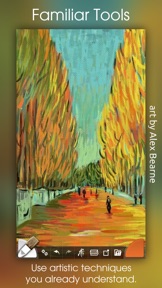
The most advanced simulation of real paint on iOS! Get creative on a digital canvas with smearing, blending oils, delicate watercolor, and much more! Ever wanted to try painting your masterpiece but were put off by the mess and expense? Now you can!
ArtRage isn't just about color: It knows how much paint you've used so you can smear it around to spread it over the canvas. It knows how wet your paint is so you can blend it with other paints. It even knows about the roughness of your paper so your pencils can be used for soft shading.
It's not just a special effect either - ArtRage is a live simulation of the properties of real artistic media that lets you can get creative with colors and textures using tools you already know how to use!
ArtRage takes full advantage of the features of your device like larger canvases on iPad Pro, Apple Pencil support for pressure & tilt, and 3D touch on your iPhone.
Join the ArtRage community:
Forums: forums.artrage.com
Facebook: www.facebook.com/artrage
Features:
Real world painting tools: Oils, Watercolors, Paint Rollers, Pencils, Crayons and more. Each tool has a range of familiar properties such as how much thinner is applied to the paint, or how soft a pencil tip is. Tools apply texture as well as color, and blend under the brush.
Add Layers to your painting and work on individual elements without damaging others. ArtRage supports a wide range of Layer Blend Modes, and layer contents can be scaled moved and rotated independently.
Import images, converting them to oil for smearing or as Reference Images pinned to the canvas as a visual guide. Load photos as Tracing Images which are overlaid on the canvas, and have ArtRage select colors automatically as you paint.
The interface has been designed to maximize your creative space without hiding away critical functions such as tool and color selection. As you paint, it gets out of the way so that you don’t have to stop and manually adjust panels.
Record your paintings! The ArtRage Script system lets you record strokes while you paint for playback in desktop versions of the product at higher resolution.
Import and Export using external services such as Dropbox, and iCloud Drive. Share your images on Facebook, Twitter, and any other sharing app on your device.
Tools:
• Oil Brush, Watercolor, Airbrush, Palette Knife, Paint Roller, Paint Tube, Inking Pen, Pencil, Marker Pen, Chalk, Crayon, Glitter Tube, Gloop Pen, Eraser, Flood Fill.
• Paint simulation monitors the physical properties of your paints to allow natural blending, smearing, and other real world behavior.
• Preset support to save your favorite settings for later use.
• Supports the Apple Pencil's Pressure and Tilt properties, and 3D Touch where available to add realism to the simulated paint strokes.
Layers:
• Unlimited layers with Photoshop standard blend modes, visibility and opacity controls. Scale, rotate, and position layer contents independently.
Utilities:
• Record your paintings as Scripts then play them back in a desktop version of ArtRage.
• Unlimited Undo / Redo. Load photos as References or Tracing images. Store color samples for later use.
Files:
• Create paintings up to 2048 x 2048 or 4096 x 4096 on iPad Pro.
• Control the texture and color of the canvas to create different effects. Canvas presets can be stored to save your favorite settings for later.
• Export PTG, JPG or PNG to services such as Email, iOS11 Files, Adobe Creative Cloud, Dropbox, and more. Share images on Facebook or Twitter. Import photos to a new file or a layer, with camera support.
Interface:
• Easy access pods provide functionality without getting in the way. Elements vanish as you paint so you can paint underneath. Multi-Touch shortcuts for canvas manipulation, Undo/Redo, and Brush Size.
• Adapts to suit iPhone layouts.
Stylus & Input Support:
• Apple Pencil Pressure & Tilt.
• Supports 3D Touch.
• Includes support for Wacom, Adonit, Adobe, and Pogo styluses.
What's New in Version 2.4.0

This update adds gallery file sorting options and the ability to recreate thumbnails for paintings that have lost them. Both options are available in from the menu at the top of the gallery. We've also made some changes to file naming and storage to fix some reported problems, added an indicator to the canvas so that you know which way is 'up' when you create it, and made some improvements to scripting support.
As always, if you have any problems please contact us via our support link and we'll be happy to look in to it and help out!

Seller

Name

Ambient Design Ltd.

Information

Categories

Version

2.4.0

Size

64.8 MB

Game Center

No

VPP Device Licensing

Yes

Rating

Rated: 4+

Compatibility

iOS 10.0 or later

Devices

iPhone 5, iPhone 5c, iPhone 5s, iPhone 6, iPhone 6 Plus, iPhone 6s, iPhone 6s Plus, iPhone SE, iPhone 7, iPhone 7 Plus, iPhone 8, iPhone 8 Plus, iPhone X, iPhone XR, iPhone XS, iPhone XS Max, iPhone 11, iPhone 11 Pro, iPhone 11 Pro Max, iPhone SE (2nd generation), iPhone 12, iPhone 12 Pro, iPhone 12 Pro Max, iPhone 12 mini, iPad (4th Generation) (Wi-Fi), iPad (4th Generation) (4G), iPad (5th Generation) Wi-Fi, iPad (5th Generation) Wi-Fi + Cellular, iPad (6th generation) Wi-Fi, iPad (6th generation) Wi-Fi + Cellular, iPad Pro, iPad Pro (Cellular), iPad Pro (9.7-inch), iPad Pro (9.7-inch) (Cellular), iPad Pro 12.9-inch (2nd generation), iPad Pro 12.9-inch (2nd generation) Wi-Fi + Cellular, iPad Pro (10.5-inch), iPad Pro (10.5-inch) Wi-Fi + Cellular, iPad Pro (11-inch), iPad Pro (11-inch) Wi-Fi + Cellular, iPad Pro 12.9-inch (3rd generation), iPad Pro 12.9-inch (3rd generation) Wi-Fi + Cellular, iPad Air, iPad Air (Cellular), iPad Air 2, iPad Air 2 (Cellular), iPad Air (3rd generation), iPad Air (3rd generation) Wi-Fi + Cellular, iPad mini Retina, iPad mini Retina (Cellular), iPad mini 3, iPad mini 3 (Cellular), iPad mini 4, iPad mini 4 (Cellular), iPad mini (5th Generation), iPad mini (5th Generation) Wi-Fi + Cellular, iPad (7th generation) Wi-Fi + Cellular, iPad Pro 11-inch (2nd generation), iPad Pro 11-inch (2nd generation) Wi-Fi + Cellular, iPad Pro 12.9-inch (4th generation), iPad Pro 12.9-inch (4th generation) Wi-Fi + Cellular, iPad Air (4th Generation) (Wi-Fi), iPad Air (4th Generation) (Wi-Fi + Cellular), iPad (8th generation) Wi-Fi, iPad (8th generation) Wi-Fi + Cellular, iPod touch (6th Generation), iPod touch (7th generation)

Languages

English, Dutch, French, German, Italian, Japanese, Spanish

App Store: Customer Ratings

Ratings & Reviews

3.5 of 5 (133 Ratings)

App Store: Customer Reviews

2020-09-18

Enormous untapped potential

ArtRage on iOS (iPad Pro) is promising in many ways but often fails to deliver in the more nuanced areas. It is absolutely GREAT if you are using the OIL Brush (which is amazing), and don’t really interact with the other tools like the Watercolor Brush or Pastels. But even with the Oil Brush it is nearly impossible to control the degree of blending to other colors. For instance, if you have painted with a medium tone color and then want to add a strong highlight tone on top, you will be severely limited to the degree that it will lighten, unless you use the Insta-Dry, which lays down a flat non-blending color on top, and then you have to switch back to the Oil brush to blend it in somewhat at the edges.
However, I don’t to give the impression that this app is bad because it’s not, it’s just VERY limited when compared to other apps (like Procreate). At the time of writing this (September 2020) this app has not been updated by the developer for TWO years. They seem to have spent more time enhancing the desktop version of the app ($75) rather than modestly improving the iOS version.
What ArtRage does really well is layers and their degrees of transparency; merging layers, multiple undo’s, the Pencil as something unto itself, and using the roller to lay flat colors then awesomely blending them together with the Palette Knife. The pastel tool is lackluster with poor definition and the paint tube is just a gimmick.
But I sincerely hope the developer will improve the blending of colors when using the oil brush, and combining those colors with the watercolors. This is an app with enormous untapped potential.
ROC-889
Version 2.4.0
2020-09-03

Very good, leaner than desktop version

It would be very useful to have a few more things, like selections.
In my opinion, the touch rejection could be significantly better. Despite having palm and touch rejection enabled, resting the palm on the screen frequently results in the drawing being zoomed, rotated and panned.
This is a serious issue, but not serious enough not to get this excellent creative tool. Far more positives than negatives.
drawcat
Version 2.4.0
2020-06-02

Fantastic

I have been using this on my iPad for years. Having tried most of the competition this is still my favorite. Has features the app Apple is pushing still lacks.
Steen a Dane
Version 2.4.0
2020-02-20

Very Unrealistic App

This app is definitely NOT worth the $5 I paid for it. This app is nothing but a rip off! I’ve had much better luck with Procreate or Art Set Pro, but this app is absolutely terrible as far as quality goes. The paint doesn’t look realistic to say the least. It looks extremely pixilated and very low quality. I wouldn’t even get this app for free. It needs some serious work and redesign overhaul. I couldn’t even get a refund for this terrible app. Do not buy!
gillymarie00
Version 2.4.0
2020-02-13

Show me the thumbnails again!

Used to love this app. Now The Thumbnails in the Gallery no longer show your art! It only shows ArtRage logos and the pictures name. Awful, that’s a deal breakers. I am looking for another app if you do not fix this.
555 man
Version 2.4.0
2020-01-27

Bigger Brushes Please!

I like this app a lot. Better medium simulation than any other app on the iPad (with the exception of the water color in Tayasui Sketch). I find the interface intuitive and non-intrusive, could be a little deeper in places, but a pleasure to work with
(unlike Paint Storm Studio which is total nightmare on a tablet ).
Really love the brush engine, but the brushes are way too small at their largest size! The desktop version lets you scale the brushes to 500% which is useable though even that could be larger. On the iPad you can type in a larger % but it snaps back to 100% .
Also the desktop version has close gap slider for the fill tool, why it’s not in the iPad version is a mystery.
Another mystery is why exported multi-layer PSDs open with single layer in most apps (Art Studo Pro opens them layered and saves PSDs that other apps can open properly).
The omission of layer masks and folders is unfortunate, but it’s the lack of large brushes that keep me from a 5 star rating.
RAWedge00
Version 2.4.0
2020-01-25

Could be better

This has potential, but I don’t like the UI, and it can only go to 4096 X 4096. I’m not sure what it is, but the art in general doesn’t look good made with ArtRage.
Crystalcleer
Version 2.4.0
2019-12-30

It was fun while it lasted....

I was away for just two minutes keeping the iPad screen locked. I didn’t even close or minimised the app. When I came back and unlocked the screen.....BOOM! All my progresses are gone...I am soooo frustrated ! .....never gonna risk to paint here again.
ProblematicNeon
Version 2.4.0
2019-12-18

It’s great but..

When I’m drawing something and I load an image and try to draw that sometimes I go out of auto trace/color and don’t know how to go back. If anyone knows if you can do it please tell me how. Other than that it works good
Shazilosaurus
Version 2.4.0
2019-12-18

Ok IPad Version, horrible iPhone version

Been using iPad version and made many paintings. It’s a little outdated, preliminary, but most of time does the job.
Today I had to wait in line for a long time so I downloaded the iPhone version and started painting. Two hours in and I’m almost done with the painting, the app restarted, and I lost everything. I. Hate. It!
sharonzhange
Version 2.4.0
2019-11-16

Love it, but there are a few bugs...

I just love this app, I’ve been using it since 2012. But lately there have been a lot of things that have caused me a lot of trouble with it. One is that it keeps on resetting the thumbnails so I can’t see what anything is. I used to be able to see the drawing before I opened it, but now it’s just an artrage logo rather than a picture. This makes it very hard to find what I’m looking for as my titles tend to be vague and I have a lot of paintings. Occasionally, the app will crash for no reason and my work will be lost, which forces me to save constantly. I implore you to fix these, it’s severely hindering me in what I can do with ArtRage (I use it for school and a webcomic, and I hate losing progress and taking forever to find things.
Just look at me now
Version 2.4.0
2019-09-24

Still my favorite

Absolutely amazing and still my favorite painting pp.
ZPKP
Version 2.4.0
2019-07-15

So much to love, so much that makes you scratch your head

ArtRage has so much potential as an iOS app, and given that they charge a decent little fee for it, I can’t for the life of me figure out why they don’t develop it into a true art app.
The tools are surprisingly responsive and versatile, and the pencil tool is one of the best I’ve used—and I’ve used ALL the art apps. I own several expensive ones, as well.
The color picker is easy to use and intuitive, which is more than I can say for most.
But the UI is clunky, and that’s being generous. The lack of grid functionality and tap assignment means you can’t “undo” with two fingers or even suggest it. The menus get in the way, and things pop up that you have no idea how to turn off. There are no guides or rulers that I can see, but then, there’s no helpful introduction to the features and hidden tool settings.
I want to love this app, as it’s a delight to draw with. But in the name of all that is holy, bring it up to speed with the rest of the art apps out there. It’s good enough to be a top app.
Ciavyn2
Version 2.4.0
2019-06-23

Well they got the Rage part correct.

So now I don’t even get to decide which orientation my canvas is at? Move the iPad and phoomp like magic, it’s back to some idiots predetermined setting? Why? What’s the point? How hard is it to simply let the artist, let the designer, simply determine their own needs? But no, instead let’s just keep dumbing it down for the masses, for the “home user”, remove tools that were useful, make it easier for a generation of Snapchat idiots. Well done...
Rage is simply more dying garbage in the toxic ecosystem that is iOS and Apple.
There’s just no real useful, decent software out there, and what is will like be turned into a subscription service designed to rob the user of Choice, freedom, and their money. Works for adobe and their robbery so might as well.
Good job ArtRage team, you’re just part of a collective fail.
Revlis335
Version 2.1.11
2019-05-17

Beyond awesome

If anyone had every told me you could paint using an ipad
(Pro) just like you could on a canvas I would not believe it. But, this app comes so close - unbelievable how well you can paint using this app. Great job guys!!!
Bareec
Version 2.3.4
2019-05-14

Yellow and blue make gray?

I love Procreate but it seems to be missing a realistic paint blending simulation. I heard Art Rage would be able to simulate real paint but unfortunately, like Procreate, the iOS version of Art Rage produces a dull gray purple-ish color when mixing blue and yellow. I blame myself for not doing the proper research before buying. Maybe an update will add this feature.
Damien Margo
Version 2.3.3
2019-04-04

Crash!

I really enjoy the app... but the frequent crashes are maddening. Even though I save my work often.... some saved work still gets lost. Please fix... !
Susan Combest
Version 2.1.9
2019-01-04

Love this App

There are a ton to choose from, but this is my favorite drawing app. Everything is very simple and there is plenty to work with. My drawings look authentic, as if I sketched them on actual paper, and again —so easy to navigate. I’m quite happy with ArtRage. No complaints.
aemckean
Version 2.2.2
2018-12-19

Buy Procreate instead

The tools here are awkward in comparison... feel I wasted my money.
Silenceimpaired
Version 2.1.10
2018-12-11

Underwhelming where it counts

There is no excuse, given the power of modern iPads, for this app to be missing real media, color-blending.
In addition, I find the maximum size of brushes too small which results in time wasted.
yondvale
Version 2.3.1
2018-11-16

Love the effects

I love this app. The pallet knife really makes some interesting effects ,I like it with the oil paint and canvas texture also.
I have done a few paintings that looked like traditional mediums with this app but haven’t been able to get them types of effects with any other programs or apps. For what I’m doing this works very well.
Third Dimension Tattoos
Version 2.2.1
2018-11-03

Wonderful program – huge flaw

In this release it refuses to export export any of my work. iOS11 & iPad Pro 2
WildBillWillie
Version 2.3.2
2018-07-29

Best sketch art app!

I am amazed how good is this app. It’s really worth the prize and the UI is simple and intuitive. Also works well with old iPads.
Sudh
Version 2.2.0
2018-07-24

Screw this app.

I’ve been using this app since 2012. It has a lot of great functionality, but it has been buggy since day one. I can’t count the number of times it has randomly crashed and I lost hours of work. I wouldn’t mind the constant crashes if it would save your work every 5-10 minutes automatically. Other than the crashes it functions as advertised. But you’d think they could solve this after 6 years of owning this app on 3 different iPads.
Canutcontrol
2018-07-22

Good painting app

My only complaint is the yellow and blue don’t make green and instead make a grayish-purplish color.
joey2871
2018-07-21

Crashing Problems

I’ve been using this app for a little while now and it works pretty well but recently I’ve had crashing problems, and have lost some work because of it. I’d really like to continue using this app because I’m use to it but it’s not great that I keep loosing some of my work.
Victoriahala
2018-07-17

Worth the money

I found out about this app a few hours ago, and it’s so addicting! I love to draw, and this app is another great way to draw or paint! I suggest this app to any who love to draw!
raptor4life
2018-07-14

Great program!

I love using it and have never had it crash actually, I draw my cartoony characters and love adding textures and blending. Easy to use and really just an amazing app!
Swan The Dreamer
2018-06-30

4.7 easily but...

This app is phenomenal. The only thing that should be added is a selection option to the pencil only. Repositioning a stroke of paint or two that you don’t necessarily want to erase or paint over would indeed compromise what this app embodies as a digital version of traditional painting. Although I’ve only been using it for just a few month, I feel that it is revolutionary in that of its predecessors and will always be used in my arsenal of mediums. Well done Ambient Design Ltd.!!!
Artisan Slimm
2018-05-12

WONT EXPORT

All important functions such as export and rotate are broken! Please fix!
Ohm62
2018-04-17

Pixelated

Seriously looks gross on a regular iPad.
airguitarbandit
2018-04-07

Zooming MUST Be Fixed!!

I love this app. It helps me stay calm and at peace day to day. The only thing I have an issue with is the zooming. At times it is not responsive and when I want to zoom into my drawing, it will leave giant blotches of ink or paint on my art that I then have to remove. Every. Time. Please, fix this issue so the app can run smoothly across the board.
VeroKiana
2018-04-03

Needs some work.

Cons:
* There’re no opacity and thickness sliders on the screen - you have to go into menu. Thickness is visible in left corner but also 2 clicks away. It’s much better to change it via menu because if you don’t do it properly on the corner selection it pops up a numeric box where you type the thickness with the keyboard. Seriously, a keyboard? There’s a “Metal” slider on the right working smoothly and always visible. Is it more useful than thickness and opacity? (rhetorical question)
* In fact there’s no opacity at all! So when you mix colors you can’t mix-in more of the color you’re adding. This makes the app essentially useless to me because it’s much less controlled with regards to the color you’ll get.
* Also, the brush maximum thickness is not so thick.
* Though the app looks like a desktop program, the brushes engine is less powerful than on the desktop. Oil paint texture is less pronounced than on desktop. You’re getting a different app that just happens to share the same name as the awesome ArtRage desktop version.
Pros:
* One really. I like the way paints interact when mixing. They’re not realistic as the desktop ArtRage (so you won’t get yellow + blue = green) And you can’t control how much paint you put in using a brush (no opacity) making color somewhat a random thing. But even with that said it still delivers interesting mixing feel that’s not available in Procreate (which is vastly superior in just about every other way) In all the apps I’ve tried they seem to aim to do the same thing, and Procreate does that thing the best. But ArtRage is different in a way it does the paint mixing differently, giving it more “paint” characteristic than it’s more “digital” counterparts.
If the app is completely redesigned keeping in tune with Touch rather than Desktop UI practices. If opacity is added to the app, and also made available as sliders along with thickness. Then the app would be an instant 5-star, even if the desktop brush engine was more powerful.
GadgetMojo
2018-03-02

Good App

I drew #4 great drawing. I was really impressed!!! Then my Apple Pencil began to lag. Really bad & I couldn’t draw accurately. It wasn’t the pencil; it worked accurately on other drawing apps. Please fix!!!
Carmel City
2018-01-25

Cannot color on layers :(

UPDATE 1-25-2018 -- After playing around I found if I highlight the original lineart then go to multiply then duplicate the original lineart and put a new layer BETWEEN the copy and the original. I can now color without worries. I also got an email from the developer. The original PNG lineart background must be transparent without having to do multiply and duplicate. I'm raising the stars to 5 again. Thank you ArtRage developer!
I've been using ArtRage program on my PC since 2008 and ArtRage app on my iPad Mini since 2016 and mostly recently on my Chromebook in Jan. 2018.
Now, this is a very serious for me. A few days ago I uploaded a fellow artist's lineart on my iPad. Once I have the lineart, I'd add another layer to color which is on top of the lineart layer. I can color BUT I didn't want color the lines so I moved that layer below the lineart. Guess what? There's nothing there. When I checked my layers you can see the color in the colored layer but not the main window.
I've done this so many times and I never had this problem before. I love this app but I might not use it at all because of this.
My app is up to date.
Am I the only who is having this problem?
Kenshin's Soul
2018-01-09

Love app, constantly crashes

Lots of great stuff to love about this app. Layers, ability to trace imported photos, multitude of brush options. Sadly, app is hardly usable as it is constantly crashing. I use 2nd gen 12.9 iPad Pro with Apple Pencil . Please, please fix crashing.
Also, pleas add iCloud support for files.
BlgN8
2018-01-08

Crashes!

I’ve been using this app for years and have always loved it! Now I can’t draw a line without it crashing and reverting to the last save! Not enough time to save again before it crashes! So upset... please fix this so I can continue to use one of my favorite apps!
Amityger
2018-01-05

Crashes

Does a great job, a lot of fun, but you had better save every time you finish a little work. It crashes often and will restart with your last save.
rwaynebr
2017-12-30

The fun of real paint without the mess!

Or the expense. Being able to just squirt paint onto the canvas and smoosh it around is great fun. My only complaint it that the rounds do not seem to behave exactly as a round should at the end of a stroke. There is not enough tapering off, especially for those who would shape their brushes especially for that purpose. I have fiddled with the settings and cannot seem to do fix this.
syntonica
2017-12-29

Crashes Galore

Do not buy this app in its current state! It will crash often without warning, destroying all traces of any work you’ve done.
Atlas223
2017-11-28

The presets is missing

What happened to the presets with the update all the presets is all missing please fix this immediately
illikaspain
2017-11-07

Works Perfectly Now, Thanks

I have had issues with ArtRage not functioning properly on my devices in the past, both my iPhones and iPads. But, I have to say that the app works brilliantly now for me. And I just want to extend my sincere thanks and gratitude to the developers for all of the hard work, time and effort that they no doubt have put into making this app work so well.
Everything just works and functions so smoothly for me, the painting engine runs beautifully I think, the options for brushes and tools all work well, just everything in my opinion is perfect as I said. I can now add this app again to my daily programs that I use for painting. Which makes me so happy because I always adored ArtRage on my Mac desktop computers and now I can enjoy it close to the same on my mobile devices.
Though, if I'm being honest, I do wish that the mobile version had more tools similar to the desktop computer application. I know it's probably not easy at all to try and make them identical. But, I feel it's been a super long time since any new tools or brushes were added to these mobile versions of ArtRage.
I would absolutely love it and appreciate it if the developers would please add more brushes and tools to these mobile versions. I've been using the same brushes for so long and I really would love it if we could have some new ones please. And also I think it would be great if we could download presets, like official and user ones for that one tool like you can on the desktop version of ArtRage please. Thank you if you'll consider that and thanks again for making this app work so well and all of the hard work I'm sure you put into it and God bless.
Joshua D.
2017-10-27

Nice painting app, some UI quirks

The painting works nicely. 3D Touch allows varying width of lines. I like how I can doodle with a real pen, take a picture, and set it as a multiply layer and start coloring.
I have an iPhone 8 with big text setting, and the color picker got cut off a bit on the left. The “ArtRage” menu fills the screen completely, and the cancel button is obscured by the “preference” button.
forcotton
2017-09-24

Good. But....

When i try to change the size on the brushes, the app crashes. Everything else is just as cool as the artrage program on my computer.
Ilive2sing247
2017-09-23

ArtRage

Disappointed to find ArtRage app has no cloning tool.
Ke812
2017-09-10

Awesome ❤️❤️❤️

Incredible paint app highly recommended!!!
Dude100x
2017-08-30

Love!

By far my favorite sketch app. I know there are some shortfalls, but overall I find it fantastic. Have been using it for a couple years now. Not sure why other review says bad for cartoons...I think it would be great. I use it for children's art I sell on Etsy, and to design tattoo work, and any time I need quick sketches. Some are quite complex. Good layering, the only thing I find lacking is the cut and paste.
tdactyl
2017-08-27

Good for Realism, Bad for Cartoonists

Okay, so I tried out this app for about a few months now, and I'll say I like it! You can definitely make realistic masterpieces that might be confused for real life paintings scanned onto your iPad. However, if you are a cartoonist and draw non-realistic art, DO NOT buy this app. Other than that, I like this app.
.:The Legendary RiverClan:.
2017-08-23

Love it! Except for one thing...

I'm left handed! I need control of the art tools panel on the left hand side. Unlike the Concepts app I can't flip the panel. And does this app have palm rejection?
Other than the above - love it
As of 08/23/2017 I've been told by the makers of Art Rage that they can't adapt to left handers. Screw you Air Rage. You will be deleted...
Antidistablishmetarism