AboutTermsPrivacyContact
 
Updating
ListPro

ListPro

Released: 2010-09-15
© 2010-2018 Ilium Software, Inc.
ListPro - QR Code
Version 5.2.3
4+
Download on the App Store
Version 5.2.3
4+
Download on the App Store
Released: 2010-09-15
© 2010-2018 Ilium Software, Inc.

iPhone Screenshots

Screenshot
Screenshot
Screenshot
Screenshot
Screenshot

Description

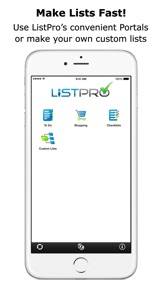
ListPro® is the ultimate list-making toolkit. ListPro gives you everything you need to craft the perfect list. With ListPro's robust set of features, including an optional desktop version, you can build lists ranging from simple checklists to micro-databases. Get ListPro today and become a list pro!
ListPro Doesn't Limit Your Creativity!
ListPro gives you the tools and flexibility to build the lists you need. Don't get hemmed in by one-trick pony listmakers. With over 40 fully-customizable templates, 7 column types, item indenting, and a host of other list-making tools, ListPro lets you craft the list you need.
Optional Windows Desktop Version Available!
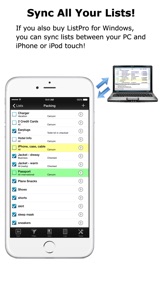
With ListPro you can create any list you want, anywhere. Add ListPro on Windows PC for just $19.95 and you can build lists on your computer as well as your device - whichever works best for you. Make your lists just how you want them, quickly and easily. Plus, sync lists via WiFi between your desktop and your device to make your lists mobile and keep them up-to-date wherever you are.
Hundreds of Free Lists!
If you need some help getting started, choose from hundreds of user-constructed lists and templates at the List Exchange. Shopping lists, Getting Things Done templates, academic study guides, medical information, and more are just a click away.
The Best of the Best!
Winner of multiple mobile computing awards, ListPro has been the preferred choice for serious listmakers for over 17 years. Get ListPro today, and find out why ListPro remains the standard for people who are serious about their lists.

What's New in Version 5.2.3

* Support for iPhone X

Seller

Name

Ilium Software, Inc.

Information

Categories

Version

5.2.3

Size

11.8 MB

Game Center

No

VPP Device Licensing

Yes

Rating

Rated: 4+

Compatibility

iOS 8.1 or later

Devices

iPhone 4S, iPhone 5, iPhone 5c, iPhone 5s, iPhone 6, iPhone 6 Plus, iPhone 6s, iPhone 6s Plus, iPhone SE, iPhone 7, iPhone 7 Plus, iPhone 8, iPhone 8 Plus, iPhone X, iPhone XR, iPhone XS, iPhone XS Max, iPhone 11, iPhone 11 Pro, iPhone 11 Pro Max, iPhone SE (2nd generation), iPhone 12, iPhone 12 Pro, iPhone 12 Pro Max, iPhone 12 mini, iPad 2 (Wi-Fi), iPad 2 (3G), iPad (3rd Generation) (Wi-Fi), iPad (3rd Generation) (4G), iPad (4th Generation) (Wi-Fi), iPad (4th Generation) (4G), iPad (5th Generation) Wi-Fi, iPad (5th Generation) Wi-Fi + Cellular, iPad (6th generation) Wi-Fi, iPad (6th generation) Wi-Fi + Cellular, iPad Pro, iPad Pro (Cellular), iPad Pro (9.7-inch), iPad Pro (9.7-inch) (Cellular), iPad Pro 12.9-inch (2nd generation), iPad Pro 12.9-inch (2nd generation) Wi-Fi + Cellular, iPad Pro (10.5-inch), iPad Pro (10.5-inch) Wi-Fi + Cellular, iPad Pro (11-inch), iPad Pro (11-inch) Wi-Fi + Cellular, iPad Pro 12.9-inch (3rd generation), iPad Pro 12.9-inch (3rd generation) Wi-Fi + Cellular, iPad Air, iPad Air (Cellular), iPad Air 2, iPad Air 2 (Cellular), iPad Air (3rd generation), iPad Air (3rd generation) Wi-Fi + Cellular, iPad mini (Wi-Fi), iPad mini (4G), iPad mini Retina, iPad mini Retina (Cellular), iPad mini 3, iPad mini 3 (Cellular), iPad mini 4, iPad mini 4 (Cellular), iPad mini (5th Generation), iPad mini (5th Generation) Wi-Fi + Cellular, iPad (7th generation) Wi-Fi + Cellular, iPad Pro 11-inch (2nd generation), iPad Pro 11-inch (2nd generation) Wi-Fi + Cellular, iPad Pro 12.9-inch (4th generation), iPad Pro 12.9-inch (4th generation) Wi-Fi + Cellular, iPad Air (4th Generation) (Wi-Fi), iPad Air (4th Generation) (Wi-Fi + Cellular), iPad (8th generation) Wi-Fi, iPad (8th generation) Wi-Fi + Cellular, iPod touch (5th generation), iPod touch (6th Generation), iPod touch (7th generation), Apple Watch Series 4, Apple Watch Series 5, Apple Watch Series 6 (GPS), Apple Watch Series 6 (GPS + Cellular), Apple Watch Series SE (GPS), Apple Watch Series SE (GPS + Cellular)

Languages

English

App Store: Customer Ratings

Ratings & Reviews

4.6 of 5 (34 Ratings)

App Store: Customer Reviews

2020-07-31

Awesome app

I’ve used this app for years! I love how easy it is to create my own customized databases. I use for keeping track of everything from grocery lists to collections. I breed flowers for a hobby and even keep track of my plant genetics.
I love that I can take the data out to the garden with my phone, collect measurements and other data, then synch with my pc and my Mac.
I also love that I can export/import in .csv files.
The only drawbacks- I can’t store pictures with the data or create embedded lists.
I use a competing product for that kind of data collection but that product doesn’t have the PC or Mac versions for synchronized lists and backup.
I would love to have one solution to store all the information I need to track and have the ability to import/export so that I can transition to a single tool easily.
proverb_31
Version 5.2.3
2020-06-24

Lost its Luster

This used to be the best List App on the market. Been using it close to 20 years. From Palm Pilot to Handspring Visor. From Windows Mobile Phone to iPhone. Including synchronization to my laptop.
The app is no longer supported and not worthy of the $20 fee to have it on your computer & phone.
Items get deleted after I enter them. Things I used to do 15 years ago like copy items from one list to another or duplicate a whole list can no longer be done on the iPhone. You have to sync and do it on a computer. It was great when I was traveling to be able to make new lists on the phone or device I was using. All that capability was lost when the developed it for the iPhone. No alarms anymore, no cut & paste, no list duplication, etc. on the iPhone. It’s where 90% of Business and entry is done now. Best you can do is look for something else.
eWallet is decent but ListPro is no longer pro. It is aggravating. I tried contacting developer, Illium Software, numerous times, never an answer.
Would have preferred they kept it up and charged a $1 to $2 annual subscription fee to maintain support.
Am finding Apps on iPhone have better capabilities now. Especially since all the really powerful features are gone! Not good when your data disappears. Used to be even if a device or the program crashed, your last data was still there. Now I finish putting it in, close the App and poof! It’s gone! I have to take screen shots and then re-enter the data. If I forget, oh well, data is gone.
LOOK FOR SOMETHING ELSE. Save yourself the aggravation.
Concession Jock
Version 5.2.3
2020-02-16

Nothing Better After 20+ Years

Recently, I found a note I had made in Listpro dated from the year 2000. That's a long time. Over time, I've spent days looking for alternatives that would support images AND do the plethora of things this app does. To date, nothing is better for taking and organizing notes in a variety of ways. We may not be able to add pictures in Listpro, but past that, it's packed with easy to use customizations. I'm thrilled that it's still on the iPhone.
SummitApps
Version 5.2.3
2020-01-29

Powerful, but easy and good looking list org.

Syncs iPhone to optional PC prg fast. Has flag and check fields, many templates and easy to create your own lists. Can import and export lists. Have used for years and the syncing is so smooth now. Very handy for repetitive tasks like trips where you can use just a subset of your large list and check off the subset items.
Sayitisn'tso
2019-06-13

Great Product

I have used the Windows version for years. Enjoy the iPhone version and sync.
optic rush
Version 5.2.3
2019-05-02

Emailing lists needs fixed

I’ve used Ilium software for years and I’m a big fan. However; for some reason now when emailing the shipping list to myself or family member to pick things up, ONLY the list is emailed. This defeats the purpose honestly if the “department” isn’t emailed or can’t be printed out along with the list. For a list to be “productive”, it has to have the option of what fields to include on print or email. Please fix or add this. I’ve asked before with no resolution. I assure you, many of your users will be happy with this option and make it easier to recommend this app to others because it’ll have met all the required guidelines for a great list maker. Thank you
Tdsjdbfjckdbd
Version 5.2
2018-08-31

Flexible!

This is a surprisingly powerful database app. It lets you set up different fields so you can completely customize your lists. I use it for groceries, packing for camping, tracking music and movies I want to buy/see, etc. It’s not incredibly intuitive, but if the other preset list apps don’t have the exact list you want, this one will allow you to create your own.
GGB Fans
Version 5.2.2
2018-03-27

Still here

Have used this app even before there was an iPhone. I like it because it’s very customizable. Can sort on anything, add fields, etc. lots of functions. However, functionality hasn’t changed in years and there is no integration with anything. Shoe string support at this point.
Jwm22222
Version 5.2.1
2018-03-24

The best

As advertised, this is the ultimate list making tool - hands down the most customizable (and I have tried all the popular list apps), but comes with the price of a learning curve to use its features. Thanks for a great product-I use it every day.
DrFlake
2018-01-19

Multiple Uses

I use ListPro for many list. I have a shopping list, Bible verses, store list where I buy certain things from certain stores. It has made my life so much easier.
lighthouselady
2018-01-15

I love ListPro

This is my favorite app to use for my shopping lists and checklists.
Wildirishwitch
2017-09-28

Very Versatile

The main advatage of this program is that if you have many different ways of sorting your list, this can handle it. This also can hold many different lists or just one list. As a grocery list or a pack-for-trip list, this is excellent. It's well above average for a to do list. You can have many kinds of categories and amounts. The cons are that the due dates do not trigger alerts, there are only a few highlighting colors, and there is no horizontal mode.
Rookie iPhone Guy
2017-08-11

Best List Program! Syncs w Desktop!

Love this list program. I have used it on my PC for many years and am so happy that I can now sync it onto my phone. I use it to make lists of wines I want try, movies to see, books to read, gift ideas, personal goals, restaurants to try, sights to see, etc., etc. I have a permanent packing list. Before I travel, I check off the items and then clear the checkmarks so it's ready to use on the next trip. The ability to clear checkmarks is a great feature. Other feature I like: ability to flag certain items in a list and just display those. Cool!
Reviewer7343
2017-08-06

Clunky, but works

I've been using ListPro for many years (all the way back to PocketPC days). I use the desktop version and I decided to finally get the iPhone app. As with other reviewers, the wifi synching did not work for me and you can't use iTunes to transfer files. Fortunately, I was able to email myself the CLF files and then use the "Copy in ListPro" function to import them into the app. I'm so happy about being able to do that! The app itself is cumbersome and not intuitive, but I really needed it only to view my files, so I'm ok with it. Anyway, I hope the developer continues to work on improving this powerful database list app because ListPro has helped many people stay organized. Thank you!
swmlvh
2017-08-04

Excellent, but ....

I have been using it on desktop since it launched. Very good software concept. I would give it five starts if it supports iCloud.
However, the teeth are long. Where is the Wi-Fi sync to iCloud or dropbox?
mm.mike
2017-07-20

Very limited iOS version

So, 3 years after writing my original review, I found that ListPro finally got a very basic export function. While still short of a true sync, at least it allows the user some way of exchanging lists with desktop version when both devices can't be on the same wifi. Bumped it up a star.
Still, some essential functionality is needed before it can become a major useful tool again:
1) Real Cloud based sync, the ability to automatically save to the cloud and open from there without invoking export / import.
2) iOS notifications.
This could be easily added, but it appears that any development of this once great tool had ceased.
=====
Used to be the first app I'd install on WinMob. The iOS version is a joke, and waste of money - the developer should be ashamed to charge this much for their abandonware. If you plan on buying this you must understand that the ONLY way to get your data out is by WiFi syncing to LisPro Desktop (another $20 by the way) and the receiving desktop MUST be on the same WiFi network. You can't transfer via iTunes. You can't export in any other format. You can't email. You can't do anything other than WiFi sync to Listpro desktop. If you travel, this program becomes, basically, a cemetery for your data. This is not how ListPro WinMob behaved, and I would never have paid a penny for this joke if I knew that even the most basic thing, iTunes sync via USB, is not supported.
Ano-nym-ous
2017-06-04

It's my go to List app, syncs everywhere

They are so nice they don't even ask you to rate them. I use this every day to manage my lists. It's very easy to use, and you can import and export to Excel tab-delimited files easily. I just created a huge list using Excel and it works and syncs between my Windows 10 PC, iPad, and iPhone. (Note: You have to pay extra for the WIndows PC software, I think) Love, love, love this app!
BeachIceCream
2017-05-29

CheriAnn

Just downloaded this app thinking I'd found just what I wanted. You can add as many sub folders as you want! However, (and this is a HUGE however!) I need to be able to have this on both my iPhone AND my iPad AND to be able to synch between them. Not between iPhone and PC.
Cheri Anne
2017-05-17

I Couldn't Manage My Life Without it

I use this app for something at least once a day. The most important lists carry over from year to year, and the shorter-term lists are so easy to create, adjust, and eventually delete!
GMaJA
2017-01-13

Still doesn't sync between devices

Update Jan17: Still can't sync/use across devices. PLEASE add this ability!
Great list maker, but does not sync between my iPhone and iPad. I do not want to buy the PC version and run sync from PC. Why can't my updates I make on iPhone be seen on my wife's iPhone (e.g. Grocery list) or when I use my iPad (e.g. build my pacing list on iPhone during the week. Then use iPad when packing)??? HUGE missing feature.
TXnatv
2016-11-16

Awesome but doesn't embrace full Apple platform

Most capable List Product ever created. It was always the fav on PPC. Sadly though there is no iCloud support to backup or sync to, no sharing lists between users, no MacOs companion, and no iPad (full screen) version. As a standalone app on iPhone it still delivers as the most capable list manager ever but requires Windows and wifi to sync to make a complete solution. If you ever have to reload your iPhone from scratch your data will be lost without a Windows companion.
googull
2016-11-13

I used to love this app...

Like one other review I saw, I used this app all the time for EVERYTHING! I even used it to track features I was looking in for a home when I was moving. On the PPC it was powerful and easy to use. Now on iOS is is virtually impossible for me to figure out beyond the basic functions. I'm really sad that I can't use it anymore. I simply don't have the time to research and figure out how to use the basic functions I once used and loved. People who love it now have no idea of its former glory.
NJeanneA
2016-08-23

Winner !!!

Tried all the other well rated list makers and kept coming back to List-Pro. More options and more intuitive than others. Easy to edit lists and easy to add to. Got it originally with my Palm Pilot (Not that that dates me.) and fell in love. Thought others could improve on list makers but not true.
Katmanduman
2016-06-24

List pro

A nice little list maker by Ilium Software. My only complaint is that it will not allow you to format numbers with comas. You have to type the comas in. EWallet is also made by them and a great product I have been using for over ten years to store my passwords and other sensitive material.
D icky55
2016-06-01

Contrary opinion here:

I used to run this years ago on a PPC, and it was about the most important program I’ve owned. I missed it dreadfully when I moved to Mac and it wasn’t available. However, after recently discovering this iOS version, I’m shocked at the glowing reviews. The interface to enter items is sickeningly convoluted and overburdened with extra taps and maneuvers. If there’s a better way, and it interfaces like it did on the old PPC, I’m too dim to figure it out after hours of fiddling around with it. If I have to wrestle with an app, its poorly programmed. I give it one star, and as someone who longed for the moment I could run this program again- I’m pained to do so.
14159
2016-05-21

Love it

I've been using this app for years, and it's super helpful for my everyday life. Great app.
sym016
2016-03-27

The very best list app!

A remarkably full-featured app. I particularly like the ability to create numerous master lists, flag the portions I want to use each time, filter so I only see the flagged items, and then use the check-boxes as I work through the list. If you make lists at all, this is a fabulous addition to your apps - especially for free!
DJ49878
2016-03-23

Love!

Helpful, concise, and organized!
Foxycook
2016-03-08

Missing a few things

I've used the WinMobile version daily for two years and was elated when a version for the touch was released. I miss a real calendar pop-up when entering dates - default is the touch native scroll wheel. I also miss the column total feature - maybe it's there - but I've never found it. Other than that it's great! Thanks Ilium!
DougW47
2016-03-06

Best list maker I've found

Two requests -
1. add the iOS standard interface function of scrolling to the top when the title bar is touched [a must for long lists].
2. Dynamic sorting after changing a list or check off of an item [would be awesome].
The best list keeper in Appland!
Shwilzon
2016-03-02

Great app

I use this all the time for lists , reminders etc. highly recommend.
GrandmaNBS
2016-02-29

Great tool

I learned about this app from my brother-in-law and have been using it for a couple of years. It's easy to use and a big help in creating grocery lists, among many other things. Now I don't forget that "crucial thing" when I go grocery shopping! Thank you!!!
DCPerson
2016-02-23

Works Great

Popsie
Feb. 23,2016
It does just what I need it to do. Great App.
Izzie2001
2016-02-21

Great app

I use ListPro daily to organize my life.
Hogs Is Byootiful
2016-02-18

List Pro

Great app.
QA1
2016-02-17

Needs dynamic sorting!

I love this app, but it really, really needs dynamic sorting – that is, when I add an item to a list, it is automatically sorted by the criteria that I've already applied to that list. It's such a pain to have to re-sort to list every single time I add an item.
Filmeng
2016-02-16

Still Unique

I have used ListPro almost since it first came out, and I have tried quite a few of the other list programs in the App App Store since migrating to the iPhone platform. That said, ListPro has many unique features that no other program offers, which is why I keep coming back to it and still use it extensively. List Pro has features no other list app has. Thanks for the update!
CareyAndrew
2016-02-15

My go to list maker for 10+ years

I first got ListPro for my old Pocket PC years ago. I was able to transfer all of my lists to the iPhone version when I switched a few years ago. I currently have 20-30 lists that I use regularly, including billing due dates, travel to take lists, wish lists, pre-order lists, things to put on the physical forms at the doctor, etc. Creating and editing the format of lists is easy, as is adding items to lists. Lists can easily be sorted and filtered.
Fred6795
2015-11-18

List Man

My friends call me the list man. I go everywhere with multiple lists. List pros the greatest product in the app store for making customize lists. I've been using it for years. Great product. Good job!
Sbets0303
2015-10-28

It works great until you upgrade phones

I followed the instructions on to back up ListPro on my iOS device. I still can't figure it out. Switching to a different app.
kellyssima
2015-09-23

Works fine–could use refinement

I use this app for movie and book lists, and it works great. But for my shopping lists, I'm disappointed at the lack of information it shows. There's plenty of white space beneath each item–why can't I choose to put the cost of the item there?
Phooman
2015-08-27

Easy to use

This does what I need it to do. I don't do anything more than keep my own lists, so I don't need to email or sync.
Fireartisans
2015-07-27

Great app

Best list app
KnifeOfDreams
2015-06-28

Love This App!

Helps me keep organized...no more forgetting anything!
Brebre216
2015-06-12

Perfect multi-use list app

I am a list person... I need lists for everything in life or I am not effective. I've used this app for a long time and it's still exactly what I need. I can have multiple lists (packing lists, shopping lists, to-do lists, etc) and can sort, check and uncheck, and highlight as needed. There are very few apps I use all the time but this is one of them.
R.l.m.
2015-05-18

ListPro

Great app
Cwhowell2
2015-04-28

Good App For Managing Custom Lists

Have been using List Pro since I had a pocket PDA, Windows Based. Loaded the iOS version on iPhone as soon as it became available.
This App would be great if it had a way to easily print a list. Then it would get 5 stars. Still love it.
Deauxboy
2015-04-04

Good App

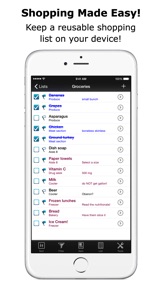
App is indispensable for grocery shopping and travel. It's 100% more effective to make a list by selecting from an existing list than it is to make one from scratch. ListPro has 100's of pre-made lists to download.
MotormouthMike71689
2015-03-16

Needs weblinks and photos.

I use this app a lot and like its options, but I would use it and appreciate it even more if it had the ability to add weblinks & photos. Oh, and a Mac desktop supplement would be nice too. :)
CalReader