AboutTermsPrivacyContact
 
Updating
iText Pad

iText Pad

Released: 2010-08-11
© 2024 LIGHT,WAY.
iText Pad - QR Code
Version 1.7.1
4+
Download on the App Store
Version 1.7.1
4+
Download on the App Store
Released: 2010-08-11
© 2024 LIGHT,WAY.

iPhone Screenshots

Screenshot
Screenshot
Screenshot
Screenshot
Screenshot

iPad Screenshots

Screenshot
Screenshot
Screenshot
Screenshot
Screenshot

Description

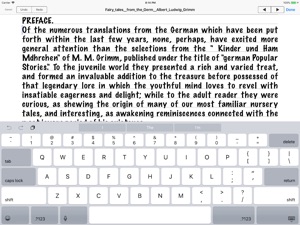
Do you want to pick favorite expressions out as you browse webpages or ebooks and store them in your notes directly? Do you want to edit a shared text between your computer and iPhone any time creative inspirations strike? That's easy with iText Pad!
iText Pad is a powerful and versatile Text Editor having lots of nice features, available for iPhone, iPod touch, and iPad. iText Pad combines practicality with portability - that is what a Writer's Workshop should be.
With iText Pad, you have all the power you expect from a full-featured multipurpose text editing program - writing and editing several text documents at a time, saving each file hierarchically in your memory, exchanging them between iPhone devices and a Mac, PC. You can email an editing text instantly, and preview webpages, ebooks, and downloaded files directly in iText Pad to utilize their texts. iText Pad also allows you to use the iCloud Drive, the Dropbox or the Evernote directly online, and supports TextExpander touch snippet expansion.
We sincerely hope iText Pad will serve you well, being a good friend for your iPhone, iPod touch, and iPad. With iText Pad, enjoy writing flexibly anytime, anywhere!

What's New in Version 1.7.1

Fixed bugs and improved stability. (such as, shows Hiragino Mincho font)

Information

Developer

Categories

Version

1.7.1

Size

23.7 MB

Game Center

No

VPP Device Licensing

Yes

Rating

Rated: 4+

Compatibility

iOS 9.0 or later

Devices

iPhone 5s, iPhone 6, iPhone 6 Plus, iPhone 6s, iPhone 6s Plus, iPhone SE, iPhone 7, iPhone 7 Plus, iPhone 8, iPhone 8 Plus, iPhone X, iPhone XR, iPhone XS, iPhone XS Max, iPhone 11, iPhone 11 Pro, iPhone 11 Pro Max, iPhone SE (2nd generation), iPhone 12, iPhone 12 Pro, iPhone 12 Pro Max, iPhone 12 mini, iPhone 13, iPhone 13 Pro, iPhone 13 Pro Max, iPhone 13 mini, iPhone SE (3rd generation), iPhone 14, iPhone 14 Plus, iPhone 14 Pro, iPhone 14 Pro Max, iPhone 15, iPhone 15 Plus, iPhone 15 Pro, iPhone 15 Pro Max, iPhone 16, iPhone 16Plus, iPhone 16Pro, iPhone 16ProMax, iPad (5th Generation) Wi-Fi, iPad (5th Generation) Wi-Fi + Cellular, iPad (6th generation) Wi-Fi, iPad (6th generation) Wi-Fi + Cellular, iPad Pro, iPad Pro (Cellular), iPad Pro (9.7-inch), iPad Pro (9.7-inch) (Cellular), iPad Pro 12.9-inch (2nd generation), iPad Pro 12.9-inch (2nd generation) Wi-Fi + Cellular, iPad Pro (10.5-inch), iPad Pro (10.5-inch) Wi-Fi + Cellular, iPad Pro (11-inch), iPad Pro (11-inch) Wi-Fi + Cellular, iPad Pro 12.9-inch (3rd generation), iPad Pro 12.9-inch (3rd generation) Wi-Fi + Cellular, iPad Air, iPad Air (Cellular), iPad Air 2, iPad Air 2 (Cellular), iPad Air (3rd generation), iPad Air (3rd generation) Wi-Fi + Cellular, iPad mini Retina, iPad mini Retina (Cellular), iPad mini 3, iPad mini 3 (Cellular), iPad mini 4, iPad mini 4 (Cellular), iPad mini (5th Generation), iPad mini (5th Generation) Wi-Fi + Cellular, iPad (7th generation) Wi-Fi + Cellular, iPad Pro 11-inch (2nd generation), iPad Pro 11-inch (2nd generation) Wi-Fi + Cellular, iPad Pro 12.9-inch (4th generation), iPad Pro 12.9-inch (4th generation) Wi-Fi + Cellular, iPad Air (4th Generation) (Wi-Fi), iPad Air (4th Generation) (Wi-Fi + Cellular), iPad (8th generation) Wi-Fi, iPad (8th generation) Wi-Fi + Cellular, iPad Pro 11-inch (3rd generation), iPad Pro 11-inch (3rd generation) Wi-Fi + Cellular, iPad Pro 12.9-inch (5th Generation), iPad Pro 12.9-inch (5th Generation) Wi-Fi + Cellular, iPad (9th Generation), iPad (9th Generation) Wi-Fi + Cellular, iPad mini (6th Generation), iPad mini (6th Generation) Wi-Fi + Cellular, iPad Air (5th generation), iPad Air (5th generation) Wi-Fi + Cellular, iPad Pro 11-inch (4th generation), iPad Pro 11-inch (4th generation) Wi-Fi + Cellular, iPad Pro 12.9-inch (6th generation), iPad Pro 12.9-inch (6th generation) Wi-Fi + Cellular, iPad (10th generation), iPad (10th generation) Wi-Fi + Cellular, iPad Air 11-inch (M2) Wi-Fi, iPad Air 13-inch (M2) Wi-Fi, iPad Air 13-inch (M2) Wi-Fi + Cellular, iPad Pro 11-inch (M4) Wi-Fi, iPad Pro 11-inch (M4) Wi-Fi + Cellular, iPad Pro 13-inch (M4) Wi-Fi, iPad Pro 13-inch (M4) Wi-Fi + Cellular, iPad MiniA17Pro, iPad MiniA17ProCellular, iPod touch (6th Generation), iPod touch (7th generation)

Languages

English, Japanese

App Store: Customer Ratings

Ratings & Reviews

3.5 of 5 (6 Ratings)

App Store: Customer Reviews

2022-12-02

Text & Graphic Editor

I currently use LightWay's - iText Express on my macOS, and love the app. The ease of use, speed and considerable set of tools are most helpful. Even though many others do similar things, it's the nuances that matter.
(They offer a PRO app, but it’s macOS only and a bit overkill)
Unfortunately, using their padOS app on my iPad, (non Apple silicon) doesn’t allow graphics to be imported into the document like the macOS app does.
If you like the nuances of LightWay's products, and want to use it on your iPad, you might consider Evernote instead.
MeinSchild
Version 1.6.2
2011-05-19

Great

This is so good. Better than the built in notes app. Apple should make a agreement with LIGHT WAY and make it the native writing app
Appcritic 123
Version 1.2.2
2011-04-03

IText for iPad

I told everyone about iText until today after updating to 1.2.1. Wondered right away why May 2010 was the date for the upgrade.
It does not list the title of a new file anywhere nor the text. I would gladly go back to the previous version if I knew how.
Harboots
Version 1.2.1
2011-02-18

iText Pad

Works very well. Creates .txt files that work with just about every program and email.
Jimy3405
Version 1.1
2010-10-04

Most wonderfully basic!

I wanted a basic "word processing" app for my ipod, one without all the gewgaws that are an attempt to emulate desktop/laptop programs. Don't let the description—obviously English isn't the first language—give you any misgivings. This app does everything you need for writing or note taking on your phone or iPod Touch. It's very simple to grab the finished .txt files and drop them in your word processor for formatting, etc. once you've sync'd in iTunes. One thing I love about this app is that when using a bluetooth keyboard the entire screen is open for what I'm typing, not just three lines above the ipod keyboard.
The interface isn't perfectly intuitive, but it takes very little time to figure out how to navigate—open, save, adjust formatting and such. But the basic appearance of this app belies its abilities. There's a lot of adjustment available to the user.
The only things I'd like to see in an upgrade are the ability to make folders in which to save files and the ability to open existing files with a double tap.
Thanks for writing something so seemingly basic!
audiopest