AboutTermsPrivacyContact
 
Updating
PixelCalc

PixelCalc

Released: 2010-05-07
© 2017-2024 John Lullie
PixelCalc - QR Code
Version 1.80.0
4+
Download on the App Store
Version 1.80.0
4+
Download on the App Store
Released: 2010-05-07
© 2017-2024 John Lullie

iPhone Screenshots

Screenshot
Screenshot
Screenshot
Screenshot
Screenshot

iPad Screenshots

Screenshot
Screenshot
Screenshot
Screenshot
Screenshot

Description

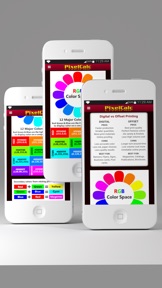
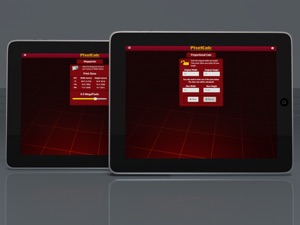
PixelCalc is a very convenient tool for anyone working with digital images, whether from a Camera, scanner or other input device. It is especially useful for graphic designers who work with both Web and Print media. Either of these two areas of media frequently require conversions from Pixels to Inches and Inches to Pixels along with a desired Resolution (i.e. hi-res, medium-res or low-res).
Now includes a Proportional Calculator and three useful Reference Charts.
Proportional Calculator
The Proportional Calculator will instantly calculate enlargements or reductions of images, photos, artwork, layouts, or any kind of design. Basically, anything that needs to be resized accurately while maintaining perfect proportions, the Proportional Calculator will do it.
Contains the following handy reference charts:
-Maximum Print Size per Megapixels (different resolutions)
-Maximum Print Sizes (in inches) by Megapixels @ 300ppi
-Shutter Speed Chart (Useful camera tool for perfect shots!)
-See the charts in the app for detailed reference information

What's New in Version 1.80.0

Updated for iOS 17
Performance enhancements.
Minor bug fix.

Seller

Information

Developer

Categories

Version

1.80.0

Size

4.3 MB

Game Center

No

VPP Device Licensing

Yes

Rating

Rated: 4+

Compatibility

iOS 11.0 or later

Devices

iPhone 5s, iPhone 6, iPhone 6 Plus, iPhone 6s, iPhone 6s Plus, iPhone SE, iPhone 7, iPhone 7 Plus, iPhone 8, iPhone 8 Plus, iPhone X, iPhone XR, iPhone XS, iPhone XS Max, iPhone 11, iPhone 11 Pro, iPhone 11 Pro Max, iPhone SE (2nd generation), iPhone 12, iPhone 12 Pro, iPhone 12 Pro Max, iPhone 12 mini, iPhone 13, iPhone 13 Pro, iPhone 13 Pro Max, iPhone 13 mini, iPhone SE (3rd generation), iPhone 14, iPhone 14 Plus, iPhone 14 Pro, iPhone 14 Pro Max, iPhone 15, iPhone 15 Plus, iPhone 15 Pro, iPhone 15 Pro Max, iPad (5th Generation) Wi-Fi, iPad (5th Generation) Wi-Fi + Cellular, iPad (6th generation) Wi-Fi, iPad (6th generation) Wi-Fi + Cellular, iPad Pro, iPad Pro (Cellular), iPad Pro (9.7-inch), iPad Pro (9.7-inch) (Cellular), iPad Pro 12.9-inch (2nd generation), iPad Pro 12.9-inch (2nd generation) Wi-Fi + Cellular, iPad Pro (10.5-inch), iPad Pro (10.5-inch) Wi-Fi + Cellular, iPad Pro (11-inch), iPad Pro (11-inch) Wi-Fi + Cellular, iPad Pro 12.9-inch (3rd generation), iPad Pro 12.9-inch (3rd generation) Wi-Fi + Cellular, iPad Air, iPad Air (Cellular), iPad Air 2, iPad Air 2 (Cellular), iPad Air (3rd generation), iPad Air (3rd generation) Wi-Fi + Cellular, iPad mini Retina, iPad mini Retina (Cellular), iPad mini 3, iPad mini 3 (Cellular), iPad mini 4, iPad mini 4 (Cellular), iPad mini (5th Generation), iPad mini (5th Generation) Wi-Fi + Cellular, iPad (7th generation) Wi-Fi + Cellular, iPad Pro 11-inch (2nd generation), iPad Pro 11-inch (2nd generation) Wi-Fi + Cellular, iPad Pro 12.9-inch (4th generation), iPad Pro 12.9-inch (4th generation) Wi-Fi + Cellular, iPad Air (4th Generation) (Wi-Fi), iPad Air (4th Generation) (Wi-Fi + Cellular), iPad (8th generation) Wi-Fi, iPad (8th generation) Wi-Fi + Cellular, iPad Pro 11-inch (3rd generation), iPad Pro 11-inch (3rd generation) Wi-Fi + Cellular, iPad Pro 12.9-inch (5th Generation), iPad Pro 12.9-inch (5th Generation) Wi-Fi + Cellular, iPad (9th Generation), iPad (9th Generation) Wi-Fi + Cellular, iPad mini (6th Generation), iPad mini (6th Generation) Wi-Fi + Cellular, iPad Air (5th generation), iPad Air (5th generation) Wi-Fi + Cellular, iPad Pro 11-inch (4th generation), iPad Pro 11-inch (4th generation) Wi-Fi + Cellular, iPad Pro 12.9-inch (6th generation), iPad Pro 12.9-inch (6th generation) Wi-Fi + Cellular, iPad (10th generation), iPad (10th generation) Wi-Fi + Cellular, iPod touch (6th Generation), iPod touch (7th generation)

Languages

English

App Store: Customer Ratings

Ratings & Reviews

3.0 of 5 (1 Rating)

App Store: Customer Reviews

2020-10-26

App works but needs some updates

What it does have seems to work. It would be better if the user would be able to enter the megapixel and dpi as an input and not a slider. Many cameras have larger megapixels then this app allows. It would be better to enter a dpi as the slider does not allow enough choices. The proportional calculator should auto calculate x and not need to press resize. It would also be helpful to have a choice to get a list of different size.
MikeM
Version 1.75
2017-12-27

Pixel Calc icon not showing. Shows up as a generic icon-iOS 10.

See Above.
Hardcore Trek Tek
Version 1.70
2015-06-03

PixelCalc

Worthless app for iPhone 5 - No slider to change dpi. Stuck at 72 dpi.
Paul10r
Version 1.41
2011-08-23

Great little app

Perfect for when away from Photoshop or stuck at a party and asked questions about megapixels, etc. Love the new proportions calculator, wish all my fellow artists would use this app, save me the explaining.
Laughing Camera
Version 1.3
2010-12-02

Excellent!

This is what the first version should have been. Nice work on the update!
SpikeStream
Version 1.20
2010-07-29

Dpi slider broken

The resolution is stuck at 72dpi. Can't slide it. Can you fix or refund?
Bhbr549