AboutTermsPrivacyContact
 
Updating
Citrix Workspace

Citrix Workspace

Released: 2010-04-01
© 2019 Citrix Systems, Inc. All Rights Reserved.
Citrix Workspace - QR Code
Version 21.3.5
4+
Download on the App Store
Version 21.3.5
4+
Download on the App Store
Released: 2010-04-01
© 2019 Citrix Systems, Inc. All Rights Reserved.

iPhone Screenshots

Screenshot
Screenshot
Screenshot
Screenshot
Screenshot

iPad Screenshots

Screenshot
Screenshot
Screenshot
Screenshot
Screenshot

Description

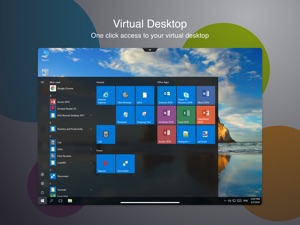
Citrix Workspace app lets you access your SaaS, web apps, mobile, virtual apps, files, and desktops to help you be as productive on the go as you are in the office. If your company uses Citrix, you have the freedom to work on your favourite device from wherever you are. Just ask your IT department how to get started.
HOW TO USE CITRIX Workspace app
1. Open Citrix Workspace app and tap on Get Started.
2. Enter the Server or email address as instructed by Your IT Help Desk or system administrator.
3. Enter your User Name and Password.
4. Select the applications you want to use.
5. For adding multiple accounts, navigate to Settings and tap on Manage Accounts.
6. For Deleting/Editing Account already added navigate to Settings and tap on the Store.
HOW TO REPORT AN ISSUE TO CITRIX - Please contact your company's IT support team before following these steps:
Option 1
1. Open Citrix Workspace app and tap 'Settings' and then 'Support'.
2. Tap 'Request Help from Support'; This generates an email with log file.
3. Send the email to your company's IT support team.
Option 2
1. In the App Store, go to Citrix Workspace
2. Tap 'Reviews' and then tap 'App Support' found at the bottom right of the screen.
3. This launches the Citrix support forum where you can review reported issues OR
4. To report issues, tap the menu icon and create an account first.

What's New in Version 21.3.5

- This release addresses a number of issues that help to improve overall performance and stability.

Seller

Name

Citrix Systems, Inc.

Information

Categories

Version

21.3.5

Size

62.1 MB

Game Center

No

VPP Device Licensing

Yes

Rating

Rated: 4+

Compatibility

iOS 11.0 or later

Devices

iPhone 5s, iPhone 6, iPhone 6 Plus, iPhone 6s, iPhone 6s Plus, iPhone SE, iPhone 7, iPhone 7 Plus, iPhone 8, iPhone 8 Plus, iPhone X, iPhone XR, iPhone XS, iPhone XS Max, iPhone 11, iPhone 11 Pro, iPhone 11 Pro Max, iPhone SE (2nd generation), iPhone 12, iPhone 12 Pro, iPhone 12 Pro Max, iPhone 12 mini, iPad (5th Generation) Wi-Fi, iPad (5th Generation) Wi-Fi + Cellular, iPad (6th generation) Wi-Fi, iPad (6th generation) Wi-Fi + Cellular, iPad Pro, iPad Pro (Cellular), iPad Pro (9.7-inch), iPad Pro (9.7-inch) (Cellular), iPad Pro 12.9-inch (2nd generation), iPad Pro 12.9-inch (2nd generation) Wi-Fi + Cellular, iPad Pro (10.5-inch), iPad Pro (10.5-inch) Wi-Fi + Cellular, iPad Pro (11-inch), iPad Pro (11-inch) Wi-Fi + Cellular, iPad Pro 12.9-inch (3rd generation), iPad Pro 12.9-inch (3rd generation) Wi-Fi + Cellular, iPad Air, iPad Air (Cellular), iPad Air 2, iPad Air 2 (Cellular), iPad Air (3rd generation), iPad Air (3rd generation) Wi-Fi + Cellular, iPad mini Retina, iPad mini Retina (Cellular), iPad mini 3, iPad mini 3 (Cellular), iPad mini 4, iPad mini 4 (Cellular), iPad mini (5th Generation), iPad mini (5th Generation) Wi-Fi + Cellular, iPad (7th generation) Wi-Fi + Cellular, iPad Pro 11-inch (2nd generation), iPad Pro 11-inch (2nd generation) Wi-Fi + Cellular, iPad Pro 12.9-inch (4th generation), iPad Pro 12.9-inch (4th generation) Wi-Fi + Cellular, iPad Air (4th Generation) (Wi-Fi), iPad Air (4th Generation) (Wi-Fi + Cellular), iPad (8th generation) Wi-Fi, iPad (8th generation) Wi-Fi + Cellular, iPod touch (6th Generation), iPod touch (7th generation)

Languages

English, Chinese, Danish, Dutch, French, German, Italian, Japanese, Korean, Portuguese, Spanish, Swedish

App Store: Customer Ratings

Ratings & Reviews

4.4 of 5 (5,321 Ratings)

App Store: Customer Reviews

2021-03-19

Update issues

The most recent update for the IPad is causing a glitch while attempting to access my companies RDP. The screen freezes on the Citrix workspace load screen.
OtechNo
Version 21.3.0
2021-02-16

Suddenly doesn't work on iPad Pro

I had been using this app on my iPad Pro without major problems for over a year until yesterday, when it began to glitch out. Suddenly I was unable to access any of the apps from home, and when I got to the hospital I had the same issue, so ultimately I reinstalled it, and although I was able to regain access to the apps I need, I am no longer able to select favorites and organize them on the home screen. And the app still doesn't work on my home Wi-Fi; I have to be connected to the hospital Wi-Fi, which is total garbage because I work from home doing telemedicine every other week during the pandemic. Don't try to blame these flaws on the device, because I'm using the same device I was using last week and all last year, when I could organize my favorites on the home screen and access my hospital's EMR from home using the Citrix workspace app. To the Citrix customer service folks who say that there is nothing they can do because it's a "personal" device and not work-issued, do you really think that we use this app for "personal" reasons? Some of us work for companies that expect us to use our personal devices on the job. In my hospital's directory, my personal cell phone number is listed as my contact number; I had no say in this. I work for a major healthcare system, and my employer provides doctors with an annual stipend to cover continuing education and work-related expenses, such as conference fees, travel expenses for work-related trips, books, uniforms, office supplies, new tech, etc. I used part of mine to purchase my iPad Pro, SPECIFICALLY to boost my efficiency on the job whether I'm in the hospital or at home, and there is no good reason why this app shouldn't work as well today as it did one week ago before its software update. FIX YOURSELF.
Skinwoman
Version 20.11.0
2021-02-13

Screen constantly goes black on new iPad Pro

Works for 3 mins, just long enough to log in to EMR then screen goes black before I can get any work done. Useless!
RJRandalls
Version 20.8.0
2021-02-12

It Crashes with iPad pro

It simply doesn’t work with iPad pro.
As a physician it’s frustrating when you keep trying and it keeps crashing every time, the worse time it is when you lose all your orders because it crashes before you sing them. I contacted Citrix costume service and there is no solution: It simply doesn’t work with iPad pro.
jcrnew
Version 20.7.6
2021-02-11

My workplace uses Citrix to provide me ability to work remotely

Secure. Easy (just hit the icon, no Pw). Will only run if work computer is intact, up and running. Basically my work computer wakes up when I hit the Citrix icon remotely. In fact my work computer is the necessary conduit to my company’s central data. Citrix is super secure (as it should be given my firm is a financial planning firm and a broker dealer). Basically we are a bank, and security is paramount and I have it, along with full functionality, with this setup.
Wristed
Version 20.9.0
2021-02-07

Able to work securely from home

Great to be able to jump on the network at work from a personal device
HollywoodRPh
Version 20.7.5
2021-01-31

Upper menu unaccessible

Always you need to open the upper menu using the little tab in the center in order to switch between screens and to change the cursor view to the whole mouse. Now at least on iPad Pro 11” 2018 with iOs 14.3 you can’t. The menu is not working at all. I end connecting a Bluetooth mouse to be more precise with my click but the menu still nos accesible.
jorge1561p
Version 21.2.0
2021-01-25

Great App..

Great app for logging on to work on the go from my iPad Pro, the only issue I have is it takes me several attempts in order to get started and logged on after entering my credentials and token.
YessT8
Version 21.1.0
2021-01-19

Great app

Grrrrrreat!!!!!
#1BULLETFORCEGAMER
Version 20.9.5
2021-01-17

Suddenly “Isn’t compatible with this device”

I have been using this for months. I have an iPhone 11 with iOS 14.3, and suddenly every time I try to open it I get a message saying it “isn’t compatible compatible with this device”.
ajansywmb
Version 20.12.0
2021-01-17

No longer works on any iOS devices

Just got a new iPad and tried to install and is no longer compatible.
Randyfloyd
Version 20.7.0
2021-01-07

Can not use Apple Keyboard with Citrix

I have been using this app since March 2019 with my iPad and Bluetooth keypad. Citrix updated there app and now the keypad space bar and arrow keys do not work. I have called by support staff at work. They say they cannot do anything since I’m using my own equipment. Citrix says they have to talk to my companies support person listed on the contract. Others have had the same problem when I googled the problem. The keyboard works on every other program I use. Does anyone have a work around or suggestion ? Getting nothing done with Citrix.
Shags1946
Version 20.10.5
2020-12-28

Good

Very good
shkif
Version 21.1.5
2020-12-09

App Not Working

App keeps randomly crashing for the last 2 weeks. I can use for about 5 minutes and then have to re-login
Ab0939
Version 20.10.0
2020-12-08

Problem with iPad Pro

Would love it, but within a few minutes the program always crashes with an error. Works very well on my iPad mini, butCan never get the iPad Pro to work without crashing. Even attempted to upgrade from 2018 iPad Pro to latest version, still has error only on iPad Pro. Reinstalled the operating system, and reinstalled program, did everything I could think of and still has problem with iPad Pro only. Very frustrating as I am medical professionals just trying to get work done, and I’m stuck having to use my iPad mini for some bizarre reason.
Value22
Version 20.8.1
2020-12-02

Crashes

Crashes consistently within 5 mins of opening epic. I wish i could give it a Zero rating.
vvijayy
2020-11-29

Resizing missing

Windows cannot be resized on iPad.
TashTish
2020-11-20

It’s ok

Works for what I need it to do
EKGtoday
2020-11-17

After so many years, still can't configure

The mouse right click should work since July, but it doesn't on my end with Magic Mouse 2. The additional keyboard options, like the one that allows to use full, Fn-equipped Magic Keyboard, are not visible to those users who log in to their remote desktops from a browser via a landing page. It's been like this for years and they still haven't fixed this. It's a completely ridiculous experience and I can't wrap my head around how, after so many years, this is still an issue.
cromo647
2020-11-08

One thing I would change

Great app but the one thing I would change is how hard it is to scroll down the screen.
Serra.Rose
2020-10-31

F2

I'm very grateful to now have F2. Ahhhhh
Crunchy Guero
2020-10-28

It works well except for...

I’m able to log into my remote pc without issue but the lacking touchpad support is a deal breaker. At first I chalked it up to needing to update for IOS’s new mouse support but with the length of time it’s taken, I’m thinking it’s intentionally being excluded so sells of their own mouse aren’t impacted. Such a shame...
Jbuch84
2020-10-23

Stealth Malware?

The app shows up with a different icon and will not delete. It acts like you are deleting it, but it doesn’t delete. It keeps coming back, sometimes with the name of another app, such as DoorDash, but with the same odd white and gray icon. App doesn’t work on iPad, the pop-up “Open in” is gone. Search bar shows ordinary icon along with the odd icon. Shows as Citrix one place, and as Workspace in another. - Called Citrix App Support - NO HELP - said to call my company IT - The App is the problem!!!!
Liberty2001
2020-10-12

Two Steps Forward, One Back

The Citrix app has come a long way. I love the ability to use a touch pad or any mouse now. However it seams with the update that allows the use of a touch pad there is now an issue with the keyboard pass through. When typing the number 0, the app thinks I typed Ctrl +0 . I first I thought it was my keyboard malfunctioning however I have now tried 4 different keyboards and hit happens with every one. Ctrl+0 is the windows short cut to reset the zoom-in on your active window. This becomes very frustrating when trying to type anything because every time I type 0, my window size changes.
Country fan 190
2020-10-10

Apostrophe Backwards on Magic Keyboard

The latest update broke the apostrophe button on the magic keyboard. It is now always an open single quote instead of an apostrophe or closed single quote when necessary. Other than that, the functionality on the iPad continues to improve.
tomiwah
2020-09-30

Latest fix problematic?

I use this app daily to access company apps but it appears that since the latest fix I can no longer access my apps I get the message Error The network connection was lost. Not cool.
1lencil
2020-09-28

Alright,Alright, Alright!

This is a great way to connect to my work windowz machine. Fast, simple connections. I gotta saw my works infrastructure is top notch so that is why this app performs well. And on an iPad controlling my work machine a couple of cities away is amazing. Cant beat it in these uncertain times. Don’t you dislike the overuse of “uncertain times”? What is certain is that Citrix are wizards on remote access- riding a blue and white hot lightning bolt of innovation and simplicity.
stabilitant-22
2020-09-23

iPad Pro with Bluetooth mouse

Finally very functional with Bluetooth mouse. It literally now can replace laptop for functionality with Bluetooth mouse.
mwheat
2020-09-22

Still not working

The old receiver app worked great on my iPhone 6S but workspace is a huge no-go. Why must “improvements” always turn out to be downgrades?
Google is the Borg
2020-09-21

good

very nice
Boyett2371
2020-09-18

GREAT APP! 😃

SO easy to use!!!!
God's Friend!
2020-09-15

Doesn’t work well in ipad pro

Hi
This version doesn’t work will in iPad pro. I can not scroll down black top bar to choice for Keyboard or others.
Thank you
Obrain
2020-09-12

Better option

Found a lot of difficulties in navigating, opening documents, delays, etc but still a better option in this new normal.
Gay_O
2020-08-30

Cannot access Citrix

With the multiple app updates, I have not been able to access Citrix for a few months now on my iPhone. This was a great tool for me to utilize when I am not at my computer, and I miss having that access at my fingertips.
only1forme
2020-08-26

Stopped working on iPhone

I have been using this app and still do on my iPad on a daily bases. Several weeks ago stopped working on mine and all my friends iPhones. Please help.
გიორგი
2020-08-25

Bugs were fixed with recent update

Bugs were fixed with recent update. I hope it stays the same.
drfarhathamid
2020-08-24

Slow and too many reviews

Stop asking me to review this app. Every time I am asked I am going to drop it a star....Also this app runs slow!
Hatcher1105
2020-08-22

Doesn’t work with T-mobile

The app cannot be connected with T-mobile. Cannot use EPIC.
Wifi, Att, VZW are fine. With T-mobile no luck. Should switch the provider only because of that.
Big Lynxy
2020-08-15

Good app

Ever sense the magic keyboard for the iPad Pro using this app for on call work has been amazing.
Trojan40Niner
2020-08-14

Useful for quick checks of Oracle OEM

I have become very appreciative of how the app facilitates use of Oracle OEM on my iPad, especially since some functions still require Flash.
It also saves me the chore of booting a workstation to perform short tasks with SSH.
Keoway
2020-08-12

Not as good as others say

I used Citrix desktop to log into an electronic medical record from my desktop and it’s slightly slower than a native program on my computer. Now I’ve tried it on an iPad Pro. The iOS app connection is just so much slower as to almost be unusable. Since both are remote connections and both use a version of citrix, why is the iPad version so crappy
citrixisaverage
2020-08-12

Please fix the audio plug

There’s no audio plug for iPad, so it’s impossible to use a microphone on the program
NoAudioPlug
2020-08-11

No good support for my magic keyboard’s trackpad

Hi,
I upgraded my Citrix to the newest version but still found there was no support for external mouse for my magic keyboards as it was advertised in the upgrade note. It might work once every 10 trials.
I have been keeping my Citrix updated, and still cannot get support for my magic keyboard supported as generic mouse. Do you have a plan working on this bug?
original_format
2020-08-04

Latest update seemed to break app!

Completely stopped loading my work interface with the latest update on mobile. Works fine on my desktop computer but I can no longer access my work server on the go. Please fix!
Skitxophrenic
2020-08-02

Constantly crashing

Apps keep crashing when I try to use Epic software!!!
marquetteboy09
2020-07-31

Something wrong with this version

I’ve used this app for YEARS to access my hospital records, but since the last update, it no longer works. No longin screen appears, just black screen & nothing happens. Wish I could roll back to the prior version
gemars
2020-07-31

It works great but one major issue and one minor issue

I am using this app on the new iPad Pro 2020 and it helps me to connect to my work PC. When I connect it to external display(by turning on the External Display setting), the mouse cursor becomes invisible on it and I have to use the iPad screen to navigate. But when I use the low resolution which is same as iPad then it works ok. In that case the display on the external monitor uses just half the monitor.
Can you please fix the app to show the mouse cursor in the external display mode?
Secondly, I have a windows work PC and my wireless keyboard is also windows. But all the keys like function keys, windows key and other windows shortcuts they don’t work. I can manage this but it will be good if we can have that.
Overall experience with the App is really good. But if you fix the first issue, it will make life very easy and I can use my external monitor with its native resolution.
PS-iphonex
2020-07-29

Works Perfect with Apple Magic Keyboard

Latest update is incredible and makes my iPad the only device I need to carry!
Tsinder
2020-07-25

Crashes on iPad iOS

Works great on my iPhone when I am accessing Epic, but now crashes when using iPad iOS.
redstinkyfeet