AboutTermsPrivacyContact
 
Updating
iPilot A320 Study Guide

iPilot A320 Study Guide

Released: 2010-03-16
© 2019 Chain Linked Inc.
iPilot A320 Study Guide - QR Code
Version 3.1
4+
Download on the App Store
Version 3.1
4+
Download on the App Store
Released: 2010-03-16
© 2019 Chain Linked Inc.

iPhone Screenshots

Screenshot
Screenshot
Screenshot
Screenshot
Screenshot
Screenshot
Screenshot
Screenshot
Screenshot
Screenshot

iPad Screenshots

Screenshot
Screenshot
Screenshot
Screenshot
Screenshot
Screenshot
Screenshot
Screenshot
Screenshot
Screenshot

Description

***Are you flying the A318/319/320/321***
Want to study aircraft systems on the A320 series aircraft in the palm of your hand, while commuting or deadheading? Need to refresh your systems knowledge for re-current ground school or an exam? Want to create your own flash cards and not cary a pile of paper with you?
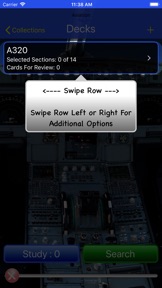
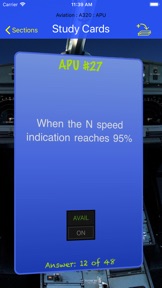
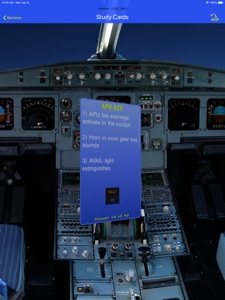
iPilot A320 Study Guide is designed to help you study the A320 systems in the palm of your hand. The easy use of flash cards and images will help you better retain operational systems information of the A320. This application will not teach you how to fly the airplane, it is simply an application to complement the training program you may already be in.
Create your own flash cards about anything from company related information to operational procedures. The sky is the limit when creating flash cards. You can even share custom created flash cards with co-workers nearby.
It's a fantastic way to refresh your memory, create your own flash cards, and share then with co-workers.
FEATURES:
- Over 600 flash cards currently in the application
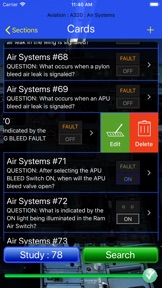
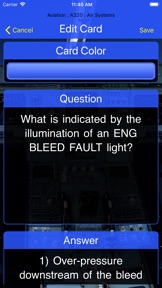
- Create, Edit and Add your own flash cards to any category for immediate use
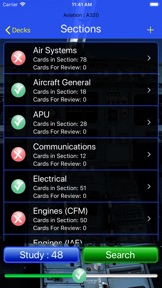
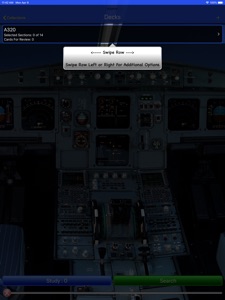
- Choose single or multiple systems to study at any given time
- Flash cards for CFM and IAE engines
- View any number of flash cards from selected systems
- Flash cards will appear in random order and not repeat patterns to foster memory retention
- Tag cards for review if additional study is desired
- Utilize the Search function to find and study specific flash cards
- Change the card color or use a prefered color for all cards
- Connect a bluetooth keyboard for easier flash card creation
- Universal iPad/iPhone application
- Share custom flash cards with fellow iPilot A320 users via bluetooth

What's New in Version 3.1

- Ability to add images to flash cards
- Bug Improvements

Seller

Name

Chain Linked Inc.

Information

Categories

Version

3.1

Size

11.5 MB

Game Center

No

VPP Device Licensing

Yes

Rating

Rated: 4+

Compatibility

iOS 12.0 or later

Devices

iPhone 5s, iPhone 6, iPhone 6 Plus, iPhone 6s, iPhone 6s Plus, iPhone SE, iPhone 7, iPhone 7 Plus, iPhone 8, iPhone 8 Plus, iPhone X, iPhone XR, iPhone XS, iPhone XS Max, iPhone 11, iPhone 11 Pro, iPhone 11 Pro Max, iPhone SE (2nd generation), iPhone 12, iPhone 12 Pro, iPhone 12 Pro Max, iPhone 12 mini, iPhone 13, iPhone 13 Pro, iPhone 13 Pro Max, iPhone 13 mini, iPhone SE (3rd generation), iPad (5th Generation) Wi-Fi, iPad (5th Generation) Wi-Fi + Cellular, iPad (6th generation) Wi-Fi, iPad (6th generation) Wi-Fi + Cellular, iPad Pro, iPad Pro (Cellular), iPad Pro (9.7-inch), iPad Pro (9.7-inch) (Cellular), iPad Pro 12.9-inch (2nd generation), iPad Pro 12.9-inch (2nd generation) Wi-Fi + Cellular, iPad Pro (10.5-inch), iPad Pro (10.5-inch) Wi-Fi + Cellular, iPad Pro (11-inch), iPad Pro (11-inch) Wi-Fi + Cellular, iPad Pro 12.9-inch (3rd generation), iPad Pro 12.9-inch (3rd generation) Wi-Fi + Cellular, iPad Air, iPad Air (Cellular), iPad Air 2, iPad Air 2 (Cellular), iPad Air (3rd generation), iPad Air (3rd generation) Wi-Fi + Cellular, iPad mini Retina, iPad mini Retina (Cellular), iPad mini 3, iPad mini 3 (Cellular), iPad mini 4, iPad mini 4 (Cellular), iPad mini (5th Generation), iPad mini (5th Generation) Wi-Fi + Cellular, iPad (7th generation) Wi-Fi + Cellular, iPad Pro 11-inch (2nd generation), iPad Pro 11-inch (2nd generation) Wi-Fi + Cellular, iPad Pro 12.9-inch (4th generation), iPad Pro 12.9-inch (4th generation) Wi-Fi + Cellular, iPad Air (4th Generation) (Wi-Fi), iPad Air (4th Generation) (Wi-Fi + Cellular), iPad (8th generation) Wi-Fi, iPad (8th generation) Wi-Fi + Cellular, iPad Pro 11-inch (3rd generation), iPad Pro 11-inch (3rd generation) Wi-Fi + Cellular, iPad Pro 12.9-inch (5th Generation), iPad Pro 12.9-inch (5th Generation) Wi-Fi + Cellular, iPad (9th Generation), iPad (9th Generation) Wi-Fi + Cellular, iPad mini (6th Generation), iPad mini (6th Generation) Wi-Fi + Cellular, iPad Air (5th generation), iPad Air (5th generation) Wi-Fi + Cellular, iPod touch (6th Generation), iPod touch (7th generation)

Languages

English

App Store: Customer Ratings

Ratings & Reviews

0.0 of 5 (No rating)

App Store: Customer Reviews

2015-11-06

Save your money

Do not buy this app. It will not work with iOS 9. All my custom cards have been erased.
Dave1$$//99!!34
Version 2.0
2015-01-16

This is just flash cards and nothing else

Was looking for an app someone had shown me with an excellent lights and switches interactive feature. This is definitely not that program although it looks similar. For the money I figured this had to be it. Didn't even use this for my most recent PC. My own flash cards that I use in a normal $3 flash card program are more than adequate and easier to use. Again. Do not be fooled. This looks like the program with interactive lights and switches but this is not that program. Just some jerk that's charging a stupid amount of money to share his own flash cards.
Bulldog319
Version 2.0
2013-05-09

Can not edit cards which come with the App.

To be honest this is very disappointing. I was expecting much more for 20 bucks. You can only edit custom cards that you create not what is already provided with this app.
Cards that are already made/included in the app, even if the information is wrong or missing, can not be deleted,edited or added to. So basically you have to create your own new category or set of cards!
Also, lacking in lights and switches diagrams. This app does not cover the whole overhead panel, Or pedestal.
This is very very basic and I will only change my rating if they fix what I had mentioned. i.e. Lights and switches questions and the option of editing any card you like. Not just custom set. As is, this app is not worth 20 bucks that's for sure. I've owned this app now for over a year and not one software update has been provided.
twinspool
Version 2.0
2013-03-16

Not worth it

This app is definantly not worth the money. Only flashcards that pop up no real technoligy in this to justify the price. Most of these flashcards you can get free anyways online. Wouldnt buy this.
Fragazz
Version 2.0
2012-01-19

Pls update

Just flash cards and existing cards cannot be edited. Otherwise good for study.
Cregis
Version 2.0
2010-10-04

Time saver creating flash cards.

This is just a flash card program with a airbus photo in the background. At this point nothing more.
This saves me a ton of time creating my own flash cards (which is nice) hence the 3/5 stars. But for $20 I was expecting more.
If the developer add photos / diagrams helping memory retention then it would get 4/5 stars
If they add video 5/5 turning the iPad in to a complete a320 study tool then 5/5.
Nice start.
GameDemocom
2010-05-09

Excellent app

Is a good app, i hope they keep it update, and add more info thanks!!!
Mexfly
2010-04-02

Needs desktop companion

I would give it 5 stars if it had a desktop companion so I can create my custom flash cards on my Macbook then sync them to the 320 application
JoshMarley