AboutTermsPrivacyContact
 
Updating
TouchOSC Mk1

TouchOSC Mk1

Released: 2019-02-12
© 2008-2021 Hexler LLC. All rights reserved.
TouchOSC Mk1 - QR Code
Version 1.9.12
4+
Download on the App Store
Version 1.9.12
4+
Download on the App Store
Released: 2019-02-12
© 2008-2021 Hexler LLC. All rights reserved.

iPhone Screenshots

Screenshot
Screenshot
Screenshot

iPad Screenshots

Screenshot
Screenshot
Screenshot
Screenshot
Screenshot

Description

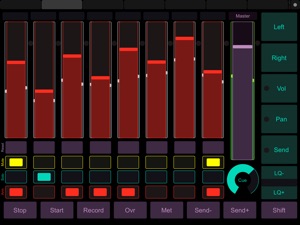
TouchOSC is a modular OSC and MIDI control surface for iPhone, iPod Touch and iPad by hexler.
It supports sending and receiving Open Sound Control and MIDI messages over Wi-Fi and CoreMIDI inter-app communication and compatible hardware.
The application allows to remote control and receive feedback from software and hardware that implement the OSC or MIDI protocols such as Apple Logic Pro/Express, Ableton Live, Renoise, Pure Data, Max/MSP/Jitter, Max for Live, OSCulator, VDMX, Resolume Avenue/Arena, Modul8, Plogue Bidule, NI Traktor, NI Reaktor, Quartz Composer, Supercollider, vvvv, Isadora and many others.
The interface provides a number of customizable touch controls to send and receive messages:
Faders / Rotary controls / Encoder controls / Push buttons / Toggle buttons / XY pads / Multi-faders / Multi-push / Multi-toggles / Multi-xy pads / LEDs / Labels / Time & battery displays
Additionally the program can send Accelerometer data. The application comes with example layouts and completely custom layouts can be constructed using the free TouchOSC Editor application.
Please see https://hexler.net/touchosc for more information, video demonstrations and download the free layout editor application for macOS, Windows and Linux and the free TouchOSC Bridge utility to easily control any MIDI-capable application on your computer.

What's New in Version 1.9.12

- Fixed sending of MIDI messages with correct timestamp
- Updated splash screen
- Minor bug fixes and improvements

Seller

Information

Developer

Categories

Version

1.9.12

Size

1.9 MB

Game Center

No

VPP Device Licensing

Yes

Rating

Rated: 4+

Compatibility

iOS 9.0 or later

Devices

iPhone 4S, iPhone 5, iPhone 5c, iPhone 5s, iPhone 6, iPhone 6 Plus, iPhone 6s, iPhone 6s Plus, iPhone SE, iPhone 7, iPhone 7 Plus, iPhone 8, iPhone 8 Plus, iPhone X, iPhone XR, iPhone XS, iPhone XS Max, iPhone 11, iPhone 11 Pro, iPhone 11 Pro Max, iPhone SE (2nd generation), iPhone 12, iPhone 12 Pro, iPhone 12 Pro Max, iPhone 12 mini, iPhone 13, iPhone 13 Pro, iPhone 13 Pro Max, iPhone 13 mini, iPad 2 (Wi-Fi), iPad 2 (3G), iPad (3rd Generation) (Wi-Fi), iPad (3rd Generation) (4G), iPad (4th Generation) (Wi-Fi), iPad (4th Generation) (4G), iPad (5th Generation) Wi-Fi, iPad (5th Generation) Wi-Fi + Cellular, iPad (6th generation) Wi-Fi, iPad (6th generation) Wi-Fi + Cellular, iPad Pro, iPad Pro (Cellular), iPad Pro (9.7-inch), iPad Pro (9.7-inch) (Cellular), iPad Pro 12.9-inch (2nd generation), iPad Pro 12.9-inch (2nd generation) Wi-Fi + Cellular, iPad Pro (10.5-inch), iPad Pro (10.5-inch) Wi-Fi + Cellular, iPad Pro (11-inch), iPad Pro (11-inch) Wi-Fi + Cellular, iPad Pro 12.9-inch (3rd generation), iPad Pro 12.9-inch (3rd generation) Wi-Fi + Cellular, iPad Air, iPad Air (Cellular), iPad Air 2, iPad Air 2 (Cellular), iPad Air (3rd generation), iPad Air (3rd generation) Wi-Fi + Cellular, iPad mini (Wi-Fi), iPad mini (4G), iPad mini Retina, iPad mini Retina (Cellular), iPad mini 3, iPad mini 3 (Cellular), iPad mini 4, iPad mini 4 (Cellular), iPad mini (5th Generation), iPad mini (5th Generation) Wi-Fi + Cellular, iPad (7th generation) Wi-Fi + Cellular, iPad Pro 11-inch (2nd generation), iPad Pro 11-inch (2nd generation) Wi-Fi + Cellular, iPad Pro 12.9-inch (4th generation), iPad Pro 12.9-inch (4th generation) Wi-Fi + Cellular, iPad Air (4th Generation) (Wi-Fi), iPad Air (4th Generation) (Wi-Fi + Cellular), iPad (8th generation) Wi-Fi, iPad (8th generation) Wi-Fi + Cellular, iPad Pro 11-inch (3rd generation), iPad Pro 11-inch (3rd generation) Wi-Fi + Cellular, iPad Pro 12.9-inch (5th Generation), iPad Pro 12.9-inch (5th Generation) Wi-Fi + Cellular, iPad (9th Generation), iPad (9th Generation) Wi-Fi + Cellular, iPad mini (6th Generation), iPad mini (6th Generation) Wi-Fi + Cellular, iPod touch (5th generation), iPod touch (6th Generation), iPod touch (7th generation), Apple Watch Series 4, Apple Watch Series 5, Apple Watch Series 6 (GPS), Apple Watch Series 6 (GPS + Cellular), Apple Watch Series SE (GPS), Apple Watch Series SE (GPS + Cellular), Apple Watch Series 7 (GPS), Apple Watch Series 7 (GPS + Cellular)

Languages

English

App Store: Customer Ratings

Ratings & Reviews

4.2 of 5 (81 Ratings)

App Store: Customer Reviews

2021-11-02

Abandoned app for more cash grab!

Instead of providing existing users with an update or special price for the new version the developer just renamed it and ABANDONED existing users!
Alex Zvook
Version 1.9.12
2021-04-02

Pretty and configurable, but wholly non-functional

The documentation is lacking, and I was not able to get this software working with touch bridgeOSC. Couldn’t find any recent tutorials on getting this to work, either. It’s a shame because this software has so much promise and I really want to love it, but the barrier to entry is just too high to make it worth it right now
bryanzera
2020-12-25

Solid App, Needs Some Polish

This is an incredibly useful app. It works great for designing templates and triggering MIDI commands from a custom layout. It needs some polish though. Lots of little annoyances are present, like screen rotation issues, a clunky app interface, and a companion layout design app that has been neglected for years. Overall, I would 100% recommend this app. I just wish the developers would put a little more time into cleaning up the user experience.
musicstudent14
Version 1.9.10
2020-11-26

I had high hopes but it’s broken

After reading some of the reviews I had high hopes for this as a control surface on my pc for Ableton and other software. However I cannot gets the OSC portion of the software to work. Core midi works just fine, but as the editor will not sync via the bridge I’m stuck with a bunch of templates that won’t work, especially for Ableton Live. Tech support is responsive but not helping with the main issue and by the looks of it I’m far from alone in it not syncing properly via OSC. If I get resolution I’ll update my review, but for now 2 stars as at least I can use a few templates in other software.
chowderhead1962
Version 1.9.11
2020-09-16

Bravo! This is the missing link

At least it was for me. Somewhat obsessed with midi controllers and had been tweaking a live loops set up and for some time just always had that 1 button or command that I didn’t want to have to press. I have had like 5-6 of the more well known midi to daw controllers (notation, Akai) and still use those plenty.
But this app magnificently does things that none of those controllers can do. This helped me creatively, technically and now I have a lot more flexibility to do more interesting thing in my sets and continue the exploration.
I have never written a review before - this app is a must have if you do anything with MIDI
Cockhat
Version 1.9.1
2020-07-16

Mac issue

Not detecting my OSC message on MAX on my laptop despite being on same WiFI network.
$SJ$
Version 1.9.3
2020-05-10

Great bt needs more options

I using this app in my studio setup , such a great app, i want to ask developer to add more option i gui editor to make graphics more interesting like using system fonts for design and add png or jpg in interface , usb connection sometimes drops bt network is ok.
Alfredooog
Version 1.9.8
2020-05-07

Fixed Long OSC Arguments

Thank you for fixing the long OSC argument bug! This is a huge help.
I do have one feature request for the future and that is the ability to send string commands. Thanks for your continued work.
computer savage
Version 1.9.5
2020-03-08

Doesn’t work with Ableton Live :[

I haven’t been able to get the editor to sync with my iPad. About 60% of the templates that it comes with work. But if your intent is to use the “Live Control” or make your own templates, it didn’t work for me. I even checked all the forums, seems the templates for supporting live 9-10 don’t work. Too bad wanted to use this software... I guess I might have to go back to using “Touchable”. If the Devs would update the Ableton templates and fix the sync issues I will change my review. Wasted too much time I could have spent making music instead of trouble shooting abandoned-ware. Shame has potential.
ios livewire
Version 1.8.1
2020-02-15

Long time user

I discovered TouchOSC a few years ago and it was a great idea with all kind of smart tablets and phones out there. I am mainly a Cubase user and tried to program this for a long time until I finally understood how it works (well, maybe 90%). I was able to make a Cubase template that is close to a hardware based surface control costing $600 and above. My template is on Steinberg’s forum site for you to check it out.
Some very high end sample library companies even provide templates to be used with their software in Kontakt like Chris Heins Violins. That shows you the capabilities.
Like other users here, I would like to see some visual improvements and expanded manual and some good examples. You really need to have a great imagination of what you want to achieve and the possibilities with TouchOSC but for someone who lacks the imagination they will probably pass this on.
It is an essential part of my setup and highly recommend this.
Vicken_65
Version 1.9.7
2020-01-22

This App Is The Best!

I’d love to see more and more updates to this app. I love it. I use it for just about everything. This is THE GAME CHANGER! I will have everyone i come in contact with using this app! I call it, “The Ultimate Midi Controller”!!!
TripleEBrizack
Version 1.9.6
2020-01-19

Not giving up yet 😂

I’ve been at this TouchOSC for a few days now, created custom layouts with Toggles, Rotaries, Push Buttons , Faders, XY Pads and Multis to use for virtual instrument libraries within Logic Pro X, Kontakt and other plugins. I am getting the hang of it.
Though, it seems that, using TouchOSC over a network connection at times chokes up notes on MacBook Pro 2015 with 16 gigs of ram and SSD Drives. Need to do more trouble shooting with TouchOSC & Osculator. I am thinking maybe Osculator is the culprit here.
It would be nice if Hexler would make TOSC USB capable as well.
Other than that I like the TOSC. As mentioned in other previous reviews, it would be nice to also have more choice for colors and graphics.
mixxpitt
Version 1.7.2
2019-10-10

Crashing

Currently crashing on iPad Pro running iOS 13.2. I absolutely love this app and use it in all of our artist production. Super bummed that it is not stable at the moment!
Spagetti2008
Version 1.9.4
2019-10-04

Love it but broken by iOS 13.2

Self-explanatory. Was working fine, updated to iOS 13.2, now the app crashes on launch.
Deleted and reinstalled… No help.
Davis P
Version 1.8
2019-08-24

Great tool

Worked great on my iPhone se but having problems with it shutting app on my new iPhone 7. Hopeful that I can resolve the issue because it has become a great creative tool
d85f
Version 1.7.3
2019-07-25

Best $5 spent in the App Store to date

This application allows me to substitute a large lighting console for a coupe of iPads and has the flexibility for custom building or layouts. Money well spent, this has been quality since first purchased 5 years ago.
Mouseish
Version 1.7.1
2019-07-16

Very good program

The user can interface easily, change buttons and more. Just download the programs from the website and use them along with this tool.
Abie Baby Hollon
Version 1.9.9
2019-06-23

Please update for iPhoneX

I would love it if this could be updated for iPhoneX, thank you!
JaredButters
2019-06-11

Pretty Stellar!

Great and versatile app. Could use some haptic feedback when returning values to zero - or hitting any pre-set value. Would allow less squinting to adjust some smaller dials and sliders when a finger is covering the contact point. Also pre-made templates and software translations to non-midi software like FCPX or Premiere would be valued.
DanKatzLAX
2019-02-03

Works great, really ugly!

Let me say, this is a fantastic piece of software that works reliably and does everything I might ask for - my 5 star review reflects that. My only complaint (and its a pretty big one) is that it’s UGLY. Controls are limited to a single shape with 8(?) colors to choose from. Let us customize an RGB value for the color. More importantly, let us import our own graphical assets to use as buttons - it would take this app to an entirely new level.
Thank you for your work!
WompapmoW
2018-11-18

Super versatile, great app for experimenters as well as professionals.

I've been using this app since it came out. I use it to control many different hacker-y projects. If you make anything that has a network connection, you can probably use this to control it.
I use this mainly with plogue bidule, but it also works with pure data, max, and many other great tools.
Well done, and thanks for providing this!
pixpop
2018-10-13

Needs more colour options

Great app but developer refuses to add more color options. Could do some amazing things with this platform if the dev was more responsive and accepting of user feedback.
Carbon43
2018-09-01

I paid for this?

The android version is free, has better functionality, and works. iOS version is intermittent even at resolving the host
blue mosque
2018-08-28

A funky app, but works like a charm

There was a little bit of a learning curve to set this up, but now that it is, I'm blown away by how powerful it is. I use it to control macros in Keyboard maestro with Sibelius, and to send articulation changes to Logic 10.4. If you want to send standard MIDI data over wifi or USB cable, this is your app!!
theKeets
2018-05-21

My goto OSC app

This is a great app. It has consistently been updated and supported since I started using it a few years ago.
Love it!
Jkrfnofcbkpgv
2018-05-20

Ditto

There’s a commonality of shared benefit in the reviews for touch osc, we all agree it’s a road tested and studio to stage ready application that just works. It’s so important for your gear to be reliable in live situations and this definitely is. Has been for years. It’s also stable and intuitive which is crucial for anything in the digital domain. You can count on it working, running light and doing what you want. That’s invaluable to me.
BeatsbyDiv
2018-04-27

First day using the app and my life has already gotten better.

After downloading the editor and importing the layout for the hog 4 by high end systems. It was easy to set up and after playing with it for a couple hours I figure out how to designed my own layout that was a plot of one of the sets on the show I’m working on. I used buttons that when pushed would trigger a keystroke macro that would add the channel(s) into my command line. Having the control and efficiency that this app has enabled is amazing for how inexpensive it is. It was money well spent!
Larsenthearson
2018-04-23

Nice app

App is nice. But need better support. I emailed them 2 times with no response. 1 star for support. 5 stars for app
dkdelivery
2017-12-23

Respect

One of the greatest apps ever made! FEEL THE POWAH
Les Rhoda
2017-12-18

Can’t beat it!

This app is amazing. You should definitely have a little networking knowledge and controller mapping basic knowledge to use. But still easy enough for beginners imo. I’m a dj and use it as a basic light controller. You can design your own templates with OSC Editor. Very cool. Saved me a lot of money in the long run. This app can be used for sooooo many things.
guitarmasterALO
2017-11-02

No ableton support

Ableton livecontrol straight up doesn't work anymore.
revmischa
2017-09-25

Great app! NEEDS APPLE WATCH SUPPORT

Hey guys, I know this is a long shot and probably a lot of work, but is there any way you guys can create an Apple Watch version of this app? It would not need all the benefits that you get with the iPad or iPhone, but it'd give you the opportunity to have a couple of Buttons and maybe a slider or knob right there in your wrist ready to go! You guys and your app rocks!
Estuardo Morales
2017-09-25

Wow

Holy jeez, this is amazing. Clearly a lot of hard work and dedication on the developers' part. Very well worth the purchase cost.
vince-ena
2017-08-08

Solid app for control in ableton

I have used midi hardware for a long time, but like most rigs, hardware gets heavy to lug around to gigs. This was the best find I have ever had. Always customizing my templates to fit my style of djing in ableton made this app a no brainer. Love it, simple, straight, customizable like my current templates, made my evolution easier and lighter 😉. Great app, thank you 😊👍
Addicted 2 Rio
2017-07-06

I Love TouchOSC

It's an amazing useful tool for the studio and stage. I love how easy it is to program and make work for your needs!
M Winter
2017-06-27

Love this app

Really powerful app, you can almost do anything with it.
Camera seeker
2017-06-27

Great for Hog4 virtual control!

All these people leaving 1 star ratings because they don't understand how to configure the app. SMH. Best customizable OSC app out there!
JePayne_
2017-06-26

Solid, simple, reliable osc communication!

I've used this app for years and it works great!
Booksofbokonon
2017-06-26

Works brilliantly with Max

I use TouchOSC as a customizable interface that I can integrate into my Max patches and this update just makes it even more flexible. Thanks for an indispensable tool!
lipton_lover
2017-06-26

Most Versatile Controller

I've used TouchOSC for some years now and it's never let me down. I've controlled all kinds of things from music to visual apps to light fixtures, from small projects to large. It's especially useful for highly personalized projects that need to be controlled with osc and or midi.
dj_orion
2017-06-25

Still one of the best custom control apps

TouchOSC has been around a while, and a lot of competing apps have come along since. Yet we still use TouchOSC for straight forward and flawless app control throughout our studio. It's got a very quick learning curve, and does pretty much everything you need for streamlined studio and live control.
Couldn't live without it.
jronamuzik
2017-02-05

Crap

Been trying to use this for years all the scripts come from different sources and have 100 dif names. If you use ableton just don't waist your energy, it's completely unreliable live anyway
Matt198100000000
2016-12-15

Excellent !!!!

Works well with what I use it with on XP, 7 & 8.1 x64
AshFallenBrightly
2016-07-05

GARBAGE

Good luck getting this garbageware to connect consistently with any router or AP. I've tried several, and this crapware has never let me down on my low expectations.
If I could give it less than one star, I would.
dasani08810
2016-03-30

OSC

never could get it to work,said it supported mix bus,no template,piece of junk,want a refund don’t buy it!
Skitchim@me
2016-03-30

Simply great software

This will turn your iOS device into a legitimate midi controller for apps like Ableton Live. I connect to my laptop through WIFI using the OSCulator app on my desktop, which converts the app into usable MIDI CC messages.
Great for impressing the crowd on-stage using WIFI for a wireless midi controller. Believe me, this is a gold mine waiting to be tapped. Get this. I've had this app for years and it's delivered 100% in terms of stability and usability. Cheers to the developers, thanks for a great product.
Thisisart
2016-02-21

Flawless

Great work! Everything worked flawlessly as I followed the instructions. Wonderful interface builder, syncs like a charm. OSCcalculator comes in handy when sending things around to different applications. Wonderful job!
Unseen Signals
2016-02-05

Worked great before

Now crashes every time. Unusable.
rrrrob
2016-01-01

Crashes upon open, not usable.

The new version is not compatible with iOS version 8. It won't even open anymore. Please consider fixing.
Tradeshowvet
2015-12-13

Not an I/O this is a GUI

Most of all connectivity and support are optimal for my generation 5 and 1 early's so tyvm. The device can now be touched, well done! Can you add support for input output through software? That is where this program is not a USB device or even some of the docks for iPad with. I/O so it is a bit of a trade off
SirPubert
2012-10-25

Just what I was looking for

I've looked at several iPad tools that I could use to control Logic Pro on my Macbook Pro. This one is the ticket! It does exactly what I was looking to do and more. I have complete freedom to use any instrument in my studio now with full remote control over record and playback. No more pressing start and running across the room in time for my queue to start playing. One added benefit is that I can walk around the studio and listen to my mix, and edit it using different position perspective as opposed being positioned only in one spot. Can't beat the price!! BTW, I was worried at first after reading that the setup was a bear but it took me less than a minute to set it up and probably no more than 3-4 taps on the iPad and one selection on my Mac.
Bob Evola
2012-06-17

A great controller

I got this app as a filler for me until my new four channel mixer came in. I must say that I was surprised by its intuitiveness. You do need to edit the controllers on a computer, but I always have mine with me so that is not a problem. I really like how customizable it is; with as many midi senders as you can handle. This app is great for music. I even set up an iTunes controller by downloading a MIDI to keystroke converter and use buttons on TouchOSC to controller the key combinations in iTunes. This app is well worth the price if you know how to use it. There is a little bit of a learning curve because you need to program the actual MIDI message on the computer editor. It only took minutes from downloading everything to controlling FL studios. Personally a great app.
MrSunshyne
2012-05-14

Great for other MIDI control things as well

I got this app on a recommendation and I cannot be any happier. The layout builder makes this app insanely customizable while still being relatively easy to pick up. With the addition of a small freeware program from the developers website. This can be used to control ANY MIDI controlled software. Including what I use it for, stage lighting.
I was in the market for a cheap DMX control solution for my high school. Q Light Controller plus this app and the MIDI Bridge means I can wirelessly control the lights from virtually anywhere on campus! It also makes programming the desk much more intuitive and who doesn't like playing with their iPad. It can also be used to control QLab for those on a Mac. All in all a great piece of software. Cheap, easy to use and very powerful.
MMirabent
2012-04-24

Nothing short of amazing!

This app is absolutely incredible. Took me some time to get it properly set up with Ableton, and now I have full control of the DAW using the LiveControl iPad template. If you're looking to set this app up with Ableton on Windows, you will need the LoopBe1 program to create the "invisible cable" over wifi. You will need another program called PureData to monitor and make sure you are correctly receiving MIDI signals on your computer. Finally, you will need the LiveControl program installed as these act like drivers for TouchOSC on the PC. All these programs required are free to download. Last, you have to go to Ableton and click Preferences, click the MIDI sync tab, and use LiveControl_TO as the control surface, set the input to Loopbe internal MIDI, and the output to whatever you want it to sound through (by default on Windows, is Microsoft GS wave table synth.) like I said, all this took me a while to set up, so if you're looking to use this in Ableton on Windows, this is what you need to set it up. Hope this helps anyone with a similar setup!
icemarbles
2012-03-24

Wow, wow, wow!

I'd looked at this app several times before, but was dissuaded from trying it by the fairly nondescript screen captures and some negative comments about people saying extra software must be purchased to make it work. But I finally bought it anyway, and was thrilled to find out my concerns were baseless. There was essentially no setup required at all, certainly no additional software was required, and right out of the box it controls virtually everything in Logic Pro 9.16 brilliantly. It both looks better and has far more capability than what I had surmised from looking at the example screens on this page. I am SO glad I finally tried this! This fantastic app will be operating my studio most of the time from here forward. What a bargain for the price!
Windcrier
2011-06-14

Wow.

I have never written a review before but this app deserves your full attention. Within 30 seconds of buying this app it was completely downloaded on my iPad. I had heard about it but never really looked much into it and thought I would give it a try. I'm sick of all the musical iPad apps that seem like toys, I want to use this to make music. Without having a clue how this app worked I just clicked connect to my macbook pro. Opened logic, and it worked immediately with the track I have been working on. Select individual tracks, use the mixer to adjust volumes or solo. The app will even bring up the plug in on your computer when you select it on the iPad, you can change parameters for plug-ins like compressors or whatever. All the track names were immediately in my iPad on the app, I could go on and on, just get it. It's incredible.
drumin2dabeat
2010-11-12

worth the learning curve

I'm relatively new to midi but had been wanting to try this app out...I lucked out and won it in a palm sounds giveaway and after doing some research and subsequent tweaking I see what all the fuss is about...with a little patience and repeated use of the app you can do so much with it! It's very deep and not for people who don't know much about networks and midi or aren't willing to spend a little time learning the setup process but if you follow directions and understand the terminology it's very well worth it. I love it with logic and although I use touchable with live I think it's a cheaper (but equally powerful) ableton controller. If you're still on the fence, justify the $5 on how much you'll save by not having to buy an apc or any other hardware controller. It works very well and totally worth the price. Plus it's universal and looks killer on an iPad.
justinchogue
2010-04-20

Great app for any digital media artist/developer!

Just got done using TouchOSC to control a high profile visual installation at an international electronic art festival. The app worked wonderfully despite some weirdness with the internal network in the venue. I was connecting with the Java/Processing library oscP5 to control a giant architecture tracing installation in front of a huge crowd. The controls offered are very nice and react instantaneously, sending messages lightning quick over the network.
To the guy who said it doesn't work with any app, you must be having network/firewall issues or simply don't understand how this technology works. It may not be brain-dead simple but what high performance technology is? Don't blame the tools!
There are a couple things I'd like to add to the obligatory request list, if I may.
- Array of trigger buttons (not just toggles)
- Glide/momentum option on faders
- More colors for controls (I was mapping to various preset colors, it would have been nice to visually be able to match the RGB of the color I was triggering, to the color of the TouchOSC control.)
- Attractors, which could pull the fader or XY back to a 'home' value with a certain force
Great job, I just got an iPad and I'm stoked to try this out as the first app I play with on the new device. I am highly reccomending OSC and specifically TouchOSC to all the electronic musicians and artists I know.
JustACarGuy
2010-03-26

Very nicely done

I must say that this is quite possibly the best 5 bucks you will spend in the app store. Because i am not too familiar with the way OSC works, it took me about an hour or so of research and banging my head against the wall before I was able to sync this with Ableton. When i figured it out though...I am so amazed at the possibilities of this!
As other reviewers have mentioned it is like a tiny jazzmutant lemur. You can design your own parameters and MIDI functions for use in any of your audio programs. Completely user customizable. I just purchased the Novation Launchpad days before I bought this and Im considering returning it because I can practically control everything that I need to for 5 bucks as opposed to 200 bucks!
Fyi: There is an awesome layout for OSC created by juanlittledevil (google him) that I found and installed. It works perfectly with Ableton and i would highly recommend downloading it from his site.
markmakingmusic
2009-07-25

Revised Review...

I had written I would rewrite my review if I got TouchOSC werking...
I feel like a complete idiot, but here it is...
TouchOSC is GREAT. Easy to use, easy to setup and SUPER responsive. I use a Novation SL MKII as my main controller, but its XY axis pad has poor sensitivity and response. I substitute it with the XY pad in TouchOSC. FANTASTIC. The phone sits nicely on my controller as well ;)
The problem I had was my default Firewall settings. They were blocking the incoming messages from my phone. This is where I feel like a complete dork. A very obvious thing to check that I was overlooking.
This is the one step/tip missing from the setup information on the Hexler website. This may be obvious to most, but it is best to include any and all steps in a setup guide. Once that issue was resolved, things werked flawlessly.
Thanks for an awesome App/Tool.
note: You need OSCulator for your phone to communicate with your computer. To get a registered copy is $20. Without registration you will have interruptions. But it is well worth the money.
[this may be a duplicate review as I'm not sure if the first revision submitted correctly]
phaelam