AboutTermsPrivacyContact
 
Updating
BLExAR

BLExAR

Released: 2018-10-24
© 2023 Maker Portal LLC
BLExAR - QR Code
Version 2.7
4+
Download on the App Store
Version 2.7
4+
Download on the App Store
Released: 2018-10-24
© 2023 Maker Portal LLC

iPhone Screenshots

Screenshot
Screenshot
Screenshot
Screenshot
Screenshot
Screenshot
Screenshot
Screenshot

iPad Screenshots

Screenshot
Screenshot
Screenshot
Screenshot
Screenshot
Screenshot
Screenshot
Screenshot

Description

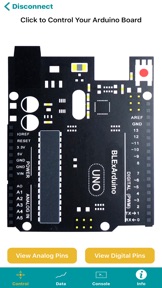
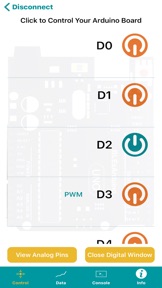
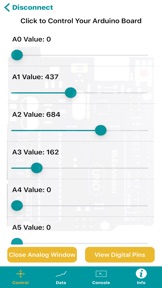
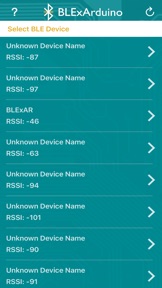
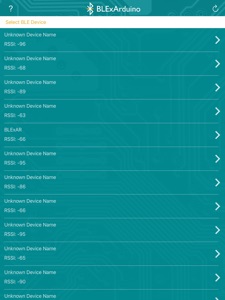
BLExAR is an integrated app that uses Bluetooth Low Energy to convert an Arduino board into an iOS-compatible device. BLExAR allows the iOS user to control all digital and analog pins on most Arduino-based boards using just a CC2541 (HM-10, AT-09, JDY-08, SH-M08) Bluetooth board.
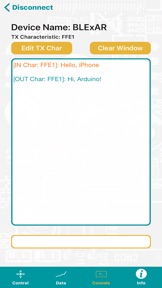
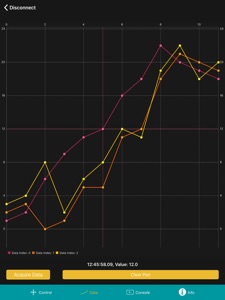
Some features include: real-time control of all Arduino pins, data plotting in real time, data logging to a comma-separated file, capturing GPS coordinates of data points, and serial text communication using a terminal window.
The BLExAR app is intended for makers, students, and engineers interested in communicating between their Arduino and smartphone, whether for hobby or professional purposes. The app allow users to interact with their Arduino board, but also receive data from sensors and log precise measurements in time and space with GPS coordinates.

What's New in Version 2.7

Fixes to location estimates from GPS during data acquisition

Seller

Name

Maker Portal LLC

Information

Categories

Version

2.7

Size

26.2 MB

Game Center

No

VPP Device Licensing

Yes

Rating

Rated: 4+

Compatibility

iOS 14.0 or later

Devices

iPhone 5s, iPhone 6, iPhone 6 Plus, iPhone 6s, iPhone 6s Plus, iPhone SE, iPhone 7, iPhone 7 Plus, iPhone 8, iPhone 8 Plus, iPhone X, iPhone XR, iPhone XS, iPhone XS Max, iPhone 11, iPhone 11 Pro, iPhone 11 Pro Max, iPhone SE (2nd generation), iPhone 12, iPhone 12 Pro, iPhone 12 Pro Max, iPhone 12 mini, iPhone 13, iPhone 13 Pro, iPhone 13 Pro Max, iPhone 13 mini, iPhone SE (3rd generation), iPhone 14, iPhone 14 Plus, iPhone 14 Pro, iPhone 14 Pro Max, iPhone 15, iPhone 15 Plus, iPhone 15 Pro, iPhone 15 Pro Max, iPhone 16, iPhone 16 Plus, iPhone 16 Pro, iPhone 16 Pro Max, iPhone 16e, iPhone 17, iPhone 17Pro, iPhone 17ProMax, iPhone Air, iPad (5th Generation) Wi-Fi, iPad (5th Generation) Wi-Fi + Cellular, iPad (6th generation) Wi-Fi, iPad (6th generation) Wi-Fi + Cellular, iPad Pro, iPad Pro (Cellular), iPad Pro (9.7-inch), iPad Pro (9.7-inch) (Cellular), iPad Pro 12.9-inch (2nd generation), iPad Pro 12.9-inch (2nd generation) Wi-Fi + Cellular, iPad Pro (10.5-inch), iPad Pro (10.5-inch) Wi-Fi + Cellular, iPad Pro (11-inch), iPad Pro (11-inch) Wi-Fi + Cellular, iPad Pro 12.9-inch (3rd generation), iPad Pro 12.9-inch (3rd generation) Wi-Fi + Cellular, iPad Air, iPad Air (Cellular), iPad Air 2, iPad Air 2 (Cellular), iPad Air (3rd generation), iPad Air (3rd generation) Wi-Fi + Cellular, iPad mini Retina, iPad mini Retina (Cellular), iPad mini 3, iPad mini 3 (Cellular), iPad mini 4, iPad mini 4 (Cellular), iPad mini (5th Generation), iPad mini (5th Generation) Wi-Fi + Cellular, iPad (7th generation) Wi-Fi + Cellular, iPad Pro 11-inch (2nd generation), iPad Pro 11-inch (2nd generation) Wi-Fi + Cellular, iPad Pro 12.9-inch (4th generation), iPad Pro 12.9-inch (4th generation) Wi-Fi + Cellular, iPad Air (4th Generation) (Wi-Fi), iPad Air (4th Generation) (Wi-Fi + Cellular), iPad (8th generation) Wi-Fi, iPad (8th generation) Wi-Fi + Cellular, iPad Pro 11-inch (3rd generation), iPad Pro 11-inch (3rd generation) Wi-Fi + Cellular, iPad Pro 12.9-inch (5th Generation), iPad Pro 12.9-inch (5th Generation) Wi-Fi + Cellular, iPad (9th Generation), iPad (9th Generation) Wi-Fi + Cellular, iPad mini (6th Generation), iPad mini (6th Generation) Wi-Fi + Cellular, iPad Air (5th generation), iPad Air (5th generation) Wi-Fi + Cellular, iPad Pro 11-inch (4th generation), iPad Pro 11-inch (4th generation) Wi-Fi + Cellular, iPad Pro 12.9-inch (6th generation), iPad Pro 12.9-inch (6th generation) Wi-Fi + Cellular, iPad (10th generation), iPad (10th generation) Wi-Fi + Cellular, iPad Air 11-inch (M2) Wi-Fi, iPad Air 13-inch (M2) Wi-Fi, iPad Air 13-inch (M2) Wi-Fi + Cellular, iPad Pro 11-inch (M4) Wi-Fi, iPad Pro 11-inch (M4) Wi-Fi + Cellular, iPad Pro 13-inch (M4) Wi-Fi, iPad Pro 13-inch (M4) Wi-Fi + Cellular, iPad mini (A17 Pro) Wi-Fi, iPad mini (A17 Pro) Wi-Fi + Cellular, iPad (A16) Wi-Fi, iPad (A16) Wi-Fi + Cellular, iPad Air 11-inch (M3) Wi-Fi, iPad Air 11-inch (M3) Wi-Fi + Cellular, iPad Air 13-inch (M3) Wi-Fi, iPad Air 13-inch (M3) Wi-Fi + Cellular, iPod touch (6th Generation), iPod touch (7th generation)

Languages

English

App Store: Customer Ratings

Ratings & Reviews

4.0 of 5 (14 Ratings)

App Store: Customer Reviews

2021-07-01

Outstanding App

Great app for using BLE with an Arduino. Good function set allowing direct control of I/O channels, messaging back and forth through a console, and the ability to download data from the arduino, plot it, and email it as a text file. Great customer support!
Rev3086
Version 2.4
2021-06-14

Worked for one day

It opens but crashes when I try to do anything with it. $4 wasted.
crackerjet
Version 2.3
2021-02-15

FINALLY

An app that has Bluetooth Arduino capabilities! Make sure to add your email in the mail app to receive data. Support team was an amazing help for any issues.
Cannonatot
Version 2.2
2021-01-24

Don’t buy

No custom functionality. Everything that’s built into the app works. However, so does every other free app on the market. Don’t waste your money like I did.
The Mr. Dr. Awesome
Version 2.2
2021-01-09

Great app for serial logging

After trying out several different BLE apps I was finally able to view and log serial data from my arduino. Easily saves the data to a csv file and sends to an email address. Perfect and easy. Great technical support as well! Highly recommend.
EveryoneElseHasMyNickname
Version 2.2
2021-01-04

Fantastic functionality and better support

All around great experience using this app. Seamlessly integrated with a variety of Bluetooth platforms I used and the team was extremely helpful in assisting with any issue
stw2nf
Version 2.2
2020-11-29

Graphing issues

App is alright, using it for something non-Arduino related. Following all Arduino formatting, I cannot get the graph to show data. It immediately crashes when I select data tab. Terminal shows data correctly.
Herleybob
Version 2.1
2020-05-20

Does what it advertises with great support

I have downloaded 5+ other apps but they all are geared toward controlling Arduino with iPhone not sending sensor data TO iPhone . Had a few initial issues (self inflicted) but support staff responded within minutes to my questions and I was graphing sensor data immediately thereafter.
tcarduinonewbie
Version 2.0
2019-04-27

Great app, great support

I have a system that I’m building around the Arduino UNO and need to make changes to the PWM outputs to evaluate the rest of my system. My first plan was to write a sketch that had a set PWM output, but going back to make changes to the code, reload it, and run it again was going to be tedious.
Then I discovered this app and a way to change the outputs dynamically by connecting to a BLE device attached to the UNO board. Unfortunately, the first BLE board I bought was defective and the author walked me through the troubleshooting steps to confirm the board was dead and that there wasn’t a problem with the app. They are responsive, helpful, and the app does just what’s promised.
Baron397D
Version 1.1