Updating



iPhone Screenshots
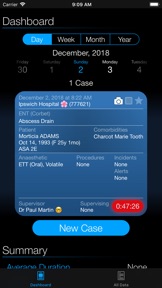
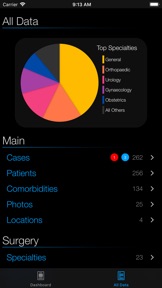
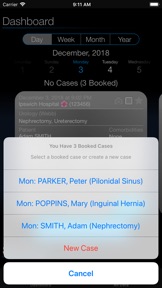
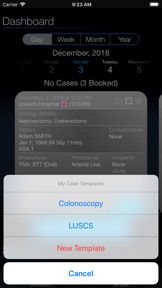
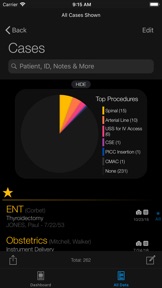
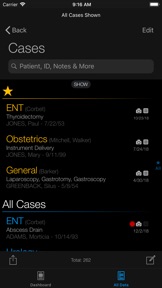

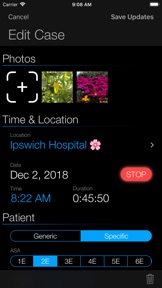
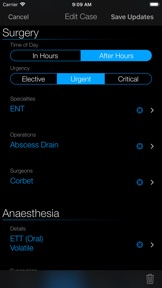
iPad Screenshots

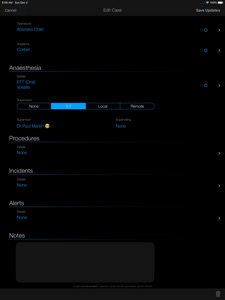

Description
Somnus - The Anaesthesia Logbook created entirely by an Australian Anaesthesiologist.
Track cases for your records. Customise searches and view & export your data for auditing and teaching purposes. Billing item numbers can be added to procedures & operations if required.
If you can edit it, you can search for it. With the data export & import feature, a trainee can record a case with Somnus and send it to you on completion, to be imported into your copy of Somnus - including any images.
MAIN FEATURES
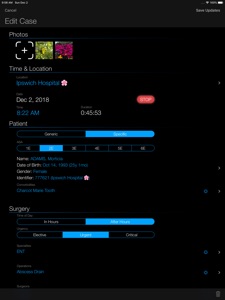
• Record essential case data, while keeping data entry requirements fast & efficient.
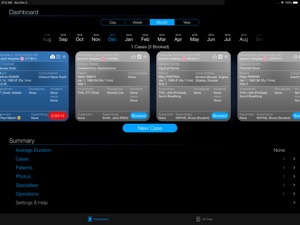
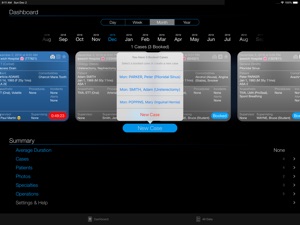
• Pre-load cases with a future start date to create booked cases. Start them with a tap of a button.
• Realtime stopwatch - stop a case with a tap (no need to open the case)
• Add photos to cases from the camera or photo library#
• Add notes for information not easily categorised and easily find them with a Quick Search (eg. M&M Meeting)
• Smart data entry to prevent errors (you can't add an operation without a specialty; ASA 1 can't have comorbidities, etc)
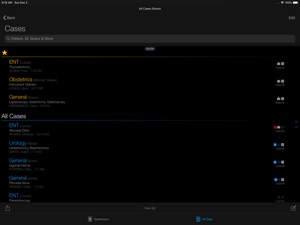
• Favourite cases (eg. clinical interest) with a tap & hold on the case card (or swipe in a list) and they'll be highlighted for easy identification
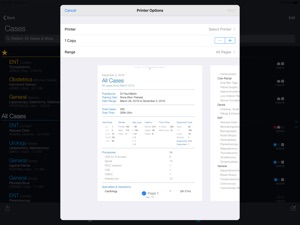
• Export PDF Summaries, editable Spreadsheets (CSV) or Somnus Data files for importing into another copy of Somnus on iPhone or iPad
• Import cases from Somnus Data files or a Spreadsheet (CSV) - See website for formatting requirements.
• Data security with Touch ID or Face ID, with a fallback PIN
FULLY CUSTOMISABLE
• All list items can be modified, merged or deleted and you can add your own items. No need to select from pre-defined lists.
• If one is renamed, or several merged, all records containing the item(s) will also be updated to prevent orphaned duplicates
• Use Emoji if you wish to make items easier to spot or to create your own star rating for cases
• Create Case Templates for starting common cases quickly with a few taps. It's never been easier for high turnover lists
• Create a custom item list for your specific needs and decide what to call it (Alerts, etc)
SEARCH & REPORTS
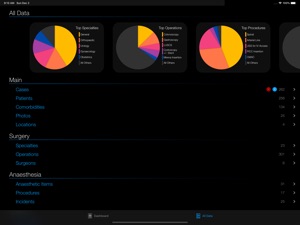
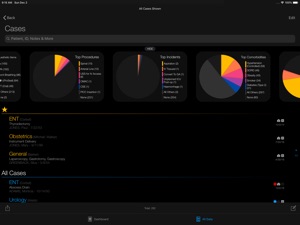
• All case lists have eye-catching pie charts to help visually summarise your data and they update in realtime as you search!
• Quick searching in all lists
• Search for patient names, IDs, notes, specialties, operations - anything, essentially.
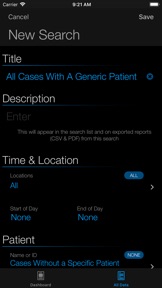
• Advanced searching & filtering by creating your own Saved Searches
• Use the very items you've customised to filter cases
• View the cases found with a tap and edit individual records, or
• Export them to a PDF Summary or Spreadsheet to do what you like with the data, or
• Export cases as a Somnus Data File which you can import into any copy of Somnus or send to a colleague, supervisor or trainee
• Choose whether you want to export patient identifiers or de-identify records for your spreadsheets
• All data entry lists (Comorbidities, Specialties, etc) are searchable.
• Swipe right on lists for more options (eg. Favourite or rename an item), swipe left to delete
EXPORT & BACKUP
• Export cases as a PDF, spreadsheet or data file
• Cases exported as a data file can be imported into any copy of Somnus
• v2 files can be imported into Somnus v3
• All cases have unique identifiers (even between devices), so you won't see duplicated records
• Any list items & patients contained in imported data will be added to yours
• Photos are included with the data
• While not encrypted, exported data files contain no human readable text - only encoded data
• Send data to another device by any means you like (AirDrop, iMessage, Email) or save to your favourite cloud storage platform as a backup.
# Photos taken with the camera will only be saved within the case in Somnus, but you can export them to your camera roll if you need to. All data remains private and contained within the app unless you choose to export it. See Privacy Policy.
What's New in Version 4.2
NEW
• Data importing process now shows a progress bar
• Additional information is also displayed to show you what's happening
• Single case PDF Reports which you can send to your billing company
- Each case exported will have its own page
- Item numbers you have attached to Anaesthetic Items, Operations & Procedures will be shown
- All patient information will be displayed so 'Export Patient Identifiers' must be turned on in Settings
- For Australian users:
- Somnus will add some MBS item numbers from your data
(eg. Duration, ASA, Age, Emergency +/- After-Hours modifiers)
- These are automatically calculated for you
- Turn this MBS option on in Settings
- All other item numbers must be added by the user. The reason for this is to allow people to name their items any way they like as well as making it accessible to users worldwide, not just Australians. Somnus isn't designed to be a billing application but this goes a long way to have it help with the process.
See the Somnus website for more information. Thanks for your support. If you like Somnus, please tell your colleagues. If you don't, please tell me!
Seller
Name
Paul Martin
Information
Developer
Categories
Version
4.2
Size
23.5 MB
Game Center
No
VPP Device Licensing
Yes
Rating
Rated 12+ for the following:
Infrequent/Mild Medical/Treatment Information
Compatibility
iOS 11.2 or later
Devices
iPad Pro (11-inch), iPad (5th Generation) Wi-Fi, iPad (6th generation) Wi-Fi, iPod touch (6th Generation), iPad Pro (11-inch) Wi-Fi + Cellular, iPad (6th generation) Wi-Fi + Cellular, iPad Pro 12.9-inch (3rd generation), iPad (5th Generation) Wi-Fi + Cellular, iPad mini (5th Generation) Wi-Fi + Cellular, iPad mini (5th Generation), iPad Pro, iPad mini 3, iPad mini 4 (Cellular), iPad mini 4, iPad Pro (Cellular), iPad Pro (9.7-inch) (Cellular), iPad Pro (10.5-inch) Wi-Fi + Cellular, iPad Pro (9.7-inch), iPad Air (3rd generation) Wi-Fi + Cellular, iPhone 6 Plus, iPad Air (3rd generation), iPad Pro (10.5-inch), iPad Pro 12.9-inch (2nd generation) Wi-Fi + Cellular, iPhone 6, iPhone XR, iPhone XS, iPhone 6s, iPhone SE, iPhone 7 Plus, iPhone 6s Plus, iPhone 5s, iPhone X, iPhone 8, iPhone XS Max, iPhone 8 Plus, iPhone 7, iPhone 5, iPad (7th generation) Wi-Fi, iPhone 5c, iPad (7th generation) Wi-Fi + Cellular, iPad Pro 12.9-inch (3rd generation) Wi-Fi + Cellular
Languages
English
App Store: Customer Ratings
Ratings & Reviews
0.0 of 5 (No rating)
App Store: Customer Reviews
No Entry