Updating


Re
#55 in Top Paid iPad Apps > Utilities
iPhone Screenshots





iPad Screenshots






Description
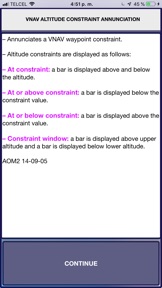
The EJET Virtual Panel APP, provides pilots with a self-study tool in order to prepare them for their initial or recurrent EJET training. EJET Virtual Panel APP helps pilots to become familiar with the panel functionality, thus reduces study time preparations.
EJET Virtual Panel APP Includes:
850 Fully Functionality Buttons with Explanations - Images - References. (More added)
Pan and Zoom capabilities.
E170-175-190 Detailed buttons explanations
E170-175-190 Memory Items (Fast Search)
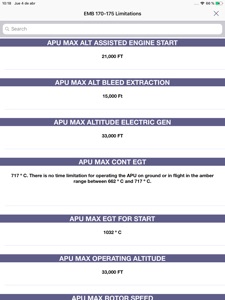
E170-175-190 Limitations (Fast Search)
E170-175-190 Definitions (Fast Search)
E170-175-190 EICAS Messages List (Fast Search)
High fidelity Images
More than 180 FMS Screens. (NEW)
- Save your notes and keep them even when your device is off.
Version 3.0 now includes more than 35 interactive images within the EJETS panel. The following virtual interactive panels are included:
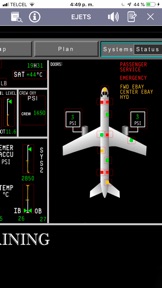
E190 STATUS SYNOPTIC
E170-175 STATUS SYNOPTIC
ELECTRICAL SYNOPTIC
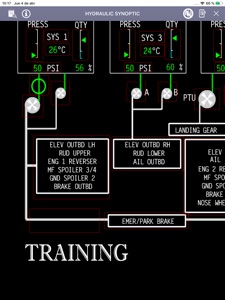
HYDRAULIC SYNOPTIC
ECS SYNOPTIC
CONTROLS SYNOPTIC
FUEL SYNOPTIC
TCAS MAP OVERLAY
EGPWS DISPLAY ON MFD
HSI FULL COMPASS MODE
HSI ARC MODE
HSI ARC MODE 2
HSI WEATHER RADAR INDICATIONS
MFD WX RADAR
AIRSPEED TAPE INDICATIONS
VERTICAL SPEED INDICATIONS
ALTITUDE TAPE INDICATIONS
ADI INDICATIONS
OXYGEN MASK FUNCTIONS
ADI ANNUNCIATIONS
ADI/HSI FAILS
ADI/HSI MISCOMPARES
EGPWS DISPLAY ON PFD
ADI TAKE OFF
TCAS INDICATION ON PFD
WINDSHEAR INDICATION ON PFD
FLIGHT MODE ANNUNCIATIONS
MCDU BASIC FUNCTIONS (SOON DETAIL FUNCTIONS)
HORIZONTAL PROFILE INDICATIONS
VERTICAL PROFILE INDICATIONS
FULL EICAS FUNCTIONS
THRUST LEVER BUTTONS
DVDR (UNIVERSAL)
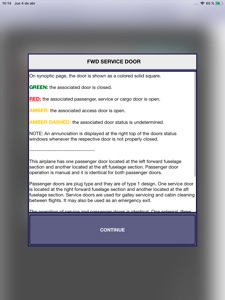
REINFORCED DOOR PANEL
ATTENDANT RAINBOWS LIGHTS
Note: The aircraft manufacturer offers slightly different cockpit configurations. The panel, buttons, switches represent a specific configuration.
This APP contains all the information for the EJETS Family (E170-175-190)
What's New in Version 3.3
Updated to latest manuals.
More than 180 MCDU screens added. (With functionality)
More than 550 FMS buttons added.
Dark mode.
Version 3.3 now includes more than 35 interactive images within the EJETS panel.
Seller
Name
Jorge Gonzalez Galvan
Information
Developer
Categories
Version
3.3
Size
98.7 MB
Game Center
No
VPP Device Licensing
Yes
Rating
Rated: 4+
Compatibility
iOS 12.1 or later
Devices
iPhone 7, iPhone 8, iPhone 6s, iPhone XS, iPhone XS Max, iPhone SE, iPhone X, iPhone 6s Plus, iPad Pro (11-inch), iPad (6th generation) Wi-Fi, iPad Pro (11-inch) Wi-Fi + Cellular, iPad Pro 12.9-inch (2nd generation), iPad Pro 12.9-inch (3rd generation) Wi-Fi + Cellular, iPad (5th Generation) Wi-Fi, iPad Air (3rd generation) Wi-Fi + Cellular, iPhone 6, iPad mini 4, iPad Air 2, iPad Air (3rd generation), iPhone 5s, iPad Pro (10.5-inch), iPhone XR, iPad Pro 12.9-inch (3rd generation), iPhone 7 Plus, iPhone 6 Plus, iPhone 8 Plus, iPad Air 2 (Cellular), iPad mini 3, iPad mini Retina (Cellular), iPad mini 4 (Cellular), iPad Pro, iPad Pro 12.9-inch (2nd generation) Wi-Fi + Cellular, iPad mini (5th Generation) Wi-Fi + Cellular, iPad Pro (10.5-inch) Wi-Fi + Cellular, iPhone 11 Pro Max, iPod touch (7th generation), iPad mini (5th Generation), iPad Pro (9.7-inch) (Cellular), iPod touch (6th Generation), iPad Pro (Cellular), iPad (6th generation) Wi-Fi + Cellular, iPad Pro (9.7-inch), iPhone 11 Pro, iPhone 11, iPad (5th Generation) Wi-Fi + Cellular, iPod touch SeventhGen
Languages
English
App Store: Customer Ratings
Ratings & Reviews
5.0 of 5 (1 Rating)
App Store: Customer Reviews
No Entry