Updating



iPhone Screenshots


iPad Screenshots


Description
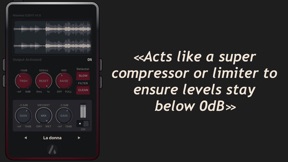
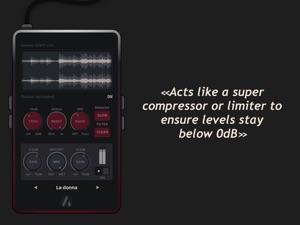
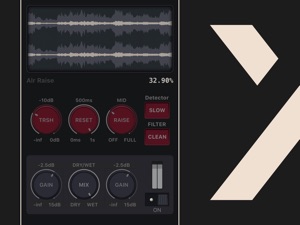
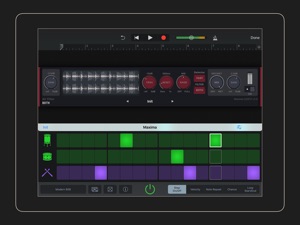
Maxima is an audio effect designed to provide automatic gain control of your audio materials to ensure that the levels stay consistent and never exceed 0dB. It's a clever combination of dynamic processors that can be set to provide a gentle transparent signal boost respecting the initial dynamic or significant colorised level maximisation. Thanks to a unique signal path, algorithms and a small set of parameters, Maxima makes a complicated task easy.
In addition to the classic final stage application, Maxima excels on individual tracks too. With a few changes it's easy to go from the common gain deviation compensation, e.g. for vocals, to drastical audio changes that will bring your audio material to new territories: boost reverb tails, flattenize drums… The applications are various and the possibilities are limitless.
>> Get the final touch!
Maxima definitely makes audio louder and that makes it an effective tool in many mastering engineers’ arsenals.
>> Be creative!
Emphasis subtitle details, sometimes floor contains treasure, you will have a completely new listen to your old tracks! The audio background may indeed contain noise, but sometimes also "pearls" that may be revealed.
>> Go further!
Tired by the advertisement boost, or important speech level variation in broadcasting? Use Maxima to maintain the level constant. DJ's may also benefit from the effects to normalise in real time the level of the mixed tracks.
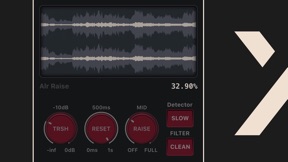
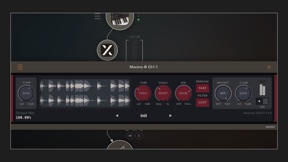
As with all FAC products the interface has a unique sober look and provides a great user experience. Maxima also brings a real-time multi-waveform graph having a 6s buffer of the audio material before and after operations, this will help on setting the right parameters and have a visual feedback.
Seller
Name
Frederic Corvest
Information
Developer
Categories
Version
1.1
Size
22.1 MB
Game Center
No
VPP Device Licensing
Yes
Rating
Rated: 4+
Compatibility
iOS 10.0 or later
Devices
iPad mini 4 (Cellular), iPad mini 3, iPad mini (5th Generation), iPad Pro (11-inch) Wi-Fi + Cellular, iPad (5th Generation) Wi-Fi + Cellular, iPad (6th generation) Wi-Fi + Cellular, iPad Pro, iPad mini (5th Generation) Wi-Fi + Cellular, iPad Pro 12.9-inch (3rd generation), iPod touch (6th Generation), iPad mini Retina (Cellular), iPad Air (Cellular), iPad Air 2 (Cellular), iPad Air (3rd generation) Wi-Fi + Cellular, iPad Pro (Cellular), iPad Pro 12.9-inch (2nd generation) Wi-Fi + Cellular, iPhone 8 Plus, iPad Pro (9.7-inch), iPhone XR, iPad Air (3rd generation), iPhone 8, iPad Pro (10.5-inch) Wi-Fi + Cellular, iPhone 6s, iPad Pro (9.7-inch) (Cellular), iPhone 7, iPhone 7 Plus, iPhone XS Max, iPhone 6, iPhone X, iPhone 6 Plus, iPhone XS, iPad Pro (10.5-inch), iPhone SE, iPhone 5s, iPhone 6s Plus, iPad Pro (11-inch)
Languages
English
App Store: Customer Ratings
Ratings & Reviews
0.0 of 5 (No rating)
App Store: Customer Reviews
No Entry