AboutTermsPrivacyContact
 
Updating
Microsoft SharePoint

Microsoft SharePoint

Released: 2016-06-20
© 2016 Microsoft Corporation. All rights reserved.
Microsoft SharePoint - QR Code
Version 4.55.4
4+
Download on the App Store
Version 4.55.4
4+
Download on the App Store
Released: 2016-06-20
© 2016 Microsoft Corporation. All rights reserved.

iPhone Screenshots

Screenshot
Screenshot
Screenshot
Screenshot
Screenshot
Screenshot

iPad Screenshots

Screenshot
Screenshot
Screenshot
Screenshot
Screenshot
Screenshot

Description

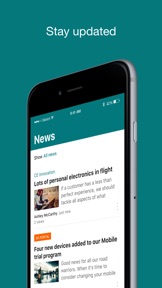
Find files, news, sites and people - personalized for you and your organization. SharePoint infuses AI into the mobile app experience to keep you focused and productive while on the go. AI builds an understanding of what you work on, how you work, and how your colleagues' work relates to you. When you need expertise, content, or resources when you're on the go, SharePoint is a great place to start looking.
 
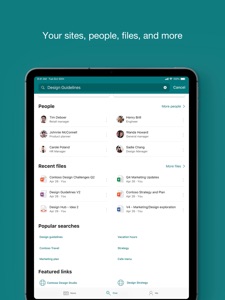
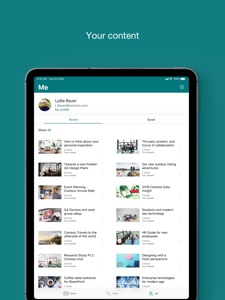
· Browse your sites, files, people and more to get back to what you were working on 
· Use search to find and discover important content
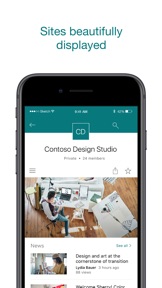
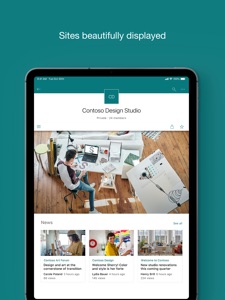
· Access your personalized view of team sites, communication sites, and news posts 
· Tap on a user to get to their contact card and see who they work with and what they are working on
· Create news posts on the go and share your updates, reports, status, and experiences with your team
· Sign in to your SharePoint sites, whether they're in the cloud or on-premises. The app works with SharePoint Online and SharePoint Server versions 2013 and higher
· Add multiple accounts, and easily switch between them
 
What people are saying:
 
The SharePoint mobile app has been featured in TechCrunch, The Verge, ZDNet, PCWorld and Computerworld.
 
Over 2 years of app store reviews:
"making collaboration easier than ever!!"""
"keeps me connected with my office documents and coworkers"
"seamless integration with other Office apps"
"it's so easy and simple to use!!"
 
Note: To sign in to SharePoint, your organization needs to have an Office 365 subscription that includes SharePoint Online or an on-premises SharePoint Server.
This app is provided by Microsoft. Data provided through the use of this store and this app may be accessible to Microsoft and transferred to, stored, and processed in the United States or any other country where Microsoft or its affiliates maintain facilities.

What's New in Version 4.55.4

Stability improvements and fixes.

Seller

Name

Microsoft Corporation

URL

Information

Categories

Version

4.55.4

Size

80.4 MB

Game Center

No

VPP Device Licensing

Yes

Rating

Rated: 4+

Compatibility

iOS 16.6 or later

Devices

iPhone 5s, iPhone 6, iPhone 6 Plus, iPhone 6s, iPhone 6s Plus, iPhone SE, iPhone 7, iPhone 7 Plus, iPhone 8, iPhone 8 Plus, iPhone X, iPhone XR, iPhone XS, iPhone XS Max, iPhone 11, iPhone 11 Pro, iPhone 11 Pro Max, iPhone SE (2nd generation), iPhone 12, iPhone 12 Pro, iPhone 12 Pro Max, iPhone 12 mini, iPhone 13, iPhone 13 Pro, iPhone 13 Pro Max, iPhone 13 mini, iPhone SE (3rd generation), iPhone 14, iPhone 14 Plus, iPhone 14 Pro, iPhone 14 Pro Max, iPhone 15, iPhone 15 Plus, iPhone 15 Pro, iPhone 15 Pro Max, iPhone 16, iPhone 16 Plus, iPhone 16 Pro, iPhone 16 Pro Max, iPhone 16e, iPhone 17, iPhone 17 Pro, iPhone 17 Pro Max, iPhone Air, iPad (5th Generation) Wi-Fi, iPad (5th Generation) Wi-Fi + Cellular, iPad (6th generation) Wi-Fi, iPad (6th generation) Wi-Fi + Cellular, iPad Pro, iPad Pro (Cellular), iPad Pro (9.7-inch), iPad Pro (9.7-inch) (Cellular), iPad Pro 12.9-inch (2nd generation), iPad Pro 12.9-inch (2nd generation) Wi-Fi + Cellular, iPad Pro (10.5-inch), iPad Pro (10.5-inch) Wi-Fi + Cellular, iPad Pro (11-inch), iPad Pro (11-inch) Wi-Fi + Cellular, iPad Pro 12.9-inch (3rd generation), iPad Pro 12.9-inch (3rd generation) Wi-Fi + Cellular, iPad Air, iPad Air (Cellular), iPad Air 2, iPad Air 2 (Cellular), iPad Air (3rd generation), iPad Air (3rd generation) Wi-Fi + Cellular, iPad mini Retina, iPad mini Retina (Cellular), iPad mini 3, iPad mini 3 (Cellular), iPad mini 4, iPad mini 4 (Cellular), iPad mini (5th Generation), iPad mini (5th Generation) Wi-Fi + Cellular, iPad (7th generation) Wi-Fi + Cellular, iPad Pro 11-inch (2nd generation), iPad Pro 11-inch (2nd generation) Wi-Fi + Cellular, iPad Pro 12.9-inch (4th generation), iPad Pro 12.9-inch (4th generation) Wi-Fi + Cellular, iPad Air (4th Generation) (Wi-Fi), iPad Air (4th Generation) (Wi-Fi + Cellular), iPad (8th generation) Wi-Fi, iPad (8th generation) Wi-Fi + Cellular, iPad Pro 11-inch (3rd generation), iPad Pro 11-inch (3rd generation) Wi-Fi + Cellular, iPad Pro 12.9-inch (5th Generation), iPad Pro 12.9-inch (5th Generation) Wi-Fi + Cellular, iPad (9th Generation), iPad (9th Generation) Wi-Fi + Cellular, iPad mini (6th Generation), iPad mini (6th Generation) Wi-Fi + Cellular, iPad Air (5th generation), iPad Air (5th generation) Wi-Fi + Cellular, iPad Pro 11-inch (4th generation), iPad Pro 11-inch (4th generation) Wi-Fi + Cellular, iPad Pro 12.9-inch (6th generation), iPad Pro 12.9-inch (6th generation) Wi-Fi + Cellular, iPad (10th generation), iPad (10th generation) Wi-Fi + Cellular, iPad Air 11-inch (M2) Wi-Fi, iPad Air 13-inch (M2) Wi-Fi, iPad Air 13-inch (M2) Wi-Fi + Cellular, iPad Pro 11-inch (M4) Wi-Fi, iPad Pro 11-inch (M4) Wi-Fi + Cellular, iPad Pro 13-inch (M4) Wi-Fi, iPad Pro 13-inch (M4) Wi-Fi + Cellular, iPad mini (A17 Pro) Wi-Fi, iPad mini (A17 Pro) Wi-Fi + Cellular, iPad (A16) Wi-Fi, iPad (A16) Wi-Fi + Cellular, iPad Air 11-inch (M3) Wi-Fi, iPad Air 11-inch (M3) Wi-Fi + Cellular, iPad Air 13-inch (M3) Wi-Fi, iPad Air 13-inch (M3) Wi-Fi + Cellular, iPad Pro 11-inch (M5) Wi-Fi, iPad Pro 11-inch (M5) Wi-Fi + Cellular, iPad Pro 13-inch (M5) Wi-Fi, iPad Pro 13-inch (M5) Wi-Fi + Cellular, iPod touch (6th Generation), iPod touch (7th generation)

Languages

English, Arabic, Catalan, Chinese, Croatian, Czech, Danish, Dutch, Finnish, French, German, Greek, Hebrew, Hungarian, Indonesian, Italian, Japanese, Korean, Norwegian Bokmål, Polish, Portuguese, Romanian, Russian, Slovak, Spanish, Swedish, Thai, Turkish, Ukrainian, Vietnamese

App Store: Customer Ratings

Ratings & Reviews

4.6 of 5 (133,843 Ratings)

App Store: Customer Reviews

2026-02-13

Technically an App

The app does in fact allow you to access files, permitting a two star review. It is highly unoptimised, and appears to have been done in a manner uncaring for a mobile user: clicking on items requires too much precision (almost like it was designed for a mouse and computer), the mobile view of files is slow (though the app is generally slow, so perhaps the fault is more inherent to the app itself) and often clunky as to be unusable. Text boxes and images are liable to be distorted into unreadability.
That said, the app is usable in the sense that you can often open shared files and read them. Google is far superior though.
Keirsothenes
Version 4.55.4
2026-02-11

It’s just bad

So, I’ll start with the most annoying bug—having to re-sign in constantly—after every single action! Any time I save or switch screens, I have to sign in again. This has been going on for weeks, if not months, at this point. Release notes say devs have been working hard to improve the app, but I have a hard time believing that when they’re letting issues with something as fundamental and necessary as authentication persist for this long.
Some other issues—the app is incredibly slow/sluggish and unresponsive. I never know if it’s just taking forever (normal functionality) or if it even registered my tap. Just like the web app currently (and for the last few months) there is a bug where lists become completely unresponsive and you have to change screens or refresh in order to interact with them again. Idk what that’s about. Incredibly annoying though! The app is clunky, the UI/UX is unintuitive and poor. I absolutely hate having to work in this app.
Mr. T-Wrecks
Version 4.55.4
2026-02-10

Less than worthless

This app has none of the richness available on the web version. What is worse, the existence of this app means you cannot utilize the web version. I have tenants on which I am a guest, and I cannot access those at all on a mobile device because this app exists and is subpar.
AndrewE24
Version 4.55.4
2026-02-05

No save to camera roll

No save to camera roll option. Totally worthless for images.
Sonicondor
Version 4.55.2
2026-02-04

Something went wrong….

Every time I try and use the app I get a message that something went wrong. I’ve uninstalled/reinstalled and logged out and back in. Terrible.
bollocks78
Version 4.55.2
2026-02-02

Pretty worthless

Like most Microsoft software, it’s 95% there but they miss 1-2 features making it nearly worthless. If SharePoint doesn’t come up as an option to save files with the iPhone “Share To” button, you’ve just failed about 80% of the use cases.
OneDrive is a better alternative, but the SharePoint drives don’t come up as an option when saving from the “Share To” menu. You need to temporarily save it to My Drive then move it separately in the app.
As is Microsoft’s mantra: why do in one click what you could do in six?
Pbryn1983
Version 4.55.2
2026-01-23

Will not retain filters from desktop views

The aesthetic of this app is create. The lists and reports are well rendered and load quickly.
It will not however accept any of the view filters created and saved to the default list in Sharepoint. Also seems to have a problem rendering embedded Power BI reports.
Pack_grad
Version 4.55.2
2026-01-15

Unable to Use

I can no longer use the app because it keeps trying to log me into the incorrect account. I’ve uninstalled and reinstalled with no luck.
csgexec
Version 4.55.1
2026-01-14

Search function limited

So hard to search / locate folders if there are so many results mixed with results and advanced search function is missing.
rillshiegin1
Version 4.55.1
2025-12-26

Broken Search

We have a massive file and folder system. The app search feature does not work which makes it useless. Good thing they are spending billions on copilot though.
Hutjggghuurr
Version 4.55.1
2025-12-20

Very clunky to use

Needs to have a tab at the bottom to choose from sites/pages. Keeps asking me to login Microsoft account. App sometimes shows files within a window like opening up a webpage rather than a native display.
Jon_Of_Arc
Version 4.55.1
2025-12-13

Very buggy

I have to delete and redownload the app every time I want to look at updated forms through my organization.
Eddie Parker11
Version 4.55.1
2025-12-02

Downloads are difficult.

And make it very difficult to find files to download files to devices like iPad or iPhone
Baldheadmatt
Version 4.55.1
2025-11-26

Dark Mode

Your app icon does not change, when the phone is in dark mode
RopesCourseGuy
Version 4.55.1
2025-10-21

What’s the Point?

I cannot upload files to SharePoint through the SharePoint app. If I link a SharePoint to my OneDrive, I can use the OneDrive app to upload files to SharePoint through. What is the purpose if I can’t upload files?
ZacharyFish
Version 4.54.7
2025-10-02

App

App not working properly. Cannot scroll across document.
Doesn’t matter 111
Version 4.54.7
2025-09-30

Awful interface

Can’t even clock the three dots to add content what is wrong with this app only legs me add a folder with the + and zero actual files or anything.
Vernerte
Version 4.54.7
2025-09-30

Share point

Excellent and more things to learn I like!.
Joktiik
Version 4.54.7
2025-09-13

Everything I need in one spot.

My company uses SharePoint. This is the first company I worked for that uses this for communication, tools, and information gathering. It’s a great and unique tool to have in every organization. Don’t know an answer to a question? No problem you SharePoint and you can look up any answer to a question that your direct supervisor might have for you. It also carries your personal information so if you need to change anything on your tax forms like your W-2, you can do that in about 30 seconds. I recommend this app to all organizations.
Darth Helton
Version 4.54.7
2025-09-09

Piece of utter garbage

The app is not intuitive and makes me wish I didn’t need it for classes
IwanttoseeitPaintedblack
Version 4.54.7
2025-09-03

Can’t download PDFs

A sad excuse for a sharing app if you can’t access any files
The Phycopath was taken
Version 4.54.7
2025-08-29

Good But!

The application is good for news quick access to document but it fails to show company events that we have on our site via the Event webpart.
Tarheels3856
Version 4.54.7
2025-08-29

How do you upload files?!

Am I crazy? Can you not actually use this app to upload files? If so, it’s so obtuse I can’t find the option to do so.
LP-flood
Version 4.54.7
2025-08-23

Very useful

I’m learning it slowly but it’s very useful
The owl777
Version 4.54.7
2025-08-10

Can’t put my email in

Idk what the problem is with this app but you gotta fix it horrible experience, STAY AWAY!
cool🥶
Version 4.54.7
2025-07-16

Microsoft HB1 visa

No5ing works since it got outsourced to Indians
Harrycracks 101
Version 4.54.7
2025-07-07

The app is the best option

Love how easy it is to log in
none nicknames
Version 4.54.7
2025-07-07

Bad functionality on iPhone

Unfortunately the app doesn’t allow you to do many useful functions like add and manage files or download photos. It’s really only good for looking at your files. Hopefully it’s improved one day to be more like Google drive.
Aaron.Burgess
Version 4.54.7
2025-05-22

Could not sign in

I have not seen this website. Would not let me sign in
Reenie55
Version 4.54.7
2025-05-21

Yes

Yes
Steve King (not the author)
Version 4.54.7
2025-05-16

Garbage

Clearly this app wasn’t designed by qualified IT personnel. Hats off to Microsoft for leaving the important stuff to its DEI staff .
Sociopathoholic
Version 4.54.7
2025-05-15

do better pls

Kinda works, Microsoft integration is the real reason we use it, bugs all over the place. Right now, every time I exit a video I get sent to the home directory instead of the folder that video was in and I need to transit the entire file tree to find the next video
rmajdjsjajsbd
Version 4.54.7
2025-05-09

Microsoft product suites are mess

It’s nearly impossible to collaborate with people on documents using Microsoft products. I never seem to know if a document is in SharePoint or OneDrive. It doesn’t make sense to have both.
hsteven7
Version 4.54.7
2025-04-16

The MOST confusing platform I’ve ever used…

Dropbox and even Google drive is better than this. Simple organization flows make no sense on the layout. Pages is dumb and just another name for “main folder”. Pointless to rename “folder”. Sending a link should take 2 seconds.
1. “Share link”
2. “Private or public”
3. Copy/clipped
SharePoint is 4 steps and 15 seconds. Dropbox is simpler and WAY more user friendly. Don’t recommend. I only keep it because my company changed from Google drive. 19/20 people regret switching but now were too deep.
pwayko
Version 4.54.7
2025-04-02

I'm new using it

exploring this app
ja andr
Version 4.54.7
2025-03-30

It doesn’t work on IPad!

I click on a file to open and all I see is a grey screen with “downloading “ in the middle. Five minutes later, it still won’t open. Fix it! I can’t work like this.
Cemetery Gal 2000
Version 4.54.7
2025-03-20

Terrible

After recent update, share point will not work across devices
Karol Schott
Version 4.54.7
2025-03-10

Access

Takes too long to access when given security
iPad bar
Version 4.54.5
2025-02-18

Do not upgrade to version 4.54.2. Total garbage of an app.

The app never loads. After accepting authenticator credentials it says “setting up account” and crashes. Amazed that a corporation as big as Microsoft hires incompetent programmers for this app.
MyTrueReviews
Version 4.54.2
2025-02-18

Stop

Stop asking if we enjoy your app the instant we get on it. How would I know?
Your needy
Version 4.54.2
2025-01-31

Can’t easily find the root

Cannot find the company root folder(s)
portland9x
Version 4.54.0
2025-01-30

Does not work

Can’t log in
gacjr
Version 4.54.0
2025-01-16

Is not google drive

Just terrible user experience
Tavoferrer89
Version 4.53.5
2025-01-10

Terrible

At a loss for words
AnonymusGopher
Version 4.53.5
2025-01-04

Love Microsoft

I know it can be a bit complicated but it does so much then share point allows you to share and download large files I know where to spend my money
Patty O’ Fernichure
Version 4.53.5
2024-12-27

Share Points Teams to stay connected!

Share Point is a great benefit for communication with your team, clients, and manufacturers at all times.
Sun Marketing Agents
Version 4.53.5
2024-12-24

Unable to save file from mobile

Frustrated by not being able to save a PDF file to my files on my phone via the app. Or at least insert into Outlook to email as a follow up.
Wheadon96
Version 4.53.5
2024-12-11

It’s just a viewer

There I no way to upload files the only option the app gives you doesn’t work. The App is laggy and the content is not properly shown. As a productivity app tris is useless.
lmaguina
Version 4.53.5
2024-12-08

RN

I
Matseliso
Version 4.53.5
2024-11-28

Great but getting files from SharPoint to other apps like outlook impossible

It’s annoying that you can’t force it to actually attach a file. It always sends a link but the problem is sometimes I want to send a real file and not actually send a link to someone outside of my company because where the files are being stored I don’t want anyone to ask for access to that location, and for legal purposes very often they need the file to be inside the email not a link to it
Another issue is very often you can’t view the file names and a professional company you end up with quite long file names for files to cover for versions or legal turns and in SharePoint on the mobile, they basically all look the same because the file names get truncated, which makes what would be an awesome application, a nightmare to use
navb-hw
Version 4.53.5
2024-11-24

Just use Teams

Teams has basically all of these features, and it’s free… so I don’t really know why so many people are getting this app, you can just use teams.
Here’s how: create a Team with whoever you want to share the files or whatever you need to share, and then once the team is created, go to files and then upload them. It’s way more simple, and oh yeah it’s FREE. Sharepoint is useless, and as I’m using and reviewing all of Microsoft’s apps, they’re all basically the same thing but some are free and some aren’t, so the trick is just to find the free ones.
New York Times Reviewers
Version 4.53.5
2024-09-15

Consistently Freezing

The app is horrific. I have to submit forms for work everyday and the app freezes all the time. It’s time consuming having to retype the same information multiple times. The app will legit not respond out of no where causing me to close the app and restart it every time. To add on the features to save the files are not visible and I have to zoom in and out to haggle to save the files. I have to make multiple files everyday on my phone, this app makes my job very difficult. Please update it !!!!!
Gbasterz
Version 4.53.0
2024-06-06

Unusable - illogical and cumbersome

This app is poorly made which results in a cumbersome user experience. In order to login to an institutional account, the app crashed twice and required reset to allow logging in. It took an average user in our company 15min.
After login, in order to access the homepage of our SharePoint site, it takes 4 clicks. (Frequent sites - our page - navigation bar - home). It would be far better if it included an option to set a home page that the app opens to, or allows you to list your preferred sites. It does neither.
Lastly, once you’re on the SharePoint website page, it has less functionality than in a browser. It doesn’t have back buttons, doesn’t have search, doesn’t allow easy downloading or viewing of files. The navigation bar sometimes crashes and the app occasionally requires restarting.
It’s such a shame because this app never had to be this bad. Seeing this terrible functionality, our company decided to use an iPhone iOS shortcut to open our SharePoint page in the safari browser. It works great and has none of the problems above.
It’s my hope that in the future, SharePoint can improve this app to remove the above errors and elevate the functionality beyond what can be done in safari or a regular browser.
OliverClark
Version 4.52.0
2024-03-04

Over engineering/google wannabe

For people that work in the field and are not up to date with all the new ways to upload or “share” one would think an app with the word share in the title would be the easiest thing to do! But instead your design team is disconnected from the world outside of the cubicle they live in… stop trying to be something you are not and get back to the basics. No one wants another social media platform to deal with! Just make something simple and to the point, dare to be original for a change… you do realize the last people who didn’t have cell phones and computers in every house is starting to be the ones in charge of the world, think like they do and how much simpler things where for them 30-40 years ago.
Also which ever one of you intelligent idiots design a system that you can use the keyboard on your iPads that will scroll up as you type so you don’t have to close the keyboard to see what you have typed.
Thanks!
Analog4ever
Version 4.51.4
2024-01-26

Frustrated

There are so many great things about SharePoint, but I am constantly unable to navigate to the files I need in the app. It is beyond frustrating. The entire point of several companies I work with setting this up was to be able to access files remotely, and repeatedly, this function has alluded many of us. Recent files is not enough, it is difficult to navigate to older files. Also, at times it is difficult to navigate between profiles. I suppose on the whole 1 star rating is harsh, but this app has failed me time and time again.
Annaoxie Horse
Version 4.51.3
2023-12-12

Searching

SharePoint is so versatile, that’s why it’s great and everyone is using it throughout our organization. The search function needs to improvement so you can further define specifics to find exactly what you want, without have to go through many pages of results.
HDultrarider
Version 4.51.3
2022-11-17

App is unusable for uploading stuff

I’m not a boomer who has no idea how to use technology—I’m pretty good at navigating directories and googling my way out of programming problems, but after 20 minutes struggling to upload a file with a clunky interface for iOS, I’ve given up. I’m almost convinced it’s because Microsoft wants to punish users with iPhones (or that Apple wants to make it unbearably hard for Microsoft to design their ecosystem on iOS), but regardless this is ridiculous. Back to emailing to myself and uploading on a computer.
jmisci
Version 4.46.0
2022-10-13

Easy to navigate

Sharepoint is an easy, fast, accurate resource for information. The pages load quickly and the links are well mapped out. No issues here, love the app!
HealthyMe!
Version 4.43.0
2022-09-08

App keeps logging me out

Hello ,
Everytime I close the phone or minimize the all on my phone it makes me log back in everytime now . I have a iPhone 12 Pro Max and it use to never make me log in now every time I want to use SharePoint on my phone it makes me log into the app . I have restarted my phone and everything . Looks like the app needs to update but shows no update available on SharePoint for my phone . Any suggestions or help with this would be greatly appreciated as I use it a lot
matthewshaneredhawk13
Version 4.43.0
2022-07-19

Account issues

Ever since the update a few months ago, the app is somehow tied to an old work account I don’t use. I’ve been unable to sign in via the correct work account no matter how many times I uninstall and reinstall.
I’m unsure how to unlink the attribution between my phone and the obsolete account.
I use the app on my iPad and love it. My work integrates heavily with sharepoint to include a calendar we all work from. The ability to pull the calendar up on a native app is much more convenient than logging in to the browser. I just don’t know how to fix accessibility on my phone.
Additionally, the app view of the calendar list is pretty vanilla. Being able to view all the color overlays like the browser would improve the experience a lot. As is-it serves the need to make accessing the information quickly and reliably.
luneknight42
Version 4.42.0
2022-06-14

SharePoint app needs to go away

Come on, SharePoint team. Either have the app present the sites as designed, lists, libraries and all, or just kill the app in favor of the browser. Why won’t it present a document library as the views are designed? All these years, and we can’t get a consistent experience out of the app, then it should just go away. If I could block our users from downloading this, I would.
Brent Hawthorne
Version 4.41.3
2022-05-24

Returns to home

I like the fact I can access everything on my phone in an organized and easy to follow manner. However, any time you hit the back button or something seems to go wrong (happens more than you’d think). It sends you all the way back to home page. Which is an issue when I’ve been going through lots of folders within folders. My worst gripe is how I can’t successfully upload files from my phone. I have a 13 pro so I am doubtful that my phone is the issue. I’ll add a photo to a folder and it just sends me back to the Home Screen without even uploading the picture.
Mike garrison
Version 4.41.3
2022-04-04

Slow and clunky. Moving files within SharePoint is painful

Screens are inflexible. Especially when moving files from one folder to another. Also I transfer a file and often times it hasn’t updated to allow others to see it for a half hour! This may be a server fault not the program
bernbarn
Version 4.41.3
2021-09-10

Too many bugs

Update: was able to reinstall the app today but still being kicked out on the sign in page like other users are reporting. Please please fix this.
The SP app has been unstable at best, but since the recent “update” it has gotten even worse. For a few weeks I have not been able to log into my company O365 account. Recently I tried deleting the app to reinstall it and even thought it disappeared from my iPad, when I come to the App Store to reinstall it again it still shows as on my iPad. I don’t have the option to download, only to “open”. Please fix this app, so many of us rely on SharePoint for everyday work.
karmic02
Version 4.38.1
2021-08-24

Pointless on iPhone

Yay an update! Maybe this will fix the utter crap calendar view!
Nope, still a mostly worthless app.
One of the worst apps for productivity; calendars are especially uncooperative. Doesn’t open any calendar on my phone. Tried the website and it’s just as bad. The only way to properly see a calendar is to use a computer. If my work didn’t use Microsoft, I would ditch this app and never return. I have no idea how Microsoft stays in business when they pump out such unfriendly rubbish. Not a fan of Google but it’s miles better than this software and it’s free.
Digghappy
Version 4.37.0
2021-06-02

Redirects you to website for upload or download

You know how it’s called SharePoint and it’s for sharing files? Seems like I’m adding a step by opening this app that only redirects me to the website to download the actual files. This becomes an actual app when that ability is added, until then I’ll just be going straight to the website like before.
Aaron Duren
Version 4.33.1
2021-05-01

Works well on mobile

It has been some times since I used The sharepoint mobile app but so far this version seems to flow and work very well. My only suggestion so far is that when I need to upload several files to something like a calendar event, it would be nice if you could select multiple files to upload instead of having to do it one at a time.
DragonsWing
Version 4.32.0
2021-01-07

Use Edge Instead

In a lot of cases, everything that can be done from a web browser can’t be done in an app. I’d at least like to see parity to the mobile web browser experience within sharepoint and then something to make the app appealing. At this time, the app doesn’t serve anything that a mobile web browser doesn’t already do better.
Sharepoint as a product has been great, just this mobile app doesn’t seem to bring much to the table that can’t be done better from Safari or another mobile browser. I basically use the app to avoid logging in with MFA.
From edge, if you browse Sharepoint with the desktop version, you get a lot of the posting and editing power you normally get on desktop on a web browser.
Hoochalaffa The Great
Version 4.27.1
2020-07-01

It was ok, now it’s a problem

We’ve been using SharePoint to track COVID symptom reports and for managers to monitor their team’s submissions. Unfortunately the latest update to the app has broken the use of views when lists are accessed through a link. If a link to a filtered view is used, it will only show the master view (even after I disabled mobile access for it) with no navigation bar to change the view. We found that uninstalling the app and opening links through Safari works fine. These kinds of inconsistencies have always existed but now it is critical that the process work for our organization’s health and safety. It’s not a good day when the mobile browser version of a product is better than the app.
ThomasS 94
Version 4.21.0
2020-03-03

Wish it was more reliable.

Too many bugs, too many unnecessary error messages. I have to go back out and log in. I pay month for Office365 Business Premium and GoogleDrive or iCloud just works better.
I'll say this one last and final time Microsoft; stop worrying so much about changes and new office apps. Make the stuff you already have work better and more user friendly. Again, this is the LAST TIME I WILL TELL YOU.
Micho21
Version 4.17.0
2020-02-21

Cannot log into sharepoint!!

I was able to log into my sharepoint server but now it continuously asks me for credentials for other accounts that are no longer active. I am able to log into the sharepoint using my main account, but it quickly takes me back to the sign in page and it still remembers my old account which prevents me from accessing my site.
How can I remove old accounts so it doesn’t do this?
podcaster!
Version 4.17.0
2020-01-20

Multiple account issues

I had to remove my personal account (personal domain, using office 365 small business web only version to host email) from the device because it would keep asking me to log in and interfering with my work Office 365 enterprise account. The app works well if you have only one account, and maybe if you have multiple enterprise accounts it could be ok too.
LRFD6LiZ
Version 4.16.1
2020-01-01

Deep Linking option through a web clip

Team any update on this? Should I be able to use the url schema ms-SharePoint:// for deep linking to pages?
Overall my experience with the app has been awesome. But every time we had to do the search and find the site. Is there any way I could deep link the direct site to open in the app through a web clip or clicking through the direct email link of the site? If yes that could possibly avoid some additional clicks... please let me know if it’s doable?
RahulMoh
Version 4.15.0
2019-12-11

Perfectly unusable

Awful. I cannot browse files that have been shared to me, they have to have been saved. I’m not going to save literally 100s of files individually. Not only that, but when I go to sharepoint on my computer, there’s no way to “save” the files that have been shared to me! I can only see the files in my “recents”, and again, I’m dealing with 100s of files, of which I do not use all of them on a daily basis. Did any thought go into this, or was it just thrown together without much consideration of usability?
writergirlx22
Version 4.15.0
2019-10-28

Can't save files to SharePoint folders

I can't believe more people don't see this as a serious flaw. One of the main features of SharePoint is supposed to be document accessibility, but you can't save through the SharePoint app to a connected folder.
The same applies to the Teams and OneDrive apps. So NOTHING in Microsoft's stable of general accessibility apps can put files in a business folder.
Doesn't anyone else see a problem with this?
Bearcreekmom
Version 4.13.3
2019-10-18

Just like everything Microsoft, it doesn’t work. [WORKS NOW]

** Updated **
Well, Microsoft responded to this review and kudos to them for doing so. They promised a fix in an upcoming release and again - they stuck to their word. The issue is resolved now and I’m upping this back up to four stars.
Thanks for listening, Microsoft :-)
*****
So, at some point in time, there was an update to this application and now the keyboard won’t pop up when trying to do a search on a share point site.
This basically breaks the entire app and defeats the point of it. It doesn’t work on iPad or iPhone with iOS 13.
I get that Microsoft isn’t crazy about Apple or iOS but then why not just pull all applications off of the App Store instead of creating junk like this?
Shacker
Version 4.13.1
2019-10-08

Weber on the rise

Weber has really been trying to improve in all aspects. It takes time and patience is key but I know they are on the right track. I started in 2015 and since then it has changed every year a little for the better. I appreciate this and I hope to stay with the company for many more years.
Jcrocksmysocks
Version 4.13.0
2019-09-14

Professional look even for small companies

SharePoint has been a great experience for our small organization.
Very intuitive: in just a few hours our company had a hub for news, documents and cool widgets with market data.
Recommend!!
SQ1 Group
Version 4.12.0
2019-04-30

Can't access calendars

The SharePoint and related Outlook apps are decent means of accessing information in SharePoint. However, the absolute refusal of Microsoft to allow IOS apps to view SharePoint calendars makes the Office 365 for Business process useless in my opinion.
SharePoint group calendars are a vital part of making SharePoint useful to most organizations, yet there is no way to view those calendars on an IOS device.
I contacted Microsoft Business Support a few months ago and was told, after five days of back and forth, that this is "by design". Really?
The concept is great and for viewing basic information in the news feed or most files, the App works relatively well. But c'mon Microsoft - in 2019 I should be able to use a group calendar on all my devices!
BDBDBD
Version 4.9.0
2019-03-20

Pretty, but ultimately useless.

On the surface it’s a clean, attractive looking piece of UI design but has little to no actual interactive features. It’s not possible to upload files, nor view them from the app. It’s a glorified file index. It leans heavily on other apps for basic functionality and beyond the first screen of each tab the interface is so badly laid out that half the time I can’t tell where I am or how I got there, or how to get back without quitting.
Make this what it should be: a file manager and viewer. OneDrive with advanced file handing tools and an intranet browser.
zzamuluss
Version 4.8.0
2019-01-25

Non-functioning

This application does not function I’ve entered in all of the data that is needed and I’m constantly getting the message stating “something went wrong.” The share point link works because I’m using it in a browser but I’m not able to use it with the application.
askthecableguy
Version 4.6.0
2018-12-16

Finally!!! 👏🏾🙌🏾_but needs more.

Update 1: I now use the sharepoint app as a viewer. I enjoy the recent update of being able to create folders. It is about time. Can we also get more editing features for our sites instead of going through the browser?? This will truly make the app better.
It is about time the Sharepoint team made the app useful. It made absolutely no sense with what they had before. Needing two apps just to use one partially? Seriously whoever came up with that idea needs to be fired. You should have always been able to view files within the native app. Again, now you can use the app. It would be great if they added editing features to the app. Do that and this app will become what it should have been all this time.
Heck No!!!
Version 4.5.0
2018-12-09

Pretty good, but still some kinks to be worked out...

I use this SharePoint extensively to manage a series of community sites that I run for clients. Unfortunately, while the site works perfectly through a browser, the comments section at the bottom of my sites cannot be seen through the mobile app. Until that’s fixed, I can’t recommend my clients use the mobile app, which seems like a missed opportunity.
0987654321234567890987654321
Version 4.4.0
2018-11-03

A Communication Binder in the palm of your hand

Back in the day companies had communication binders and File cabinets fax machines to send you a copy if you misplaced a form and you were screwed if you had a deadline and the office was closed.
This stores and shares and keeps your company communications policies and procedures in one place 24/7
OJMolinar
Version 4.3.0
2018-11-02

Awesome app!

The glue that keeps Teams, OneDrive, Outlook, and Delve together - makes entire 365 suite feel like a seamlessly integrated platform. Documents mount with brilliant resolution taking full advantage of iPhoneX+ screen capability. If you use other 365 apps that link to documents stored in SharePoint then you should absolutely get this App.
LovebUgfg
Version 4.3.0
2018-10-26

Epic fail last 2 updates

I’m an electrician and I use my iPad the update cads that my company uses to wire houses. Just over the last two days of updates all of the things I was using to make changes are gone. Is there any way you guys can fix this.
You asked for more information. Before the update there was tab that would drop down and I would pick the pen thing and that would drop down a list of things I could to my cad, like installing text or I could write on the cad like a pen. This is now gone after the update. It’s putting me in a real bind right now as I’m in the middle of 3 projects that needs this program. Can you guys please fix this.
Mr Jaam
Version 4.3.0
2018-07-06

App Search Feature

Hello, I love the app- my only complain is hat I can not use the searchable feature in he top right via the app nor safari. It works well on desktop but the mobile versions don’t even allow me to type in anything to search which is critical for my use. Please fix!
Who went first??
Version 3.16.0
2018-06-12

Good idea, but BETA experience

I like where your going with it but it seems like it’s totally incomplete and duct taped together.. it’s sort of ghetto when another browser style window pops up on top of the “app” in order to view the home page... it’s not something I’m proud to implement at our company.. why not just use the browser at that point.. if you make an app, make it app quality and standalone..
Enoch S
Version 3.14.1
2018-06-07

This is barely an app

When I want to access most things I use SharePoint for, rather than give me anything like a mobile experience, this app just serves as a sort of browser to show me a poorly optimized site. This would be okay, but the issue is that the site itself is hard to navigate and downright clunky. I’ll try to tap a button and suddenly the keyboard pops up on its own and I’m typing invisible letters when I was trying to click on a drop-down menu. Very odd, makes the whole app frustrating to use. I’ve never been the biggest fan of Microsoft’s app ui, but at least it’s functional and not too buggy. Please devote some more attention to this potentially very useful app! Make it easier to navigate, and easier to find things I’m looking for. Maybe add a first-time user tutorial like most similar apps do. At the very least, make the app an app, not a proxy for websites!
Gilamath
Version 3.14.1
2018-05-14

I Want to Love Office 365!

It’s almost like the Microsoft engineers push out O365 updates and go back to using Google around the office. Straight down the line Microsoft is making enough progress to keep us hanging on, but more often than not the apps are clunky, the functionality is slow, unstable, and ill conceived. This app really doesn’t do anything to add Sharepoint features for iOS. Some with Team, Planner, and OneDrive (although that is the best by a long shot).
Microsoft should hire someone that is an expert in Evernote that knows all the ways that app is lighter, faster, and more functional than OneNote on every platform. Please, make these apps work for users that want you to succeed. We’re invested in Microsoft, we’re support these tools around the office, and they’re either too illogical for beginners or too clunky for advanced users.
hoytraptor
Version 3.13.2
2018-04-30

Latest update broke Home functionality

Update: the team fixed the issue and now the home link works! Back to enjoying the functionality and on-the-go access to our team site and documents.
Mac OS X 10.9 user
Version 3.11.1
2018-03-15

Pages don’t display

My experience is that when I open a site in the SharePoint mobile app, publishing pages do not appear for some sites but they do on others. After comparing the differences between sites that do and don’t, it appears to me that the common thread is that if a site has sub sites, then pages do not appear. If the site does not have sub sites, then the pages do appear. It’s frustrating because we have spent time building responsive mobile friendly pages that work great in a web browser, but they aren’t available in the mobile app.
Thomas_Praxis
Version 3.10.0
2017-11-22

Needs work

The mobile app for Sharepoint is missing some very basic functionality. First, it doesn’t work as a stand-alone app: it always wants to open OneDrive for Business to view a file. Why? Why do I have to install two apps just to view a document in the Sharepoint app?
The other major missing part is the ability to handle document library views. We build views to filter as well as to streamline navigation. But the app doesn’t show you views and display document libraries with all of their columns/metadata. It just shows you a “pile” of documents and doesn’t look like the same view you see in the web version. While I expect some differences, the tablet apps should be very similar to the web experience.
Hoping that Microsoft makes viewing document libraries better very soon. And eliminates OneDrive for Business as a part of viewing and navigating.
coloITguy
Version 3.6.0